1
Appendix II – USB Disk Usage Notice
We recommend you to plug the 512 Mbytes external USB Disk to PX0050. There are two
very important benefits of using the USB disk:
1. The storage size of voicemail and CDR records is 10 times larger.
2. When under some terrible situation that the PX0050 damaged, you can get a
new PX0050 in a fastest speed and insert the old USB disk into it, the whole
configurations of the old PX0050 will be back, no need to worry about any
re-configuration and storage lost.
This appendix will describe the USB Disk behavior in more details.
Fresh USB Disk
-
When you plug a fresh USB Disk into PX0050, PX0050 will backup all current configurations to the USB
Disk in the booting time.
Load Setting Sequence
-
During system boot up, if the USB Disk is inserted and is not fresh, the system will load the settings
from the USB Disk; these settings will then be saved into system flash memory after boot up. If there is no
valid configuration in the USB Disk or the USB Disk is not plugged into the system, the system will load the
configurations from the system flash memory instead.
Configuration Synchronization
-
During the web page configuration, when the Apply button in each page is pressed, the new settings will
be saved into the system flash memory and USB Disk simultaneously.
Factory Default
-
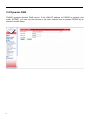
When the Factory Default button in the management/upgrade page is pressed, the configurations in
system flash memory and USB Disk will be cleared to factory default values.
Don’t try to unplug the USB Disk at runtime
-
PX0050 does not support hot plug-and-unplug, so make sure that the USB Disk is plugged into the
system before power on. Don’t unplug the USB Disk during system runtime.
Persistent Storage
-
The CDR records and Voicemail when stored into the USB Disk, the storage could be
permanent.
The CDR records and Voicemail when stored into the USB Disk, the storage size could be much larger.
LED
-
65
When the system boots up and mount the USB Disk successfully, the USB LED will be on. Since the
system doesn’t support hot plug-unplug, the LED won’t be turned off.