1
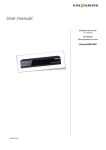
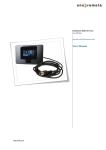
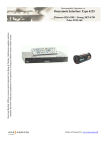
The converter.
The converter operates using a IR-receiver, that captures the IR control in parallel with your B&O TV.
When t is pressed on the Bang & Olufsen remote control, the IR-receiver captures this simultaneously with the
TV, and moves the TV to the preprogrammed viewing position. See the Lava installation guide of how to set the
viewing position of the TV.
When the TV is turned off with the w button on the Bang & Olufsen remote control, the Lava wall mount moves
the TV close to the wall.
The command ‘STAND’ and the A,S buttons can be used to position the TV in other viewing positions
than the preprogrammed.
Programming.
If the Lava wall mount has been installed accordingly to the Lava installation guide, using the Lava remote control,
there is no programming to be made.
If the Lava wall mount has been programmed for use with another remote control than the original Lava remote control,
the wall mount has to be programmed with the Lava remote control, as the OneRemote controller uses this command
set.
It is possible to program the wall mount with the OneRemote converter, if the original Lava remote control is not
available you can program the Lava Wall mount with this converter and your B&O remote control. To do this, follow
these steps:
1.
Press the little red button on the OneRemote converter, till the LED turns red.
2.
Press 1 and wait 1 second till the wall mount moves ONE time.
3.
Press 2 and wait 1 second till the wall mount moves ONE time.
4.
Press 2 and wait 1 second till the wall mount moves TWO times.
5.
Press 3 and wait 1 second till the wall mount moves ONE time.
6.
Press 3 and wait 1 second till the wall mount moves TWO times.
7.
Press 4 and wait 1 second till the wall mount moves ONE time.
8.
Press 4 and wait 1 second till the wall mount moves TWO times.
9.
Press 5 and wait 1 second till the wall mount moves ONE time.
10. Press 5 and wait 1 second till the wall mount moves TWO times.
Programming is now complete.
Programming can be aborted pressing q at any time.
www.oneremote.dk
Page 2