1
Contents
SECTION 1
Introduction to TRAMEC
1.1 About the TRAMAQ Research Programme ..............................................................1.1
1.2 About the TRAMEC emissions calculator ................................................................1.1
SECTION 2
Getting Started
2.1 About this User Guide ...............................................................................................2.1
2.2 User Interface conventions ........................................................................................2.2
2.3 System requirements..................................................................................................2.2
2.4 Installing TRAMEC...................................................................................................2.2
SECTION 3
Using the Emissions Calculator
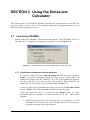
3.1 Launching TRAMEC .................................................................................................3.1
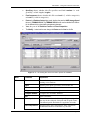
3.2 The TRAMEC screens...............................................................................................3.5
3.3 Using the Picture book.............................................................................................3.10
SECTION 4
Using the Mapper
4.1 Starting the TRAMEC Mapper..................................................................................4.1
4.2 The menu bar .............................................................................................................4.2
4.3 The TRAMEC Mapper toolbar..................................................................................4.3
4.4 The TRAMEC Mapper Windows..............................................................................4.5
4.5 Viewing and editing data using the TRAMEC Mapper ............................................4.7
SECTION 5
Worked examples
5.1 Example 1 ..................................................................................................................5.1
5.2 Example 2 ................................................................................................................5.11
SECTION 6
Importing data
6.1 Preparing the data files ..............................................................................................6.1
6.2 Importing the road link data ......................................................................................6.5
SECTION 7
Advanced use of the Mapper
7.1 Displaying a background image ................................................................................7.1
7.2 Copying and Saving the Map View ...........................................................................7.2
7.3 Editing, copying and pasting the legend ....................................................................7.2
7.4 Adding a north arrow to the Map View .....................................................................7.3
SECTION 8
Exporting data
8.1 Exporting to ArcView shape files..............................................................................8.1
8.2 Exporting emissions to ADMS-Urban.......................................................................8.2
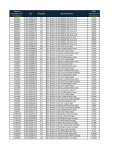
APPENDIX A Import codes for the picture book
A.1 Introduction............................................................................................................... A.1
A.2 TRAMAQ emission datasets .................................................................................... A.1
TRAMEC User Guide
Page 1.1