1
29
Rigging
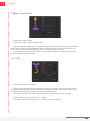
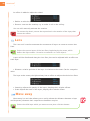
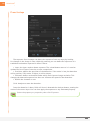
• Stretch : to adjust (and animate) the length of the chain.
• Auto-Shrink : When the IK chain bends, you can slightly shrink it: this way the
animation may be smoother, and with a higher value you can fake a parallax instead of
animating only from the side.
The stretch uses layer positions, and is made to be used with bones and puppet
pins, though they can add smoothness to the animation with standard layers.
With three layers and a controller
Once again, there are two cases:
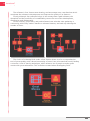
• Two-layer IK with an IK Goal
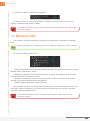
In this case, it is exactly the same as with standard two-layer IK with an added child
layer at the end, which is an IK Goal controlled by the controller. Cf. IK Goal.
• Three-layer IK
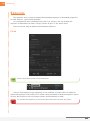
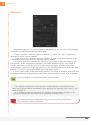
Three-layer IK is nearly the same as two-layer IK, only with a third FK value in the
effect on the controller.
It is not possible to really program an IK like the ones found in a 3D software
with After Effects expressions since IK in After Effects just use “simple”
trigonometry. Therefore, with three layers, only “U” shapes are possible, you cannot
achieve a “Z” shape.
A way to control a “Z” shape is to create a one-layer IK on the root layer, and
a two-layer IK on the other two, using the same controller. This way, it is possible
by adjusting the weight of the one-layer IK to precisely adjust the behaviour of the
chain.
This is the method used in the Autorig of Duik, and even usually in 3D softwares,
to rig legs of digitigrades and ongulates. Cf. Autorig.
More details on advanced methods like that will be explained in the
comprehensive book which will soon be available on http://www.duduf.training
Duik | User Guide