1
4. Clip the stand
onto the
underside of
the base,
if required.
3. Plug the other
end of the
power adaptor
into the wall
socket and
switch on.
Telephone line cord
1. Plug in mains
power adaptor
(item code
045139)
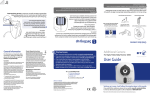
1 Plug in
Check box contents
Important: Charge the handset batteries for 24 hours
or your phone may not work.
3 After 24 hours, plug the telephone line cord into the telephone wall socket.
2 Place the handset on the base to charge.
1 Insert the battery as shown above. Make sure the coloured wires line up as shown
on the label inside the handset and the connector is plugged fully into the socket.
Slide the battery compartment cover into place.
2 Charge
For further information within and outside the 12
month guarantee, please refer to the full user guide at
www.bt.com/producthelp
Mains
Slim line Li polymer
power adaptor
battery and
(item code 045139)
battery cover
Set up your additional handsets (multipacks only)
This guarantee does not affect your statutory rights.
Stand
1 For additional handsets and chargers: plug the mains power adaptor with the red
connector (item code 045982) into the back of the charger and plug the other end
into the mains wall socket and switch the power on.
This guarantee does not cover any faults or defects
caused by accidents, misuse, fair wear and tear,
neglect, tampering with the equipment, or any
attempt at adjustment or repair other than through
approved agents.
Base
2. Insert battery as explained above.
•The equipment is returned to BT or its agent
as instructed.
Handset
2. Plug in
telephone line
cord but don’t
plug the other
end into the
wall socket yet.
3. Clip on the charger stand if required.
•Proof of purchase is required.
Contents for each additional handset (multipacks only)
4. Place handset on the charger to charge for 24 hours.
•The guarantee shall only apply to defects that
occur within the 12 month guarantee period.
Slim line Li polymer
battery and
battery cover
The conditions of this guarantee are:
Mains
power adaptor
(item code 045982)
Subject to the terms listed below, the guarantee
will provide for the repair of, or at BT’s or its agent’s
discretion the option to replace the BT Granite, or any
component thereof, (other than batteries), which is
identified as faulty or below standard, or as a result of
inferior workmanship or materials. Products over 28
days old from the date of purchase may be replaced
with a refurbished or repaired product.
Stand
If you ever need to remove the battery, simply slide open the battery compartment
cover and unplug the battery pack from the socket.
Your BT Granite is guaranteed for a period of 12
months from the date of purchase.
Charger
Your BT Granite is now ready for use.
Guarantee
The symbol shown here and on the product
means that the product is classed as Electrical or
Electronic Equipment and should not be disposed with
other household or commercial waste at the end of its
working life.
Handset
The answering machine will switch on and default to ‘Answer and record’ mode.
The base message counter will light up.
For information on safety instructions,
cleaning, technical information or
connecting to a switchboard, please
refer to the ‘General Information’
section in the full user guide at
www.bt.com/producthelp
Product disposal instructions
Important: Only use the cables and rechargeable batteries supplied in this box,
or this product may not work. Any replacement rechargeable batteries must be
of the same type.
Please
turn
over
General information
BT Granite
BT &
Working together, supporting energy saving products
BT & British Gas have joined forces to help our customers find new ways to save energy
around the home, so we can all do our bit for the environment & save money too!
User Guide
The Waste of Electrical and Electronic Equipment
(WEEE) Directive (2002/96/EC) has been put in place
to recycle products using best available recovery and
recycling techniques to minimise the impact on the
environment, treat any hazardous substances and
avoid the increasing landfill.
Product disposal instructions for residential users
When you have no further use for it, please remove
any batteries and dispose of them and the product as
per your local authority’s recycling processes. For more
information please contact your local authority or the
retailer where the product was purchased.
1 Plug in
2 Charge
Product disposal instructions for business users
Business users should contact their suppliers and check
the terms and conditions of the purchase contract
and ensure that this product is not mixed with other
commercial waste for disposal.
Warning
This equipment is not designed for making
emergency telephone calls when the power fails.
Alternative arrangements should be made for
access to emergency services.
R&TTE Directive & Declaration of Conformity
This product is intended for use within the UK for
connection to the public telephone network and
compatible switchboards.
3 Go!
Offices worldwide
The services described in this publication are subject to availability and may be
modified from time to time. Services and equipment are supplied subject to
British Telecommunications plc’s respective standard conditions of contract.
Nothing in this publication forms any part of a contract.
This equipment complies with the essential
requirements for the Radio Equipment and
Telecommunications Terminal Equipment Directive
(1999/5/EC).
© British Telecommunications plc 2008.
Registered Office: 81 Newgate Street, London EC1A 7AJ.
Registered in England No. 1800000.
If you would like a copy of the Declaration of
Conformance go to www.bt.com/producthelp
Printed in China / Issue 2 / ADP11-08
Designed and produced by The Art & Design Partnership Ltd.
Setting up is easy. Just follow the simple steps in this guide.
70%
If you need further assistance, please visit our website www.bt.com/producthelp
to view our advanced user guide or call our helpdesk on 0808 100 6556*
*Calls made from within the UK mainland network are free. Mobile and International call costs may vary.
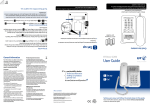
Your phone
3 Go!
Alarm set.
Handset
Answer machine on. Flashes
when you have new messages.
Flashes to indicate new
missed calls.
Handsfree in use.
Flashes to indicate new text
or voicemail messages.
Range indicator:
On=in range.
Flashing=out of range or not
registered to base.
Set date and time
Press MENU, scroll
Increase volume
Opens redial list.
Scroll up.
Call another handset.
Opens main menu.
Select options.
Making calls
Press MENU, scroll
to end the call.
Play is displayed. Press OK to play your messages.
Opens phonebook.
Select options.
Lift the handset from the base or charger to answer incoming calls. If the handset is
.
not on the base or charger, press
Press
scroll
to scroll to OUTGOING MSG, press SELECT. The current setting is highlighted,
or
to choose ANSWER & RECORD or ANSWER ONLY and press SELECT.
Press
to scroll to RECORD OGM and press SELECT.
End a call.
Switch handset on/off.
Return to standby.
Decrease volume
Opens/scrolls through
Calls list.
Scroll down.
Press and hold to lock/
unlock keypad.
Press and hold to switch
between upper and lower
case when entering text.
Auto talk is set to On as the default. If you lift the handset to answer
the loudspeaker will be activated.
and then press
Handsfree
during a call to switch call between earpiece and loudspeaker.
Press
Mute (Secrecy)
Press MUTE during a call to activate secrecy mode. Press UNMUTE to resume your call.
Redial
to open the list of recently dialled numbers. Scroll
Press
number you want. Press
to redial the number.
or
Navigating the menus
The BT Granite has an easy to use menu system. Each menu has a list of options which
you can see on the menu map below.
When the handset is switched on and in standby:
1. Press Menu to open the main menu.
to choose the
3. Press Select to select a menu option or Back to return to the
previous screen.
4. To exit a menu and return to standby, press
Handset
settings
Add entry/
New entry
Handset name
List
Handset Tones
Edit entry
- Ring volume
Select melody
- Ring MELODY
Delete entry
- Key Beep
Delete all
- Confirm Tone
SPEED DIAL
Backlight time
Dim mode
Auto hang-up
Auto answer
Base Settings
Clock & Alarm Advanced set
Ring volume
SET DATE/Time
Conference
Enter the name and press OK. You may need to press the same button a few times until
once for A, or twice for B.
the letter you want is displayed. For example, press
How do I increase the volume?
Enter the number and press OK.
No dial tone
button to increase the volume
During a call, press the
level and make sure the earpiece slot is over the centre of
your ear.
Only use the cables and batteries supplied.
Make sure both the mains power adaptor cable and
telephone line cord are plugged into the correct sockets.
Make sure the product is not located too close to other
electrical appliances. This can also help improve the
handset range from the base.
Make sure you charge the batteries for 24 hours before use
to ensure maximum battery performance.
Make sure you plug the phone
into the wall socket via an ADSL
microfilter (not supplied), otherwise
ADSL
you may have problems with this
microfilter
product and your broadband service.
Base default PIN = 0000
to choose the ringer melody you want to assign to the entry,
Poor speech quality
to the entry you want. Press
to dial the number.
From the phonebook menu you can also set numbers as speed dial to allow one
touch dialling.
Ring melody
Set format
Barring mode
Alarm
Change PIN
Alarm tone
Registration
Alarm volume De-register
Reset
Network
ServiceS
Prod.
helpline
Divert – all
Divert – busy
Divert – no ans
Call waiting
Voice mail
BT 118500
Cancel
callback
Withhold ID
Text message
Write Text msg
Inbox
Templates
Drafts
Settings
Answer
machine
Play
Most problems can be fixed with a few simple checks.
Solution
Caller Display and the Calls list
Phonebook
Before sending and receiving text messages you need to register to the text
messaging service and subscribe to Caller Display. You will be automatically registered
to the text message service when you send your first text. Please note that some
other network provider lines may not be compatible with this text messaging service.
See the full user guide online at www.bt.com/producthelp for details.
Problem
Dialling a phonebook entry
or
Press NAMES, scroll
.
Text messaging
Help
Storing new phonebook entries manually (up to 100)
Press MENU, PHONEBOOK is displayed, press SELECT, NEW ENTRY is displayed,
press SELECT.
or
Scroll
press SELECT.
(DOWN) to scroll through the available options.
During playback, you can press Options and scroll
or
to either: Repeat,
Previous, Next or delete and then press select to choose the option.
After the long beep, speak your message into the handset. When finished, press STOP.
Your message will be played back to you.
Phonebook
(UP) or
to answer machine. Press select.
Recording your own outgoing message
Press MENU, then press
to display ANSWER MACHINE, press SELECT.
2. Press
or
Answering calls
If you have subscribed to Caller Display, the caller’s details will be displayed
before you answer (see below and also the full user guide online at
www.bt.com/producthelp for details).
Press and hold to
switch handset ringer
on/off.
then dial the phone number. Press
Play messages
Messages are played through the handset speaker. To switch to private playback
through the earpiece, press
during playback.
Opens text
message menu.
Recall for use with
switchboard/PBX and
BT Calling Features.
Make/receive calls.
Switch handfree on/off.
For detailed instructions on all the answering machine features see the full
user guide online at www.bt.com/producthelp
to CLOCK & ALARM, press SELECT.
Enter correct time (in 24 hour format) and date using the keypad and press OK to confirm.
Press
Your answering machine is on and ready to record messages. The features can be
accessed using the Answer Machine menu, see the menu map on the bottom left.
SET DATE/TIME is displayed, press SELECT. Current date and time is displayed.
Handset ringer off.
Battery status indicator.
Answering machine
You must subscribe to a Caller Display service for this feature to work. Your network
provider may charge you for this service.
Battery icon not full/
handset dead
Using broadband on the same
phone line?
What is the base default PIN?
Delete all
Outgoing MSG
Record memo
Answer mode
-A
nswer &
record
- Answer only
View and dial from the calls list
icon flashes to indicate a new missed call, you must open the item in the
The
calls list to stop it flashing in the standby screen. Once all new calls have been
viewed, the icon will stop flashing.
- Answer off
Ans settings
- Ring delay
- Remote access
- HS screening
- BASE VOLUME
, to open the list of most recent incoming calls. Press SELECT to open the entry
Press
and see details of the call, e.g. time and date.
Press
to scroll through the list.
Press
to dial a displayed entry.
Press BACK at any time to return to the previous menu level.
Find out more
• New Frequently Asked Questions available at www.bt.com/producthelp
• If you need more detailed instructions, a full user guide is available to
download from www.bt.com/producthelp
• If you cannot find the answer to your problem in the full online user guide,
then please call the free Helpline on 0808 100 6556*. Our dedicated advisors are
more likely to be able to help you than the retailer where you made your purchase.