1
How To View An Invoice
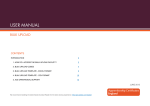
1. Once logged in , click on ‘Reports’ ( as shown below)
Click here
2. This will take you through to the screen below. To generate an invoice click
on ‘GP Practice Payment Invoice’
Click here
3. On the next screen, you will be presented with a number of drop down boxes.
By using these boxes you can choose what month and local authority area
you want to produce an invoice for. If you are a Middlesbrough practice and
4
QuitManger GP Payment Module User Guide