1
5.5
Mail
This section appears as well in the document ’The CERN Electronic Mail User Guide’.
A sophisticated mail program comes bundled with most flavors of Unix operating systems
(e.g. Mail on Berkeley Unix or mailx on System V). It interfaces to sendmail, a Unix facility for mail routing.
Some Unix users prefer to use the elm or pine user interface to Unix mail. Elm (with the
underlying metamail) and pine are public domain mail reading programs with multimedia
capabilities; however, for various reasons, including security, elm is NOT recommended at
CERN. Pine is the recommended mail agent and it is available on dxcern and on asis for workstation users. Information on release changes and documentation will be published in the
newsgroup cern.mail.
In order to try pine type pine from the shell prompt. The most common mail(x),
pine commands are listed in the relevant ’Getting Started’ sections below.
5.5.1
Getting Started with mail (mailx)
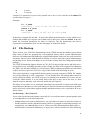
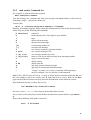
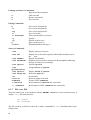
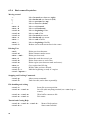
• To send a message, type mail recipient-address.
mailx is, to all intents and purposes, simply a System V recompilation of BSD mail and
the commands are similar. For example: mailx [email protected] or
mailx aliasname
• To read waiting messages, type mail.
• To list a summary of saved messages in a folder, type mail -f folder.
• To print on the screen one of the listed messages, type p message-number
or t message-number.
• To reply to the current message, type R.
• To list the message headers in the current folder, type h. If the list exceeds one page, z.
• To delete the current message, type d.
• To undelete the current message, type u.
• To extract the current message into a file, type s filename.
• To send a file as a message, type mail -s " subject-text" recipient-address
< filename.
• For information on other mail commands, type help or ?.
• To quit from mail , type q.
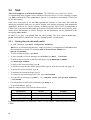
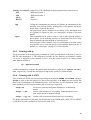
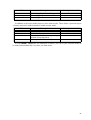
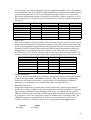
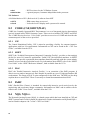
Address examples from Unix mail are shown below:
Destination
local user
others at CERN
others outside CERN
Syntax
username
user@host
[email protected]
Example
bloggs
pretty@vxcern
[email protected]
For further information on addressing ’others’ see the section ’Addressing Mail from within
CERN’.
44








![arXiv:1306.3436v1 [hep-ph] 14 Jun 2013](http://vs1.manualzilla.com/store/data/005779061_1-09962217330e865ae44dd3cb323f6311-150x150.png)