1
4.
File System
4.1
File Structure
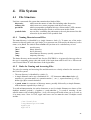
Unix has a structured file system that contains three kinds of files:
directories
ordinary file
special file
symbolic links
4.1.1
which store the names of other files including other directories;
which store text, source programs, and object code; and
which correspond to peripheral devices, sockets and a UNIX construction called named pipes which we will not treat in this Guide.
are text files containing the path name to the real placement of the file
referred to by the name of the symbolic link
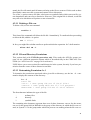
Naming Directories and Files
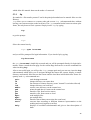
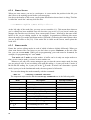
The root directory is identified by a single character: slash (/). To name one of the major
directories directly under root, type slash (/) to represent root, followed by the directory’s own
name, as in /bin. The slash in front of bin tells you that usr is a subdirectory of root.
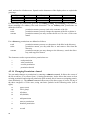
/u or /user
/bin
/dev
/etc
/tmp
user directory
binary directory
device directory
miscellaneous directory (usually system files)
temporary directory
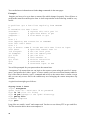
The home directory on the central Unix Service (DXCERN) is: /u/gg/userid/ where gg refers to
the user’s computing group code and userid is the login name and for AFS it is /afs/cern.ch/
user/X/userid where X is the first letter of the login-name.
4.1.2
Rules for Naming and Accessing Files
The rules for naming and accessing files and directories are closely related to the structure of
the Unix file system:
• The root directory is identified by a slash (/).
• A simple filename can be any combination of 1 - 255 characters other than slashes (/),
asterisks (*), question marks (?), quotation marks (“ ) or (’), square brackets ([) or (]),
dollar sign ($) or control characters.
• A path name is a sequence of directory names, possibly followed by a simple filename,
with each name separated by a slash (/).
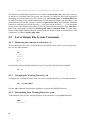
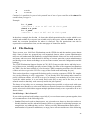
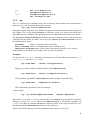
To avoid misinterpretation, the safest characters to use for simple filenames are letters of the
alphabet, numbers, periods (.), hyphens (-), and underline (_). A word of warning: do not
start file names with a leading hyphen (-) as it will cause great trouble when you try to refer to
it in many cases. Note: in Unix, upper and lower case are not the same. Examples could
include –
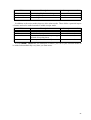
/usr/local/bin
long-description-name
mydoc.ps
myfile.f
27