1
✂
Motorola V100 Personal Communicator
Quick Reference Card
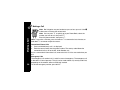
Control Buttons
,
Press and hold to turn on or off.
( Accept and end a call, setting, or option.
) Reject or cancel a call, setting, option, and to return to the
previous screen. In text mode, deletes the previous character.
$ Press to enter Quick Access menu.
! Scroll through messages and text, and increase and decrease
volume.
# Press to read a message.
. Press to write a message.
M Used to enter numbers 0 - 9. Press once for single number,
press twice for multiple numbers. Press twice to stop entering
numbers.
+ Press once to capitalize a letter. Press twice for continuous
capitalization, press twice again to stop capitalization.
] Smart Button. Answers, makes, and end calls. Press to go to
Phone Book, and recall a number using Voice Tags.
} Located on outside of communicator. Press to answer and end
a call.
Press to record VoiceNotes, press again to stop recording.
Sending a Text Message
1. Press ., type your message, press (.
2. Enter the phone number or select the phone number from the
phone book, then follow the prompts given by your
communicator.
3. When the phone number is displayed, press (.
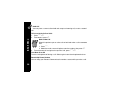
Mobile Internet Session
During a mobile internet session, the functions of the % and (
buttons change. To access an option that is displayed on the bottom
right-hand of your screen, press (. To access an option that is
&