1
User Guide
L9,(:6XLWH
Version NOTICE
© 2000-2009 RADVISION Ltd. All intellectual property rights in this publication are owned by
RADVISION Ltd and are protected by United States copyright laws, other applicable copyright laws
and international treaty provisions. RADVISION Ltd retains all rights not expressly granted.
This publication is RADVISION confidential. No part of this publication may be reproduced in any
form whatsoever or used to make any derivative work without prior written approval by RADVISION
Ltd.
No representation of warranties for fitness for any purpose other than what is specifically mentioned
in this guide is made either by RADVISION Ltd or its agents.
RADVISION Ltd reserves the right to revise this publication and make changes without obligation to
notify any person of such revisions or changes. RADVISION Ltd may make improvements or
changes in the product(s) and/or the program(s) described in this documentation at any time.
If there is any software on removable media described in this publication, it is furnished under a
license agreement included with the product as a separate document. If you are unable to locate a
copy, please contact RADVISION Ltd and a copy will be provided to you.
Unless otherwise indicated, RADVISION registered trademarks are registered in the United States
and other territories. All registered trademarks recognized.
For further information contact RADVISION or your local distributor or reseller.
iVIEW Suite version 7.1, December 2009
Publication 5
http://www.radvision.com
CONTENTS
1
2
Related Documentation
vii
Feedback
vii
Introducing iCM
User Types
1
Logging in to iCM
2
Enabling Single Sign-on with Microsoft Vista and Microsoft 7
3
Accessing In-meeting Control
3
Scheduling Meetings in iCM
Meeting Scheduling Workflow
5
Defining Basic Meeting Properties
6
Scheduling a Virtual Room Meeting
9
Enabling Streaming for a Meeting
10
Enable Recording for a Meeting
10
How to Invite Participants or Terminals to the Meeting
Searching for a Participant or Terminal
Selecting a Participant or Terminal
Adding a New Participant or Terminal
Reserving Extra Ports
11
11
12
12
13
How to Customize Participant and Terminal Settings
Selecting a Terminal for a Participant
Defining Participant Dialing Options
Viewing Participant or Terminal Addressing
Defining Participant Video Display Layout
Defining the Meeting Host
13
14
14
15
15
16
Contents
iii
Using Lecture Mode
18
Adding a Meeting Reference Code
18
Configuring a Billing Destination
19
Defining How to End a Meeting
19
Setting a Time Zone for a Meeting
20
How to Test and Complete the Scheduling
Testing the Meeting Scheduling Request
Completing the Meeting Scheduling Process
Viewing a Summary of Your Meeting
20
21
21
22
How to Create Ad Hoc Meetings
Creating Ad Hoc Point-to-Point Calls
Creating Ad Hoc Multipoint Meetings using a Default
Meeting Type
Creating Ad Hoc Multipoint Meetings using a Non-Default
Meeting Type
Inviting Participants to Ad Hoc Meetings using MCU Delimiters
Creating Ad Hoc Virtual Room Meetings
Viewing Endpoint-initiated Meetings
Creating Endpoint-Initiated Meetings Using Sony Endpoint with
Embedded MCU
22
23
How to Manage Meetings via Video IVR
Accessing MCU Meetings via Video IVR
Viewing MCU Meetings via Video IVR
Creating MCU Meetings via Video IVR
3
iv
iVIEW Suite User Guide
17
Viewing Participant and Terminal Availability
23
24
24
25
25
26
26
27
27
27
Managing Meetings in iCM
Viewing Your Meetings
29
Verifying that You Have Successfully Created Your Meeting
30
Searching for a Meeting
30
Monitoring a Meeting
31
Generating Reports
32
Responding to a Meeting Invitation
35
Modifying Upcoming Meetings
35
4
Deleting Your Meeting History
35
Defining the Duration of the Meeting History Display
36
Moderating Meetings in iCM
About the In-meeting Control Interface
Accessing the In-meeting Control Interface
Identifying In-meeting Control Interface Components
Viewing Title Bar Details
Viewing Participant List Tab Details
Viewing Statistics Tab Details
Viewing Layout Panel Details
Viewing Invite Panel Details
37
37
39
39
43
46
46
47
Taking Moderator Control
47
How to Moderate a Meeting
Inviting Multiple Participants
Inviting Multiple Terminals
Connecting or Disconnecting Participants
Muting or Enabling a Selected Microphone
Blocking or Unblocking a Selected Camera
Changing the Meeting View for a Participant
Inviting a Sub-meeting
Extending Meeting Duration
Defining Video Layout and Display
Defining Video Output Schemes
Activating and Deactivating Auto-Switching
Displaying a Participant or Terminal Name
Setting a Voice-activated Frame
Enabling and Disabling Dynamic Layout
Changing Layout
Viewing Participant Details
Changing a Participant Name
Removing a Participant from the Participant List
Terminating a Meeting
48
49
50
50
51
51
52
52
53
53
54
54
55
55
56
56
57
59
60
60
Contents
v
5
6
vi
iVIEW Suite User Guide
Managing Your iCM Address Book
How to Manage Your Personal Contacts List
Creating or Modifying a Personal Contact
Removing a Personal Contact
Searching for a Personal Contact
61
61
63
64
How to Manage Your Organization Contacts List
Viewing All Users in Your Organization
Searching for a Contact in Your Organization
Adding an Organization Contact to your Personal Address Book
64
64
65
65
How to Manage Contact Groups
Creating or Modifying a Group
Removing a Group
Searching for a Group
65
66
66
66
Managing Your iCM User Profile
Viewing Your User Profile Settings
69
Modifying Your Password
69
Modifying Your Email Address
70
Modifying Your Time Zone
70
Defining Your Meeting Display Preferences
71
Defining Your Virtual Room Preferences
72
ABOUT THIS MANUAL
The iVIEW Suite User Guide provides information for users and meeting
organizers about iVIEW Suite configuration and the user interface. It includes
detailed procedures about performing end user-related tasks.
RELATED
DOCUMENTATION
The iVIEW Suite documentation set is available on the RADVISION Utilities and
Documentation CD-ROM supplied with the product and includes manuals and
online helps. The manuals are in PDF format.
Note You require Adobe Acrobat Reader version 6.0 or later to open the PDF
files. You can download Acrobat Reader free of charge from www.adobe.com.
FEEDBACK
The team at RADVISION constantly endeavors to provide accurate and
informative documentation. If you have comments or suggestions regarding
improvements to future publications, we would value your feedback.
Please send your comments to [email protected].
We thank you for your contribution.
About This Manual
vii
1
INTRODUCING ICM
iVIEW Communications Manager is a simple-to-use, web-based application for
managing visual communications in multi-site organization deployments. It
provides resource management of network devices for video and audio meetings
as well as scheduling, call-routing, and conference control functionalities.
User Types on page 1
Logging in to iCM on page 2
Enabling Single Sign-on with Microsoft Vista and Microsoft 7 on page 3
Accessing In-meeting Control on page 3
USER TYPES
iCM enables you to log in as a Meeting Organizer or a Regular User.
Each user type has a default set of permissions and a default view of the user
interface. Table 1-1 outlines the differences between the default permissions for
each user type.
Introducing iCM
1
Logging in to iCM
Table 1-1
iCM User Types and Default Permissions
Meeting
Organizer
Regular User
Create and manage meetings for others
Allowed
Manage personal address book
Allowed
Manage own virtual room
Allowed
Create and manage own meetings
Allowed
Allowed
View scheduled meetings
Allowed
Allowed
Receive and respond to meeting notices
Allowed
Allowed
Attend meetings
Allowed
Allowed
Moderate meetings
Allowed
Allowed
Modify own profile
Allowed
Allowed
Enable Location Preference (for use in distributed
deployments—indicates where the meeting is
created when no terminal is specified)
Allowed
Note When in-meeting control is PIN-protected, a user needs the Moderator PIN
to perform in-meeting control operations.
LOGGING IN TO ICM
Procedure
2
iVIEW Suite User Guide
1
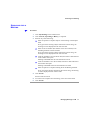
Open your browser and enter the iCM URL.
2
Enter your user ID and password in the iCM login screen.
3
Select Remember User ID and Password to use the user ID and
password for the next login.
Enabling Single Sign-on with Microsoft Vista and Microsoft 7
ENABLING SINGLE
SIGN-ON WITH
MICROSOFT VISTA
AND MICROSOFT 7
4
For Single Sign On (SSO) users, add the iVIEW Suite host server to the
Internet Explorer trusted site list on the computers that belong to you.
5
Click Login.
By default, the Single Sign-on (SSO) feature does not work with Internet
Explorer 8 under Microsoft Vista and Microsoft 7. Modify the Vista default
security setting as described here to enable SSO.
Procedure
1
Go to Administrative Tools > Local Security Policy > Security
Options on your computer.
2
For Windows Vista, perform these steps:
3
4
ACCESSING
IN-MEETING
CONTROL
a
Double-click Network security: LAN Manager or right-click and
select Properties.
b
Select Send LM & NTLM - use NTLMv2 session security if
negotiated in the Local Security Setting tab.
For Windows 7, perform these steps:
a
Double-click Network security: LAN Manager authentication
level or right-click and select Properties.
b
Select Send LM & NTLM responses.
Click Apply.
You can access the In-meeting Control screen after signing in to the iVIEW
Communications Manager web user interface. Alternatively, you can enter a
meeting directly without having to log in to the iVIEW Communications
Manager.
Procedure
1
Click Enter a Meeting in the iCM login screen.
2
Enter the ID of the desired meeting.
Introducing iCM
3
Accessing In-meeting Control
4
iVIEW Suite User Guide
3
Enter the meeting PIN, if there is one.
4
Click Login.
2
SCHEDULING MEETINGS IN ICM
Meeting Scheduling Workflow on page 5
Defining Basic Meeting Properties on page 6
Scheduling a Virtual Room Meeting on page 9
Enabling Streaming for a Meeting on page 10
Enable Recording for a Meeting on page 10
How to Invite Participants or Terminals to the Meeting on page 11
How to Customize Participant and Terminal Settings on page 13
Viewing Participant and Terminal Availability on page 18
Adding a Meeting Reference Code on page 18
Configuring a Billing Destination on page 19
Defining How to End a Meeting on page 19
Setting a Time Zone for a Meeting on page 20
How to Test and Complete the Scheduling on page 20
How to Create Ad Hoc Meetings on page 22
MEETING
SCHEDULING
WORKFLOW
To schedule a meeting you must configure each of the tabs in the Meeting
Scheduling section. We recommend that you start with the Basic tab and then
configure each of the remaining tabs in the order that they appear in the Meeting
Scheduling user interface.
Scheduling Meetings in iCM
5
Defining Basic Meeting Properties
Table 2-1
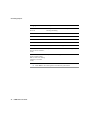
Meeting Schedule Tabs (in order of appearance)
Tab
Description
Basic
Displays meeting information, such as the meeting type, and
the date and time of the meeting, and whether or not the
meeting is a recurring meeting.
Invite
Invite participants (both users and terminals) to the meeting.
Can also reserve MCU ports for dial-in participants.
Attendees Settings
Displays the settings for meeting participants, such as dial-in/
dial-out mode.
Attendees Availability
Displays a calendar with the availability of selected attendees.
Advanced
Displays advanced meeting options.
The Attendees Settings, Attendees Availability, and Advanced tabs are hidden by
default and can be activated by the Administrator via Admin > Advanced
Settings > Look and Feel.
DEFINING BASIC
MEETING
PROPERTIES
Procedure
1
Click Meeting Scheduling in the sidebar menu.
By default, the Basic tab displays and the start time is set to Now.
If the Administrator has modified the default behavior, an option menu
displays allowing you to select a Normal conference, a Recurrence, or an
Ad Hoc conference.
Select one of the options to schedule a meeting. The Basic tab displays.
If working with Active Directory, your virtual room settings are
displayed.
2
If the Meeting ID field displays, a random ID is generated for this
meeting. You can edit the meeting ID.
If the Meeting ID field does not display, a random ID is generated for this
meeting after it is successfully scheduled.
6
iVIEW Suite User Guide
Defining Basic Meeting Properties
3
Click the calendar icon next to the Start Time field to specify the start
time of the meeting.
Specify the exact date and time in the popup window. By default, the start
time is Now.
If you specify a start time that is in the future, the End Time field
displays. The End Time value is equal to the start time plus the duration
of the meeting.
You can change the meeting duration by overriding the value in the
Duration field.
4
Enter a meeting subject.
A subject is required to schedule a meeting.
5
Select a meeting type.
If a SCOPIA Elite MCU is deployed, you can use a default meeting type.
If a SCOPIA Classic MCU is used, select one of these predefined
meeting types:
Non Video Conference—Only users and meeting rooms are
scheduled for a meeting. No terminals are involved.
Point to Point meeting type—Only two terminals are scheduled for
a meeting and there is no use of MCU ports for the meeting.
This feature is only available if advanced call control is enabled on
the Enhanced Communication Server profile.
Audio Only—Only an audio bridge is scheduled for the meeting.
There is no meeting room or video scheduled.
HD/SD Continuous Presence—Supports high definition continuous
presence. Supports image size of up to 720p. Default when adding a
new service.
HD Switched Video—Supports switched high definition video at
rates of up to 4096 Kbps.
Note Continuous Presence or Voice Activated meeting types are available
only if your system administrator has configured a Sony endpoint with an
embedded MCU. To host the meeting on the embedded MCU, you must be
one of the meeting attendees and select a Sony endpoint with an embedded
MCU.
Scheduling Meetings in iCM
7
Defining Basic Meeting Properties
6
(Optional) Click Recurrence to define the recurrence details for a
recurring meeting.
The Recurrence button is only enabled if the meeting start time is not
Now.
7
(Optional) Define the meeting access PIN in the Meeting PIN field.
Only integers are allowed. This PIN allows you to join a PIN-protected
meeting.
8
(Optional) Define the PIN that allows a user to perform moderation
operations on a meeting in the Moderator PIN field.
Only integers are allowed. This PIN allows you to take control of a
meeting from the In-meeting Control interface or from the endpoint
using DTMF. Meeting Operators can access the In-meeting Control
screen without using the Moderator PIN.
9
(Optional) If you entered a moderator PIN, you can turn on the waiting
room functionality by selecting Place participants in a 'waiting room'
until the moderator joins the meeting.
Before the host joins the meeting, all connected participants are put into
waiting room mode where they cannot hear or see one another. When the
host terminal joins the meeting, the waiting room mode is removed and
all participants can see and hear each other.
You can unlock the waiting room mode by taking control of the
In-meeting Control screen after entering the moderator PIN and clicking
Unlock waiting room.
10
(Optional) If you entered a moderator PIN, you may automatically
record a meeting when it starts by selecting Record meeting when
meeting starts (available only when a SCOPIA Desktop is configured
in iVIEW Suite).
The default streaming mode determines the initial streaming state.
Streaming can be disabled or enabled during the meeting by any
SCOPIA Desktop Client that has meeting moderation rights.
11
(Optional) Enter a description of the scheduled meeting for future
reference.
The Description field is hidden by default. If you cannot see this field,
contact your system administrator.
8
iVIEW Suite User Guide
Scheduling a Virtual Room Meeting
12
Click Resource Availability to view the MCU resources available in
the network for a particular meeting type.
The MCU resources are displayed with the number of available ports for
a given time period of time.
13
Perform one of the following:
Click Next to proceed with setting additional meeting scheduling
options.
Click Test to test your scheduling request.
Click Finish to complete the meeting scheduling procedure.
Related Topics
Scheduling a Virtual Room Meeting on page 9
Enabling Streaming for a Meeting on page 10
Enable Recording for a Meeting on page 10
How to Test and Complete the Scheduling on page 20
SCHEDULING A
VIRTUAL ROOM
MEETING
The virtual room facility enables you to set predefined attributes, such as meeting
type and PIN, to customize your meetings.
You associate an identifying number with each virtual room. Other users simply
dial the virtual room number to establish a meeting using the customized
attributes of the virtual room.
When scheduling a meeting in a virtual room, you use the predefined attributes of
that virtual room as preferred settings for the meeting.
Procedure
1
Click Meeting Scheduling in the sidebar menu.
2
Click My Virtual Room.
3
Select a virtual room from the list and click OK.
iCM loads the customized configurations of the virtual room.
4
Click Finish to schedule a meeting in this virtual room.
Scheduling Meetings in iCM
9
Enabling Streaming for a Meeting
ENABLING
STREAMING FOR A
MEETING
Procedure
1
Click Meeting Scheduling in the sidebar menu.
2
Set Streaming to Enabled.
3
Perform one of the following:
Click Next to proceed with setting additional meeting scheduling
options.
Click Test to test your scheduling request.
Click Finish to complete the meeting scheduling procedure.
ENABLE
RECORDING FOR A
MEETING
Procedure
1
Click Meeting Scheduling in the sidebar menu.
2
Select Record meeting when meeting starts to automatically record a
meeting when the meeting starts.
This option is available if
Recording is allowed for the current user according to the recording
policy.
The Record Meeting field is set to Enabled under Admin >
Advanced Settings > Look and Feel.
The meeting will not be recorded if there are not enough available
recording ports on the SCOPIA Desktop when the meeting is scheduled.
3
10
iVIEW Suite User Guide
Click OK to save your changes.
How to Invite Participants or Terminals to the Meeting
HOW TO INVITE
PARTICIPANTS OR
TERMINALS TO THE
MEETING
A terminal is an audio/video device for use in audio and video conferences over
IP, ISDN or mobile networks. In general, a user will have at least one terminal.
Searching for a Participant or Terminal on page 11
Selecting a Participant or Terminal on page 12
Adding a New Participant or Terminal on page 12
Reserving Extra Ports on page 13
SEARCHING FOR A
PARTICIPANT OR
TERMINAL
Procedure
1
Click Meeting Scheduling in the sidebar menu.
2
Click Invite.
3
Enter the partial or complete name of the participant or terminal in the
Names field.
4
Select the source from which to search for resources or participants.
You can select Organization Groups, Address Book or All Terminals
from the Select From drop-down list.
If you do not see one of these options, contact your system administrator.
5
Click Search.
Search results are listed.
6
To return to the complete list of participants, clear the Names field, and
then click Search.
7
Use the arrow buttons to move entries between the Available
Participants and Selected Participants lists.
8
If you do not want to set any additional information, perform one of the
following:
Click Next to proceed with setting additional meeting scheduling
options.
Click Test to test your scheduling request.
Click Finish to complete the meeting scheduling procedure.
Scheduling Meetings in iCM
11
How to Invite Participants or Terminals to the Meeting
SELECTING A
PARTICIPANT OR
TERMINAL
Procedure
1
Click Meeting Scheduling in the sidebar menu.
2
Click Invite.
3
Use the arrow buttons to move entries between the Available
Participants and Selected Participants lists.
By default, each page displays up to 50 entries.
The Available Participants list includes users or terminals depending on
the selection in the Select From list.
4
By default, the meeting organizer is displayed in the Select Participant
list. Disable this behavior at My Profile > My Preferences > Don't
include me in the meeting.
5
If you do not want to set any additional information, perform one of the
following:
Click Next to proceed with setting additional meeting scheduling
options.
Click Test to test your scheduling request.
Click Finish to complete the meeting scheduling procedure.
ADDING A NEW
PARTICIPANT OR
TERMINAL
Procedure
1
Click Meeting Scheduling in the sidebar menu.
2
Click Invite.
3
Enter the required information about the participant or terminal in the
lower half of the screen.
You must provide at least the email address of the user or the number of
the terminal that you want to add.
4
12
iVIEW Suite User Guide
Select Save to my address book to add the participant to your address
book.
How to Customize Participant and Terminal Settings
5
Click Add to save your changes.
6
If you do not want to set any additional information, perform one of the
following:
Click Next to proceed with setting additional meeting scheduling
options.
Click Test to test your scheduling request.
Click Finish to complete the meeting scheduling procedure.
RESERVING EXTRA
PORTS
Reserving ports ensures that you have sufficient resources to invite additional
participants or terminals to a meeting that is already in progress.
If no participants attend a meeting, iCM releases the ports after the specified
meeting end time is reached.
If a participant leaves a meeting before the end time is reached, iCM releases the
video ports used by the participant immediately, and the audio ports at the end of
the meeting.
Procedure
1
Click Meeting Scheduling in the sidebar menu.
2
Click Invite.
3
Select Reserved ports to reserve additional MCU ports for unknown
participants.
4
Enter the required number of additional ports.
5
If you do not want to set any additional information, perform one of the
following:
Click Next to proceed with setting additional meeting scheduling
options.
Click Test to test your scheduling request.
Click Finish to complete the meeting scheduling procedure.
HOW TO
CUSTOMIZE
PARTICIPANT AND
TERMINAL
SETTINGS
Selecting a Terminal for a Participant on page 14
Defining Participant Dialing Options on page 14
Viewing Participant or Terminal Addressing on page 15
Defining Participant Video Display Layout on page 15
Scheduling Meetings in iCM
13
How to Customize Participant and Terminal Settings
Defining the Meeting Host on page 16
Using Lecture Mode on page 17
SELECTING A
TERMINAL FOR A
PARTICIPANT
This option is not available for non-video conferences.
Procedure
1
2
Click Meeting Scheduling in the sidebar menu.
Click Attendees Settings.
If you do not see this tab, contact your system administrator.
3
To assign or change the assignment of a terminal used by an attendee,
click the link for that attendee in the Terminal column.
4
Select a terminal from the list in the Select Terminal window or click
Specify custom terminal to add an external number.
5
Enter the required terminal name, and then click OK.
6
For a PSTN/ISDN terminal designated as an ISDN connection for the
meeting, select PSTN/ISDN.
This option is unavailable for non-PSTN/ISDN terminals.
7
If you do not want to set any additional information, perform one of the
following:
Click Next to proceed with setting additional meeting scheduling
options.
Click Test to test your scheduling request.
Click Finish to complete the meeting scheduling procedure.
DEFINING
PARTICIPANT
DIALING OPTIONS
This option is not available for non-video conferences.
Procedure
1
Click Meeting Scheduling in the sidebar menu.
2
Click Attendees Settings.
If you do not see this tab, contact your system administrator.
14
iVIEW Suite User Guide
How to Customize Participant and Terminal Settings
3
Select Dial-in for dial-in attendees.
4
If you expect a terminal to join the meeting by dialing in (rather than by
being dialed to when the meeting starts), select Dial-in for the terminal.
If a PSTN/ISDN terminal is missing the country code, area code or phone
number, the terminal is forced to join in dial-in mode only.
5
If you do not want to set any additional information, perform one of the
following:
Click Next to proceed with setting additional meeting scheduling
options.
Click Test to test your scheduling request.
Click Finish to complete the meeting scheduling procedure.
VIEWING
PARTICIPANT OR
TERMINAL
ADDRESSING
Procedure
1
Click Meeting Scheduling in the sidebar menu.
2
Click Attendees Settings.
If you do not see this tab, contact your system administrator.
DEFINING
PARTICIPANT VIDEO
DISPLAY LAYOUT
This operation allows you to set the initial layout for terminals to which the MCU
dials out. Make sure that there is no dynamic layout defined by the MCU service
for this meeting type.
The layout of these terminals may change during the course of the meeting if
additional terminals dial into the conference.
This option is not available for non-video conferences.
Procedure
1
2
Click Meeting Scheduling in the sidebar menu.
Click Attendees Settings.
If you do not see this tab, contact your system administrator.
Scheduling Meetings in iCM
15
How to Customize Participant and Terminal Settings
3
Select the layout that dial-out participants see from the View list.
You can view available layouts in the Layout display by clicking the
numbered side-tabs.
The service selected for the meeting determines which layouts are
available.
For a point-to-point conference, the attendees list should contain only
two terminals, and the View column and Layout display are disabled.
4
To include a terminal name in a specific subframe of the screen layout at
the start of the meeting, drag and drop the Change Layout icon (located
to the right of the View column for each terminal) into the Layouts
display.
5
If you do not want to set any additional information, perform one of the
following:
Click Next to proceed with setting additional meeting scheduling
options.
Click Test to test your scheduling request.
Click Finish to complete the meeting scheduling procedure.
DEFINING THE
MEETING HOST
Procedure
1
Click Meeting Scheduling in the sidebar menu.
2
Click Attendees Settings.
If you do not see this tab, contact your system administrator.
3
Select a host in the Host field at the bottom of the screen.
A host can be either a participant or a terminal.
If waiting room mode is enabled, and the host has a terminal, the host can
unlock the waiting room on joining the meeting.
4
If you do not want to set any additional information, perform one of the
following:
Click Next to proceed with setting additional meeting scheduling
options.
16
iVIEW Suite User Guide
How to Customize Participant and Terminal Settings
Click Test to test your scheduling request.
Click Finish to complete the meeting scheduling procedure.
USING LECTURE
MODE
In Lecture Mode, the lecturer is displayed in one view and all other participants
are displayed in the second view. The lecturer sees all the participants in the
second view, while the participants see only the lecturer.
Procedure
1
Click Meeting Scheduling in the sidebar menu.
2
Click Basic.
3
Enter a meeting ID and subject.
4
Select a meeting type in which the Administrator has selected the
Enable Lecture Mode option.
The host is designated as the lecturer and set to be displayed in the first
view. All other participants are set to be displayed in the second view.
The host sees all the participants. The participants see only the host.
5
If you do not want to set any additional information, perform one of the
following:
Click Next to proceed with setting additional meeting scheduling
options.
Click Test to test your scheduling request.
Click Finish to complete the meeting scheduling procedure.
Scheduling Meetings in iCM
17
Viewing Participant and Terminal Availability
VIEWING
PARTICIPANT AND
TERMINAL
AVAILABILITY
Procedure
1
2
Click Meeting Scheduling in the sidebar menu.
Click Attendees Availability.
If you do not see this tab, contact your system administrator.
The legend at the top left of the window explains that T means
“Terminal” and that U means “User”. In the case of a non-video
conference, R means “Room”.
Purple represents “Busy” and white represents “Free”.
A one-week time period is displayed, beginning from the week that the
meeting is scheduled to occur (no earlier than the present time).
3
Perform one of the following:
Click Next to proceed with setting additional meeting scheduling
options.
Click Test to test your scheduling request.
Click Finish to complete the meeting scheduling procedure.
ADDING A MEETING
REFERENCE CODE
You can add a reference code to identify your meeting for billing purposes.
Procedure
1
Click Meeting Scheduling in the sidebar menu.
2
Click Basic.
If you do not see this tab, contact your system administrator.
18
iVIEW Suite User Guide
3
Enter a reference code for the specified meeting in the Reference Code
field.
4
If you do not want to set any additional information, perform one of the
following:
Configuring a Billing Destination
Click Test to test your scheduling request.
Click Finish to complete the meeting scheduling procedure.
CONFIGURING A
BILLING
DESTINATION
Procedure
1
Click Meeting Scheduling in the sidebar menu.
2
Click Basic.
If you do not see this tab, contact your system administrator.
3
Select Host, All Participants or Organizer in the Bill To field.
The cost of the meeting is billed accordingly.
4
If you do not want to set any additional information, perform one of the
following:
Click Test to test your scheduling request.
Click Finish to complete the meeting scheduling procedure.
DEFINING HOW TO
END A MEETING
Procedure
1
Click Meeting Scheduling in the sidebar menu.
2
Click Advanced.
If you do not see this tab, contact your system administrator.
3
Select At scheduled time to terminate the meeting according to the
termination time define for the meeting.
4
Enter a value in the Alert n minutes before termination field to
indicate the length of time before the scheduled termination of the
meeting that terminals receive the end-of-meeting warning.
At the defined length of time before the end of the meeting, an audio alert
message is played to the meeting participants. The only way to extend the
meeting is to do it manually in the In-meeting Control interface.
Scheduling Meetings in iCM
19
Setting a Time Zone for a Meeting
5
Select n minutes after all terminals have left to terminate the meeting
only a defined period of time after the last terminal leaves.
iCM automatically extends the meeting as long as meeting participants
are still connected to the meeting, and there is no resource conflict with
upcoming scheduled meetings.
6
Enter the required value in the n minutes after all terminals have left
field.
By default, you cannot automatically extend iCM meetings to last more
than four hours. If you need this default changed, contact your system
administrator.
The maximum values that iCM allows are 10 days, 240 hours and 14400
minutes.
7
If you do not want to set any additional information, perform one of the
following:
Click Test to test your scheduling request.
Click Finish to complete the meeting scheduling procedure.
SETTING A TIME
ZONE FOR A
MEETING
Procedure
1
Click Meeting Scheduling in the sidebar menu.
2
Click Advanced.
If you do not see this tab, contact your system administrator.
3
Select the required time zone from the list in the Time Zone field.
4
If you do not want to set any additional information, perform one of the
following:
Click Test to test your scheduling request.
Click Finish to complete the meeting scheduling procedure.
HOW TO TEST AND
COMPLETE THE
SCHEDULING
20
iVIEW Suite User Guide
When you have completed all selections in the Meeting Scheduling screens, you
can either test to see if the meeting scheduling request would be successful or
schedule the meeting and receive the meeting invitation.
How to Test and Complete the Scheduling
How to Test and Complete the Scheduling on page 20
Completing the Meeting Scheduling Process on page 21
Viewing a Summary of Your Meeting on page 22
TESTING THE
MEETING
SCHEDULING
REQUEST
This procedure describes how to test the scheduling request without actually
scheduling the meeting.
Procedure
1
Click Test on any tab of the Meeting Scheduling section.
2
If the scheduling request fails, the application suggests alternative time
slots for this scheduling request to be successful. You can either select a
new time slot or change the scheduling parameters and then re-test.
COMPLETING THE
MEETING
SCHEDULING
PROCESS
Procedure
1
Click Finish on any tab in the Meeting Scheduling section.
If all required resources are available, the meeting is automatically
scheduled and notifications are sent to all participants.
If network resources are available but non-required resources (such as
terminals, users and rooms) are not, the meeting is automatically
scheduled, notifications are sent, and a conflict list is created for the
meeting organizer.
If the meeting cannot be scheduled, a message appears in which you can
select an alternative time slot for the meeting, if a time slot is available.
2
If no alternative time slot is available, click Back to return to the
Meeting Scheduling screens where you can modify your selections.
Scheduling Meetings in iCM
21
How to Create Ad Hoc Meetings
VIEWING A SUMMARY
OF YOUR MEETING
Procedure
1
Click Finish on any tab of the Meeting Scheduling section.
If the meeting is successfully scheduled, a Meeting Summary window
displays the following information.
HOW TO CREATE
AD HOC MEETINGS
2
Alternatively, go to My Meetings > Upcoming or My Meetings >
History.
3
Click the link to the meeting in the Subject column.
4
Click Meeting Summary.
You create an ad hoc meeting when you dial a random meeting ID from your
endpoint or terminal without scheduling a meeting or a virtual room number. The
system creates this random ad hoc meeting or virtual room meeting for you.
When all participants leave the ad hoc meeting or the virtual room, it is
terminated.
When you create an ad hoc meeting, iCM reserves at least 30 minutes of
resources for this meeting. The default length of an ad hoc meeting is controlled
by the Duration of Endpoint Initiated Calls n minutes option in the
iVIEW Suite Configuration Tool at System Configuration > Scheduling
Settings.
If all participants leave the meeting within 30 minutes, the meeting terminates
automatically.
If all participants stay in the meeting after 30 minutes, the meeting is
auto-extended until all participants leave the meeting or there is a resource
conflict.
Inviting Participants to Ad Hoc Meetings using MCU Delimiters on
page 24
Creating Ad Hoc Virtual Room Meetings on page 25
Viewing Endpoint-initiated Meetings on page 25
22
iVIEW Suite User Guide
How to Create Ad Hoc Meetings
Creating Endpoint-Initiated Meetings Using Sony Endpoint with
Embedded MCU on page 26
Note An endpoint-initiated meeting is only allowed if the administrator has
enabled this meeting type. If you cannot initiate an ad hoc meeting, contact your
system administrator.
CREATING AD HOC
POINT-TO-POINT
CALLS
Procedure
1
From your endpoint or terminal, dial the number of the endpoint or
terminal you want to reach.
2
If you cannot initiate an ad hoc meeting, contact your system
administrator to verify the following:
Your endpoint or terminal is registered to a gatekeeper managed by
iCM.
The endpoint or terminal you want to reach is registered to a
gatekeeper managed by iCM.
iCM is configured to allow endpoint-initiated point-to-point calls.
CREATING AD HOC
MULTIPOINT
MEETINGS USING A
DEFAULT MEETING
TYPE
Procedure
1
Dial a meeting ID number that begins with the iCM meeting ID prefix
(by default, 6).
For example, 6789.
iCM then uses the default meeting type to initiate the meeting.
For example, if the default meeting type is 85, other users can join the
conference by dialing either 856789 or 6789.
Scheduling Meetings in iCM
23
How to Create Ad Hoc Meetings
2
If you cannot initiate an ad hoc meeting, contact your system
administrator to verify the following:
Your endpoint or terminal is registered to a gatekeeper managed by iCM.
iCM is configured to allow endpoint-initiated multipoint calls.
CREATING AD HOC
MULTIPOINT
MEETINGS USING A
NON-DEFAULT
MEETING TYPE
Procedure
1
Dial the meeting type prefix followed by a meeting ID number.
For example 856789 where 85 is the meeting type prefix and 6789 is the
meeting ID number.
Other users can join the conference by dialing either 856789 or 6789.
2
If you cannot initiate an ad hoc meeting, contact your system
administrator to verify the following:
Your endpoint or terminal is registered to a gatekeeper managed by
iCM.
iCM is configured to allow endpoint-initiated multipoint calls.
INVITING
PARTICIPANTS TO AD
HOC MEETINGS
USING MCU
DELIMITERS
By default, ** is the MCU delimiter for inviting an endpoint to a meeting, and
*** is the MCU delimiter for the meeting password.
Procedure
1
Dial the following in a single string:
The meeting type prefix followed by a meeting ID number.
**
The number of the endpoint or terminal you want to invite.
24
iVIEW Suite User Guide
How to Create Ad Hoc Meetings
***
The meeting password.
For example, 856789***111**5656.
2
If you cannot initiate an ad hoc meeting, contact your system
administrator to verify the following:
Your endpoint or terminal is registered to a gatekeeper managed by
iCM.
iCM is configured to allow endpoint-initiated multipoint calls.
The MCU is configured to use default delimiter settings.
CREATING AD HOC
VIRTUAL ROOM
MEETINGS
Depending on your system configuration, you might be limited to ad hoc virtual
meetings.
You can create an ad hoc virtual room meeting as follows:
Procedure
1
Access a terminal.
2
Dial a virtual room number.
For example, a user defines a virtual room with number 6555 and
meeting password 1234.
When 6555 is dialed from an endpoint, a virtual room meeting begins.
The meeting ID is 6555, and anyone wanting to join the conference must
enter the password 1234.
VIEWING
ENDPOINT-INITIATED
MEETINGS
Procedure
1
Verify with your system administrator that iCM is configured to display
endpoint-initiated calls.
2
Click My Meetings in the sidebar menu.
3
Click Current.
Scheduling Meetings in iCM
25
How to Manage Meetings via Video IVR
4
Alternatively, you can view the In-meeting Control interface of an
endpoint-initiated meeting from the iVIEW Communications Manager
login screen.
Click Enter a meeting and enter the meeting ID and PIN to access that
meeting.
CREATING
ENDPOINT-INITIATED
MEETINGS USING
SONY ENDPOINT
WITH EMBEDDED
MCU
You can create a multipoint meeting on a Sony endpoint using an embedded
MCU.
Procedure
HOW TO MANAGE
MEETINGS VIA
VIDEO IVR
1
Access the web interface of the Sony endpoint.
2
In the Dial/Disconnect section, select Multipoint in the Line I/F field
to create a multipoint conference.
The Video Interactive Voice Response (IVR) mechanism provides a series of
video screens and audio messages to guide you through the process of creating or
joining a conference on the MCU without the need to register to a H.323
gatekeeper or to a SIP registrar.
Accessing MCU Meetings via Video IVR on page 27
Viewing MCU Meetings via Video IVR on page 27
Creating MCU Meetings via Video IVR on page 27
26
iVIEW Suite User Guide
How to Manage Meetings via Video IVR
ACCESSING MCU
MEETINGS VIA VIDEO
IVR
Procedure
VIEWING MCU
MEETINGS VIA VIDEO
IVR
1
Ask your administrator for the Auto Attendant session ID.
2
Dial the Auto Attendant session ID from your endpoint to access the
video IVR session.
3
Alternatively, you can dial your iVIEW Suite IP address to gain access
to the video IVR session.
You can view a list of current MCU meetings via the video IVR only if your
administrator has selected the Admin > Advanced Settings > Default Meeting
Settings > Display all meeting records on the Auto Attendant menu option.
Procedure
1
Access the video IVR as described in the Accessing MCU Meetings via
Video IVR section on page 27.
2
Use the * or # keys to browse the meeting list page by page.
3
Enter the meeting ID to access that meeting.
CREATING MCU
MEETINGS VIA VIDEO
IVR
Procedure
1
Access the video IVR as described in the Accessing MCU Meetings via
Video IVR section on page 27.
2
Press 0.
Scheduling Meetings in iCM
27
How to Manage Meetings via Video IVR
3
If the meeting ID is currently being used by a meeting, you will join this
meeting.
If the meeting ID is not in use, you can create a new meeting using this
meeting ID.
4
(Optional) Enter a PIN for your new meeting or enter ##.
Participants must use this PIN to join your meeting.
28
iVIEW Suite User Guide
3
MANAGING MEETINGS IN ICM
Viewing Your Meetings on page 29
Verifying that You Have Successfully Created Your Meeting on page 30
Searching for a Meeting on page 30
Monitoring a Meeting on page 31
Generating Reports on page 32
Responding to a Meeting Invitation on page 35
Modifying Upcoming Meetings on page 35
Deleting Your Meeting History on page 35
Defining the Duration of the Meeting History Display on page 36
VIEWING YOUR
MEETINGS
Procedure
1
Click My Meetings in the sidebar menu.
2
Click Current to see all your meetings that are currently in progress.
3
Click Upcoming to see all your meetings that have not yet started.
Managing Meetings in iCM
29
Verifying that You Have Successfully Created Your Meeting
4
Click History to see all your meetings that have already finished.
Only meetings that meet at least one of the following criteria are
displayed:
You are a participant in the meeting.
You are the owner of a virtual room used in the meeting.
You are the organizer of the meeting.
If you do not get the expected result when you click History, contact your
system administrator.
VERIFYING THAT
YOU HAVE
SUCCESSFULLY
CREATED YOUR
MEETING
Procedure
1
Click My Meetings in the sidebar menu.
2
Click Current to see all your meetings that are currently in progress.
3
Click Upcoming to see all your meetings that have not yet started.
4
Click History to see all your meetings that have already finished.
The creation status of each of the displayed meetings is shown in the
Status column.
If the status column is colored green, the meeting was successfully
created and all meeting participants are in the meeting.
If the status column is colored red, iCM has failed to create the meeting.
5
30
iVIEW Suite User Guide
To view the Reason Failed error message, click the red status
indicator, and then click Retry to resend the meeting information to the
MCU.
Searching for a Meeting
SEARCHING FOR A
MEETING
Procedure
1
Click My Meetings in the sidebar menu.
2
Click Current, Upcoming or History, as required.
3
Perform any of the following:
Enter the partial or complete subject of the meeting in the Subject
field.
If any part of the meeting subject matches the search string, the
meeting record is displayed in the search results.
Enter the E.164 number (the number of the user terminal) of an
attending terminal in the E164 field.
If any part of the meeting subject matches the search string, the
meeting record is displayed in the search results.
Click the calendar icon in the From field, and select a date and time
in the window that opens.
Meetings scheduled after the selected time are listed.
Click the calendar icon in the To field, and select a date and time in
the window that opens.
Meetings scheduled before the selected time are listed.
Enter the partial or complete meeting ID in the Meeting ID field.
If any part of the meeting ID matches the search string, the meeting
record is displayed in the search results.
4
Click Search.
Search results are listed.
5
To return to the complete list of meetings, clear each of the fields.
6
Click Search.
Managing Meetings in iCM
31
Monitoring a Meeting
MONITORING A
MEETING
You can monitor and moderate a meeting in which you are a participant or the
organizer via the In-Meeting Control interface for the meeting.
Procedure
1
Click My Meetings in the sidebar menu.
2
Click Current.
3
Click the link in the Subject field for the meeting you want to monitor.
4
Enter the moderator PIN if one is used for this meeting.
5
Click the Become Moderator icon.
The In-meeting Control interface is not available for meetings in which you
are not a participant or the organizer.
GENERATING
REPORTS
On the Upcoming and History tabs, you can generate a report in .xls format
which shows all meetings scheduled between selected dates (as specified in the
To and From fields). Once you have saved a report, you can view it with
Microsoft Excel.
Procedure
1
Click My Meetings in the sidebar menu.
2
Click Upcoming or History, as required.
3
Click the calendar icon in the From and To fields to choose a start and
end date for information in the generated report.
4
Click Report.
Table 3-1 describes the information categories that are included in a
generated report.
32
iVIEW Suite User Guide
Generating Reports
Table 3-1
Generated Report Information Categories
Category
Description
Virtual Meeting ID
Dialable meeting ID used by users to access a specific
meeting.
Master Meeting ID
Corresponds to a physical meeting ID on the master.
Slave Meeting ID
Corresponds to a physical meeting ID on the slave.
RADVISION iVIEW Suite
Meeting ID
Internal database ID for the meeting.
Meeting Subject/Party Name Corresponds to Subject field in Meeting Scheduling.
Meeting Type
Corresponds to the Meeting Type field in Meeting
Scheduling. The name of the meeting type is displayed.
Meeting Description
Corresponds to the Meeting Description field in Meeting
Scheduling.
Location
Corresponds to the Location field in Meeting Scheduling.
Reference Code
Corresponds to the Reference Code field in Meeting
Scheduling.
Start Time
Corresponds to the Start Time field in Meeting
Scheduling.
Duration
Corresponds to the Duration field in the Meeting
Scheduling.
Meeting Room
Meeting room used for scheduling a meeting.
Organizer Name
Corresponds to the Organizer field in Meeting
Scheduling.
Service Prefix
MCU service prefix used for the meeting.
Services
MCU service used for the meeting.
MCU Name(s)
MCU(s) used for the meeting. For cascaded meetings,
“(master)” appears after the MCU name.
Terminals
Number of terminals used for the meeting.
Managing Meetings in iCM
33
Generating Reports
Category
Description
Number of Extra IP Ports
Reserved
Corresponds to the Reserve additional ports field in
Meeting Scheduling.
Dial-in IP Terminals
Number of dial-in IP terminals.
Dial-out IP Terminals
Number of dial-out IP terminals.
Dial-in ISDN Terminals
Number of dial-in PSTN/ISDN terminals.
Dial-out ISDN Terminals
Number of dial-out PSTN/ISDN terminals.
Gateway List
Gateways used for the meeting.
Device Failure Cause
(Device Name, IP Failure,
Cause)
Any failure on a network device such as an or gateway.
Attendee Failure Cause
(Name, Number, ISDN,
Dial-in, Total Time, Failing
Attempts, Last Failure
Cause)
Any failures on attending terminals.
5
34
iVIEW Suite User Guide
Click Save to save the report to a location of your choice.
Responding to a Meeting Invitation
RESPONDING TO A
MEETING
INVITATION
Procedure
1
Click My Meetings in the sidebar menu.
2
Click Upcoming.
An email response is sent to the meeting organizer containing your
response.
The meeting can no longer be accessed from the My Meetings screen.
The meeting organizer can view the meeting summary screen.
The meeting organizer can check the attendees list to see who will attend
the meeting.
Attendees who decline the meeting invitation are automatically removed
from the meeting summary screen.
MODIFYING
UPCOMING
MEETINGS
You can reschedule the meeting to another time, change the meeting parameters,
or delete the meeting request.
Procedure
1
Click My Meetings in the sidebar menu.
2
Click Upcoming.
3
Click the subject of the meeting you want to modify.
The In-meeting Control interface is not available for meetings in which
you are not a participant or the organizer.
DELETING YOUR
MEETING HISTORY
4
Enter the required information and click Next until the Finish button
displays.
5
Click Finish.
All past meetings are deleted from the History tab.
Deleted meetings appear in billing and reporting statements.
History tab search results do not include deleted meetings.
Managing Meetings in iCM
35
Defining the Duration of the Meeting History Display
Procedure
1
Click My Meetings in the sidebar menu.
2
Click History.
3
Click Delete History.
DEFINING THE
DURATION OF THE
MEETING HISTORY
DISPLAY
Procedure
36
iVIEW Suite User Guide
1
Click My Profile in the sidebar menu.
2
Click My Preferences.
3
Select Delete meeting history items older than n days and enter the
required number of days.
4
MODERATING MEETINGS IN ICM
About the In-meeting Control Interface on page 37
Taking Moderator Control on page 47
How to Moderate a Meeting on page 48
ABOUT THE
IN-MEETING
CONTROL
INTERFACE
Accessing the In-meeting Control Interface on page 37
Identifying In-meeting Control Interface Components on page 39
Viewing Title Bar Details on page 39
Viewing Participant List Tab Details on page 43
Viewing Statistics Tab Details on page 46
Viewing Layout Panel Details on page 46
Viewing Invite Panel Details on page 47
ACCESSING THE
IN-MEETING
CONTROL INTERFACE
You moderate the status of a live meeting in real-time from the In-meeting
Control interface. Access the In-meeting Control interface in any of the
following ways.
Procedure
1
Access the In-meeting Control interface via a user account.
If the meeting you want to control is listed at My Meetings > Current, and
if you are the meeting organizer or an attendee of the meeting, click the
meeting subject link.
2
Access the In-meeting Control interface via a conference ID.
Moderating Meetings in iCM
37
About the In-meeting Control Interface
When the meeting is in progress, click the URL link embedded in the
meeting notification e-mail.
–or–
Click Enter a Meeting in the iCM login screen and enter the
conference ID and PIN to access the In-meeting Control screen.
38
iVIEW Suite User Guide
About the In-meeting Control Interface
IDENTIFYING
IN-MEETING
CONTROL INTERFACE
COMPONENTS
VIEWING TITLE BAR
DETAILS
Table 4-1
In-meeting Control Interface Components
Component
Description
Title bar
Positioned on the upper left-hand corner of the In-meeting
Control screen, the title bar includes essential meeting
information. Meeting control buttons are also available on
the title bar for users with chair-control privileges. For
more information, see Table 4-2 on page 39
Participant List tab
Enables you to view all meeting attendees and information
about them. For more information, see Table 4-3 on
page 43.
Statistics tab
Enables you to view statistical information for all meeting
attendees. This information in Statistics complements the
information on the Participant List by providing additional
attendee data. For more information, see Table 4-4 on
page 46.
Advanced Invitation tab
For users with chair-control privileges. Invite multiple
predefined users or terminals to the meeting from this tab.
Layout panel
Positioned in the upper-right hand corner of the In-meeting
Control window, the Layout panel displays layout
information related to meeting attendees, such as the
position of each attendee in all available views. For users
with chair-control privileges, layout control buttons are
also available. For more information, see Table 4-5 on
page 46.
Invite panel
Positioned below the Layout panel. For users with
chair-control rights. You can invite additional attendees to
the current meeting. For more information, see Table 4-6
on page 47.
Table 4-2
Title Bar Details
Moderating Meetings in iCM
39
About the In-meeting Control Interface
Element Name
Sub-Element
Name
Graphic/Link
Requirements
Description
Meeting ID
The meeting ID
attendees dial to join
the meeting
Meeting Name
Name of the
meeting
Presentation
Indicates whether or
not the conference is
audio, video or data
sharing via T.120
Audio
Video
Data Sharing via
T.120
Encryption
MCU Conference
40
iVIEW Suite User Guide
The corresponding
MCU conference ID
and the host MCU
in the format
Meeting:MCU_Con
ference_Id@
Host_MCU_Name
About the In-meeting Control Interface
Element Name
Sub-Element
Name
Graphic/Link
Requirements
Description
Bandwidth
Bandwidth of the
MCU service used
to create the
meeting
Time Remaining
The length of time
remaining for the
meeting
PIN
The meeting PIN (if
a PIN is set for this
meeting)
Take Control
Click this button to
take control of the
meeting. Only one
user can have
control of a meeting
at any one time
Help
Click this button to
open the online help
Refresh
Click this button to
manually refresh the
In-meeting Control
window. The
In-meeting Control
window is
automatically
refreshed at regular
intervals
Mute
Moderator control
privileges
Mutes or un-mutes
all meeting
attendees
Moderating Meetings in iCM
41
About the In-meeting Control Interface
Element Name
Requirements
Description
Terminate Meeting
Moderator control
privileges
Terminates the
meeting
Block Entry
Moderator control
privileges
Prevents attendees
from joining the
conference via
dial-in or dial-out
Reconnect All
Moderator control
privileges
Dials out to all
attendees to
reconnect them
Delete Participant
Moderator control
privileges
Select participants
from Main Panel >
Participant List, and
then click this
button to remove the
selected participants
from the
meeting.Changed
“choose” to “select”
Sub-meeting
Moderator control
privileges
Select participants
from Main Panel >
Participant List, and
then click this
button to move the
selected participants
to a sub-meeting
within the
meeting.Changed
“choose” to “select”
42
iVIEW Suite User Guide
Sub-Element
Name
Graphic/Link
About the In-meeting Control Interface
Element Name
Sub-Element
Name
Requirements
Description
Change View
Moderator control
privileges
Select participants
from the Main Panel
> Participant List,
and then click this
button to place them
in one of the
meeting’s available
views.Changed
“choose” to “select”
Extend Meeting
Moderator control
privileges
Click this button to
extend the duration
of the current
meeting.
Hierarchy
Moderator control
Displays the
privileges, cascaded participant list either
meeting
in a tree view or
table view.
VIEWING
PARTICIPANT LIST
TAB DETAILS
Element Name
Table 4-3
Graphic/Link
Participant List Tab Details
Graphic/ Requirements Description
Link
Connect/
Disconnect
Moderator
control
privileges
If a participant is connected, click this button to disconnect that
participant. If a participant is disconnected, click this button to connect
that participant.
Change Participant
Name
Moderator
control
privileges
Located in the Participant Name column. Click this button to change
the participant name in the conference and/or on terminals.
Name column
Column displays the names of the users and/or terminals attending the
meeting.
Moderating Meetings in iCM
43
About the In-meeting Control Interface
Element Name
Graphic/ Requirements Description
Link
Active Speaker
Indicates the user who is currently speaking in the meeting.
Presentation Only
Indicates a user who joins the meeting by presentation only.
Number column
This column displays the number of the participating terminal and the
name of the Gateway (for ISDN endpoints) or the name of the
SCOPIA Desktop Server (for SCOPIA Desktop Clients and
SCOPIA Desktop Servers).
Dial-in column
Indicates whether or not each participant dialed into the meeting.
Max Call Rate In/
Out column
Displays the connection speed (in/out) of each participant in Kbps.
Sub-meeting
column
Indicates if a participant is part of a sub-meeting of the meeting. This is
only displayed for connected participants. For cascaded MCU
conferences, only terminals in the master MCU conference have this
field enabled.
Meeting View
column
Indicates which view is currently displayed to each participant. This is
only displayed for connected participants. For cascaded MCU
conferences, only terminals in the master MCU conference have this
field enabled.
Microphone Status
Click to adjust or mute the volume of a participant’s audio output. This
is only displayed for connected participants.
Loudspeaker Status
Indicates whether or not a participant is receiving audio. This is only
displayed for connected participants.
Monitor Status
Indicates whether or not a participant is receiving video. This is only
displayed for connected participants.
44
iVIEW Suite User Guide
About the In-meeting Control Interface
Element Name
Graphic/ Requirements Description
Link
Camera Status
Camera Status
Click to enable or disable the video input of a participant. This is only
displayed for connected participants.
Duo-streaming
enabled
Click to enable or disable the video inputs of a participant. This icon
appears instead of the Camera Status icon above if Duo-stream is
enabled. This is only displayed for connected participants.
Participant
Information
column
Displays detailed call-related information for an online meeting
participant.
Encryption
Indicates that a participant using an encrypted connection.
Tabular View
Only participating terminals are displayed in this view in a tabular
format.
Tree View
In this view, participants are grouped according to the MCU to which
they are connected. For each conference on the MCU, a header is
displayed that indicates the group to which participants belong. Click
the header to view the conference on the MCU.
Moderating Meetings in iCM
45
About the In-meeting Control Interface
VIEWING STATISTICS
TAB DETAILS
Table 4-4
VIEWING LAYOUT
PANEL DETAILS
Element Name
Statistics Tab Details
Column Heading
Description of Column Contents
Name
Name of each participant
Number
Number of each participating terminal
Max Call Rate In/Out
Connection speed of each participant in Kbps
IP Address
IP address of each participant
Type
User type of each participant
Connect Time
The time that each participant connects to the meeting
Video In/Out
The codec used for video input video output
Audio In/Out
The codec used for audio input and audio output
Data
Indicates if there is data sharing
Table 4-5
Graphic
Layout Panel Details
Requirements
Description
Layout Box
The layout displayed in the layout box is what the
participant sees.
View tabs
Click a tab to display an available view. You can
switch between views.
Video Output Stream
Moderator control
privilege
Click to choose the bandwidth for each view.
This is only available for MCU version 4.
Auto Switch
Moderator control
privilege
Click to choose this layout mode that
automatically switches participants at regular
intervals.
46
iVIEW Suite User Guide
Taking Moderator Control
Element Name
Requirements
Description
Active Speaker
Moderator control
privilege
Drag and drop the icon into a subframe in the
Layout Box, to display the speaker in that
subframe.
Text Overlay
Moderator control
privilege
Click to enable the display of the terminal name
as a text overlay displayed on a participating
terminal.
No Self-See
Moderator control
privilege
Click to toggle the self-see function.
Dynamic Layout
Moderator control
privilege
Click to enable/disable dynamic layout. If
dynamic layout is disabled, you can select a
custom layout for the meeting by clicking Change
Layout.
Change Layout
Moderator control
Click this icon to open a window containing all
privilege, dynamic layout available layouts. Select one of the available
must be disabled.
layouts and it will be applied to the current layout
displayed in the Layout panel.
VIEWING INVITE
PANEL DETAILS
TAKING
MODERATOR
CONTROL
Graphic
Table 4-6
Invite Panel Details
Area
Description
Participant
Displays the number of participants currently connected
to the meeting.
Unused Reserved Ports
Displays the number of reserved ports for guest
participants.
Invite
In this area, you can invite an IP/ISDN/Mobile participant
to the meeting.
Meeting moderators have permission to perform the following actions:
Invite participants
Modify participant media connections
Manually reposition participant images in a video layout
Moderating Meetings in iCM
47
How to Moderate a Meeting
Modify meeting view layouts
Specify the position of a voice-activated image in the meeting view
Create sub-meetings
View additional participant details
Procedure
1
Access the In-meeting Control interface.
(Meeting Operators) If no other user has control of the meeting at the
same time, you are automatically granted Moderator control rights.
HOW TO
MODERATE A
MEETING
2
(Meeting Organizers and regular users) Enter the moderator PIN if one
is used for this meeting.
3
Click the Take Control icon as shown in Table 4-2 on page 39.
Inviting Multiple Participants on page 49
Inviting Multiple Terminals on page 50
Connecting or Disconnecting Participants on page 50
Muting or Enabling a Selected Microphone on page 51
Blocking or Unblocking a Selected Camera on page 51
Changing the Meeting View for a Participant on page 52
Inviting a Sub-meeting on page 52
Extending Meeting Duration on page 53
Defining Video Layout and Display on page 53
Defining Video Output Schemes on page 54
Activating and Deactivating Auto-Switching on page 54
Displaying a Participant or Terminal Name on page 55
Setting a Voice-activated Frame on page 55
Enabling and Disabling Dynamic Layout on page 56
Changing Layout on page 56
Viewing Participant Details on page 57
Changing a Participant Name on page 59
Removing a Participant from the Participant List on page 60
Terminating a Meeting on page 60
48
iVIEW Suite User Guide
How to Moderate a Meeting
INVITING MULTIPLE
PARTICIPANTS
Procedure
1
Access the In-meeting Control interface as described in the Accessing
the In-meeting Control Interface section on page 37.
2
Select the Advanced Invitation tab.
3
Click User.
4
Select the attendees to invite from the Users list.
If required, you can search for users by entering the full name or part
thereof in the search field, and clicking the search icon.
5
Click the right arrow to include these users in the list to be invited.
6
Select a bit rate in the Bandwidth field for use when inviting a
participant to a meeting.
Use the default setting for optimal bit rate performance.
7
If required, click Advanced and then select a layout option from the
view list.
Your selection presets the position of the invited participant image in the
video layout upon the participant’s entry into the meeting.
8
Drag the Lock Image icon into the preferred position in the Layout
Display Frame displayed on the right side of the Advanced Invitation
tab.
You can specify a position for the participant image in all layouts
currently supported in the meeting.
You must associate a participant with a terminal before you can invite that
participant to a meeting.
9
Click Invite to send the invitation.
Moderating Meetings in iCM
49
How to Moderate a Meeting
INVITING MULTIPLE
TERMINALS
Procedure
1
Access the In-meeting Control interface as described in the Accessing
the In-meeting Control Interface section on page 37.
2
Select the Advanced Invitation tab.
3
Click Terminal.
4
Select the terminals to include in the meeting.
If required, you can search for terminals by entering the full name or part
thereof in the search field, and clicking the search icon.
5
To include the selected terminals in the list of invited terminals, click
the right-pointing arrow.
6
Select a bit rate in the Kbps field for use when inviting a terminal to a
meeting.
Use the default setting for optimal bit rate performance.
7
If required, click Advanced and then select a layout option from the
view list.
This presets the position of the invited terminal image in the video
layout, upon entry of a participant into the meeting.
8
Drag the Lock Image icon into the preferred position in the Layout
Display Frame located on the right side of the Advanced Invitation tab.
You can specify a position for the participant image in all layouts
currently supported in the meeting.
9
CONNECTING OR
DISCONNECTING
PARTICIPANTS
To send the invitation, click Invite.
The Connect/Disconnect button toggles between its two functions. To connect or
disconnect a participant, use the relevant procedure:
Procedure
50
iVIEW Suite User Guide
1
Access the In-meeting Control interface as described in the Accessing
the In-meeting Control Interface section on page 37.
2
Select the Participant List tab.
How to Moderate a Meeting
3
Click Connect to dial out to the terminal of a participant listed as
disconnected.
4
Click Disconnect to disconnect the terminal of a participant listed as
connected.
5
(Optional) Click Reconnect All on the title bar to reconnect all
participants to the current meeting.
Ad hoc participants (participants not on the original invited list) are
removed from the meeting if they disconnect.
6
MUTING OR
ENABLING A
SELECTED
MICROPHONE
Click OK.
This option is useful in cases when there is unwanted background noise related to
a specific participant or terminal.
Procedure
BLOCKING OR
UNBLOCKING A
SELECTED CAMERA
1
Access the In-meeting Control interface as described in the Accessing
the In-meeting Control Interface section on page 37.
2
Select the Participant List tab.
3
Click the Mic. Enabled icon next to the required participant name.
4
Alternatively, change the volume of that participant by right clicking the
triangle next to the microphone icon to open a popup screen.
5
Set the volume to be between -5 to +5 in the popup screen.
You can block or unblock a video stream sent by a meeting participant. For
example, if a participant video connection affects meeting processing and
degrades performance, you can block the participant video connection until
endpoint issues are resolved.
Moderating Meetings in iCM
51
How to Moderate a Meeting
Procedure
CHANGING THE
MEETING VIEW FOR A
PARTICIPANT
1
Access the In-meeting Control interface as described in the Accessing
the In-meeting Control Interface section on page 37.
2
Select the Participant List tab.
3
Click the Camera Enabled icon next to the required participant name.
While a meeting is in progress, you can change the meeting view for a single
selected participant or for all participants simultaneously.
Procedure
1
Access the In-meeting Control interface as described in the Accessing
the In-meeting Control Interface section on page 37.
2
Select the Participant List tab.
3
Select the participant for whom you want to change the view.
If you do not select a participant, the view changes for all participants.
4
Click Change view to participants on the toolbar and select a view for
the participant from the drop-down list.
To select multiple participants, click the participants while holding down
the Ctrl or Shift key.
5
INVITING A
SUB-MEETING
Click OK.
You can divert selected participants in the Participant List of the current
conference to attend a new or currently running private audio sub-meeting.
Sub-meeting participants are hidden in the video layout.
Procedure
52
iVIEW Suite User Guide
1
Access the In-meeting Control interface as described in the Accessing
the In-meeting Control Interface section on page 37.
2
Select the Participant List tab.
3
Select the participant whom you wish to invite to a sub-meeting.
4
Click Sub-meeting on the toolbar.
How to Moderate a Meeting
5
Select a sub-meeting to which you want to invite participants from the
list in the Select sub-meeting window.
6
Click OK.
A maximum of three sub-meetings can be supported per meeting. The
number of supported sub-meetings depends on the meeting-type
configuration.
EXTENDING MEETING
DURATION
You can extend the meeting duration while a meeting is in progress.
Procedure
DEFINING VIDEO
LAYOUT AND
DISPLAY
1
Access the In-meeting Control interface as described in the Accessing
the In-meeting Control Interface section on page 37.
2
Click Extend Meeting Duration on the toolbar.
3
Enter the number of minutes by which you want to extend the duration
of the meeting in the Extend field in the Extend window.
4
Click OK.
The Layout panel allows meeting controllers to spontaneously control and adjust
all aspects of meeting video. When first accessed, this area displays the video
layout as selected during meeting scheduling.
Procedure
1
Access the In-meeting Control interface as described in the Accessing
the In-meeting Control Interface section on page 37.
2
Select the Layout panel
In Continuous Presence Mode, you can view which terminals are set for
which video frames.
3
To rearrange the video layout per terminal, drag-and-drop participating
terminal names from the Participant List tab in the Main Panel into the
desired frame.
4
Set voice activated sub-frames.
5
Click OK.
Moderating Meetings in iCM
53
How to Moderate a Meeting
DEFINING VIDEO
OUTPUT SCHEMES
This feature is only available for conferences occurring on RADVISION MCU
products running version 4.x software. When enabled, the video output schemes
display up to four available video layouts. The system can produce up to four
different video layouts per meeting to cater for participants with different video
support capabilities, or different viewing purposes.
Multiple meeting views are configured per service with settings that specify
video layout, layout switching and participant layout-switching behavior, picture
resolution, bandwidth settings, frame rate, and video format.
Multiple meeting views enable the speaker in a lecture to view the participants
while the participants view the speaker. In a meeting with varying connection
speeds, participants with high video capabilities and participants with low video
capabilities can take part at the same time without one affecting the experience of
the other.
Procedure
ACTIVATING AND
DEACTIVATING
AUTO-SWITCHING
1
Access the In-meeting Control interface as described in the Accessing
the In-meeting Control Interface section on page 37.
2
Select the Video Display area.
3
Click Output Scheme Settings.
4
Enter the bandwidth for each video scheme in the Bandwidth column in
the Video Scheme Settings window.
5
Click OK.
Auto-switching mode displays all the participants of a large meeting on a rotating
basis when Continuous Presence mode is selected in the video layout. Participant
images can be replaced at preset intervals either in batches or one by one by way
of a queue system.
You can activate or deactivate auto-switching at any time.
Note Auto-switching overrides any existing video display options.
Procedure
54
iVIEW Suite User Guide
1
Access the In-meeting Control interface as described in the Accessing
the In-meeting Control Interface section on page 37.
2
Select the Video Display area.
How to Moderate a Meeting
3
Click Auto-switch.
4
Enter an auto-switching interval value of between 10 and 1800 seconds
(30 minutes).
5
Click OK.
Video from participating terminals (randomly selected) appears on all
other terminals at the defined interval.
6
DISPLAYING A
PARTICIPANT OR
TERMINAL NAME
(Optional) To disable auto-switching, click Auto-switch.
You can display a participant or endpoint (terminal) name in a specific position
within the video layout frame.
iCM supports text overlay on participant images when there is MVP support and
the text overlay option is configured for the meeting type.
Procedure
1
Access the In-meeting Control interface as described in the Accessing
the In-meeting Control Interface section on page 37.
2
Select the Video Display area.
3
Click Display Participant Name in Frame.
Each participant or endpoint is clearly identified by name, in a text
overlay on the video image.
The image of the active speaker is indicated by a border.
SETTING A
VOICE-ACTIVATED
FRAME
Available only for views for which a sub-frame is configured.
Procedure
1
Access the In-meeting Control interface as described in the Accessing
the In-meeting Control Interface section on page 37.
2
Select the Video Display area.
3
Drag the Active Speaker button into the required position within the
video layout frame.
Moderating Meetings in iCM
55
How to Moderate a Meeting
ENABLING AND
DISABLING DYNAMIC
LAYOUT
Without a dynamic layout, you can switch between a wide range of video layouts
for the meeting. With dynamic layout, the video image automatically includes the
number of frames equal to the number of participant images (up to a maximum of
16). The layout changes according to the number of participants that join or exit
the meeting.
Dynamic layout conserves bandwidth, eliminates the display of empty frames in
the video image, and makes optimal use of the video image display. Dynamic
layout is especially suited to a meeting that has a high rate of participant traffic
joining and exiting the meeting, or to an adaptive meeting type that has a variety
of meeting sizes.
Procedure
1
Access the In-meeting Control interface as described in the Accessing
the In-meeting Control Interface section on page 37.
2
Select the Video Display area.
3
Click Dynamic Layout to enable a dynamic layout.
4
Click Dynamic Layout again to disable the dynamic layout.
When Dynamic Layout is selected, Change Layout is disabled.
CHANGING LAYOUT
With Dynamic Layout disabled, you can select a specific layout from a list of all
available layouts in this MCU service and set that specific layout as the current
layout for a view.
Procedure
56
iVIEW Suite User Guide
1
Access the In-meeting Control interface as described in the Accessing
the In-meeting Control Interface section on page 37.
2
Select the Video Display area.
3
Click Change Layout.
4
Select a layout from the options in the Select Layout window.
5
Drag and drop the option in the selected layout area in the Video
Display area.
How to Moderate a Meeting
VIEWING
PARTICIPANT
DETAILS
Procedure
1
Access the In-meeting Control interface as described in the Accessing
the In-meeting Control Interface section on page 37.
2
Select the Participant List tab.
Table 4-7 lists the information available for each participant or terminal.
Moderating Meetings in iCM
57
How to Moderate a Meeting
Table 4-7
Available Participant Details
Participant Detail
Description
Name
Participant name.
Number
Participant endpoint number.
Type
Participant endpoint type.
Description
Participant description (displays the endpoint vendor
identifier, if available).
Connect Time
Time at which the participant connected to the meeting.
Dial-in
Indicates whether the terminal dialed into the meeting or
was invited to the meeting from the Conference Control
screen.
Actual Call Rate
Total bandwidth sent and received by the participant.
Join Data Collaboration
Indicates the protocol used if the participant is
participating in data sharing.
Audio Codec
Audio codecs sent to and received by the participant.
Actual Audio Rate
Total audio bandwidth sent and received by the participant.
Audio Packet Loss
Total lost audio packets sent to and received by the
participant.
Audio Jitter (curr/min/max) Accumulated audio packets sent to and received from the
participant. Includes the current value and average values
for the minimum and maximum number of packets sent to
and received from the participant.
58
iVIEW Suite User Guide
Video Codec
Video codecs sent to and received by the participant.
Video Resolution
Picture size of video sent and received by the participant.
How to Moderate a Meeting
Participant Detail
Description
Video Frame Rate
Frame rate of video sent to and received by the participant.
Actual Video Rate
Total video bandwidth sent and received by the participant.
Video Packet Loss
Total lost video packets sent to and received by the
participant.
Video Jitter (curr/min/max) Accumulated video packets sent to and received from the
participant. Includes the current value and average values
for the minimum and maximum number of packets sent to
and received from the participant.
2nd Video Codec
The second video codec sent to and received by the
participant (if used).
Connected MCU
The name of the MCU the participant is connected to.
Connected Gateway
The name of the Gateway the participant is connected to if
an ISDN endpoint is used.
ISDN Dial-out
ISDN endpoint dialing details if an ISDN endpoint is used.
Connected
SCOPIA Desktop Server
The name of the SCOPIA Desktop Server the participant
is connected to (if a SCOPIA Desktop Client is used).
CHANGING A
PARTICIPANT NAME
Procedure
1
Access the In-meeting Control interface as described in the Accessing
the In-meeting Control Interface section on page 37.
2
Select the Participant List tab.
3
Click Participant List.
4
Click the Change Participant Name icon located next to the name of
the participant to open a popup window.
Moderating Meetings in iCM
59
How to Moderate a Meeting
5
Enter a new name for that participant in the popup window.
If the participant is online, the new name is displayed on the video screen
for that participant.
REMOVING A
PARTICIPANT FROM
THE PARTICIPANT
LIST
Procedure
1
Access the In-meeting Control interface as described in the Accessing
the In-meeting Control Interface section on page 37.
2
Select the Participant List tab.
3
Select the participants you want to disconnect and remove from the list.
4
Click Delete Participant on the toolbar.
The participants are disconnected from the meeting and removed from
the list.
TERMINATING A
MEETING
You can immediately terminate a meeting at any time.
Procedure
1
Access the In-meeting Control interface as described in the Accessing
the In-meeting Control Interface section on page 37.
2
Click Terminate Meeting on the toolbar.
Sony PCS endpoint users can automatically extend a meeting via the
Sony PCS terminal remote control.
3
60
iVIEW Suite User Guide
Click OK.
5
MANAGING YOUR ICM ADDRESS BOOK
The address book facility allows you to store a list of personal and organization
contacts that you can quickly retrieve when scheduling meetings. Only you can
view your personal contacts. All organization users can view your organization
contacts.
You can also define contact groups to divide users into groups for easier
management and quicker access.
How to Manage Your Personal Contacts List on page 61
How to Manage Your Organization Contacts List on page 64
How to Manage Contact Groups on page 65
HOW TO MANAGE
YOUR PERSONAL
CONTACTS LIST
CREATING OR
MODIFYING A
PERSONAL CONTACT
Creating or Modifying a Personal Contact on page 61
Removing a Personal Contact on page 63
Searching for a Personal Contact on page 64
The Address Book section is hidden by default. If you cannot see this section,
contact your system administrator.
Procedure
1
Click Address Book in the sidebar menu.
2
Click Private.
3
Click the link in the Name column for the contact you require, or click
Add to create a new contact profile.
Managing Your iCM Address Book
61
How to Manage Your Personal Contacts List
4
Enter the first name, last name and email address of the contact in the
relevant fields.
If you provide a phone number for the contact, you do not have to enter
an email address in the E-mail field.
5
Select a terminal type used by the contact.
Available fields and options vary according to terminal type.
6
7
62
iVIEW Suite User Guide
If you select the IP (H.323) terminal type:
a
Enter the E.164 number or IP address of the new terminal in the IP
Phone Number field.
b
Select the maximum speed for the terminal connection to the
network for video meeting in the Bandwidth field.
If you select the PSTN/ISDN terminal type:
a
Enter the international access code for the ISDN terminal in the
Country Code field.
b
Enter the local area code of the ISDN terminal in the Area Code
field. If the local area code begins with 0, do not include the 0 in the
area code.
c
Enter an ISDN phone number in the Number field.
d
Select the maximum speed for the terminal connection to the
network for video meeting in the Bandwidth field.
e
Select Restricted Mode to apply the convention of using multiples
of 56 Kbps instead of multiples of 64 Kbps.
How to Manage Your Personal Contacts List
8
9
If you select the Dual (H.320 and H.323) terminal type:
a
Enter the E.164 number or IP address of the new terminal in the IP
Phone Number field.
b
Enter the international access code for the ISDN terminal in the
Country Code field.
c
Enter the local area code of the ISDN terminal in the Area Code
field. If the local area code begins with 0, do not include the 0 in the
area code.
d
Enter an ISDN phone number in the Number field.
e
Select the maximum speed for the IP terminal connection to the
network for video meeting in the IP Bandwidth field.
f
Select the maximum speed for the ISDN terminal connection to the
network for video meeting in the ISDN Bandwidth field.
g
Select Restricted Mode to apply the convention of using multiples
of 56 Kbps instead of multiples of 64 Kbps.
If you select the IP (SIP) terminal type, provide the following
information:
a
Enter a SIP URI for the user.
b
Select the maximum speed for the terminal connection to the
network for video meeting in the Bandwidth field.
10
Click Group to associate a contact with a group defined under Address
Book > My Groups.
11
Click Select Groups and use the arrow buttons to move entries between
the Available Groups and Selected Groups lists.
12
Click OK to save your changes.
The contact appears in the relevant group list and is added to your
personal address book.
REMOVING A
PERSONAL CONTACT
Procedure
1
Click Address Book in the sidebar menu.
2
Click Private.
Managing Your iCM Address Book
63
How to Manage Your Organization Contacts List
3
Select the check box next to the name of the contact you want to delete.
4
Click Delete and then OK.
The contact is permanently deleted from your address book.
SEARCHING FOR A
PERSONAL CONTACT
Procedure
1
Click Address Book in the sidebar menu.
2
Click Private.
3
Enter the partial or complete name of the contact in the Name field.
4
Select All Groups or a group in which to search for the contact from the
In Groups list.
The groups displayed in this list are defined at Address Book > My
Groups.
5
Click Search.
Search results are listed.
6
HOW TO MANAGE
YOUR
ORGANIZATION
CONTACTS LIST
To return to the complete list of contacts, clear the Name field, and then
click Search.
Viewing All Users in Your Organization on page 64
Searching for a Contact in Your Organization on page 65
Adding an Organization Contact to your Personal Address Book on
page 65
VIEWING ALL USERS
IN YOUR
ORGANIZATION
Procedure
64
iVIEW Suite User Guide
1
Click Address Book in the sidebar menu.
2
Click Public.
How to Manage Contact Groups
SEARCHING FOR A
CONTACT IN YOUR
ORGANIZATION
Procedure
1
Click Address Book in the sidebar menu.
2
Click Public.
3
Enter the partial or complete name of the contact in the Name field.
4
Select All Groups or a group in which to search for the contact from the
In Groups list.
5
Click Search.
Search results are listed.
6
ADDING AN
ORGANIZATION
CONTACT TO YOUR
PERSONAL ADDRESS
BOOK
To return to the complete list of contacts, clear the Name field, and then
click Search.
You cannot edit a public contact record. You can add a public contact to your
personal address book.
Procedure
1
Click Address Book in the sidebar menu.
2
Click Public.
3
Select the check box next to the name of the contact you want to add to
your personal address book.
4
Click Add to Private.
The Private tab opens and the contact appears in the list.
HOW TO MANAGE
CONTACT GROUPS
Creating or Modifying a Group on page 66
Removing a Group on page 66
Searching for a Group on page 66
Managing Your iCM Address Book
65
How to Manage Contact Groups
CREATING OR
MODIFYING A GROUP
Procedure
1
Click Address Book in the sidebar menu.
2
Click My Groups.
3
Click the link in the Name column for the group you require, or click
Add to create a new contact profile.
4
Enter a name for the group and use the arrow buttons to move entries
between the Available Contacts and Selected Contacts lists.
5
Click OK.
The group appears in the My Groups tab. All selected contacts are
included in the group.
The In Groups list on the Private and Public tabs includes the new group.
REMOVING A GROUP
Procedure
1
Click Address Book in the sidebar menu.
2
Click My Groups.
3
Select the check box next to the name of the group you want to delete.
4
Click Delete and then OK.
The group is permanently deleted from your address book.
SEARCHING FOR A
GROUP
Procedure
66
iVIEW Suite User Guide
1
Click Address Book in the sidebar menu.
2
Click My Groups.
3
Enter the partial or complete name of the group in the Name field.
How to Manage Contact Groups
4
Click Search.
Search results are listed.
5
To return to the complete list of groups, clear the Name field, and then
click Search.
Managing Your iCM Address Book
67
How to Manage Contact Groups
68
iVIEW Suite User Guide
6
MANAGING YOUR ICM USER PROFILE
Viewing Your User Profile Settings on page 69
Modifying Your Password on page 69
Modifying Your Email Address on page 70
Modifying Your Time Zone on page 70
Defining Your Meeting Display Preferences on page 71
Defining Your Virtual Room Preferences on page 72
VIEWING YOUR
USER PROFILE
SETTINGS
Procedure
MODIFYING YOUR
PASSWORD
1
Click My Profile in the sidebar menu.
2
Click My Info.
3
Click Advanced to display further information.
If your profile settings are stored on an external directory server, you cannot
modify your password.
Managing Your iCM User Profile
69
Modifying Your Email Address
Procedure
MODIFYING YOUR
EMAIL ADDRESS
1
Click My Profile in the sidebar menu.
2
Click My Info.
3
Click Modify Password.
4
Complete the information as required and click OK to save your
changes.
If your profile settings are stored on an external directory server, you cannot
modify your e-mail address.
Procedure
1
Click My Profile in the sidebar menu.
2
Click My Info.
3
Modify your email address as required.
4
Click OK to save your changes.
MODIFYING YOUR
TIME ZONE
Procedure
70
iVIEW Suite User Guide
1
Click My Profile in the sidebar menu.
2
Click My Info.
3
Click Advanced.
4
Select the required time zone.
5
Click OK to save your changes.
Defining Your Meeting Display Preferences
DEFINING YOUR
MEETING DISPLAY
PREFERENCES
Procedure
1
Click My Profile in the sidebar menu.
2
Click My Preferences.
3
Select a default virtual room from the drop-down list.
The default virtual room is automatically selected when you schedule a
meeting from the iVIEW Suite Web interface.
For LDAP users, the virtual rooms created during LDAP
synchronization are automatically set as the default virtual room.
4
Select Don’t include me in the meeting if you do not want to be
automatically included in the Selected Participants list on the Invite tab
when you schedule a new meeting.
5
Enter a value in Delete meeting history items older than n days to
delete meetings from My Meetings > History after the specified number
of days.
6
Select Use Full Screen Display to display meetings without a menu or
title bar in your browser.
Deselect to display meetings using default browser settings.
7
Select an option from the Name Display Format list to change the way
your name is displayed in meeting-related information and in the
meeting video display.
8
Select Last name or First name from the Sort by list to change the sort
order for participant name columns in the User interface.
9
Select an option from the Date Display Format list to change the way
dates are displayed in the user interface.
10
Click OK to save your changes.
Managing Your iCM User Profile
71
Defining Your Virtual Room Preferences
DEFINING YOUR
VIRTUAL ROOM
PREFERENCES
Procedure
1
Click My Profile in the sidebar menu.
2
Click My Info.
3
Click Virtual Room Setting.
Meeting Operators can define multiple virtual rooms.
Meeting Organizers can define only one virtual room and can configure
only basic information such as meeting type and conference PIN.
4
Enter a virtual room number and name in the relevant fields.
The virtual room should be unique in the system.
The virtual room number is generated automatically and is not editable if
the administrator has downloaded user profile information from the
LDAP server.
5
Select a meeting type.
A meeting type is required to schedule a meeting.
Non Video Conference—Only users and meeting rooms are
scheduled for a meeting. No terminals are involved.
Point to Point meeting type—Only two terminals are scheduled for
a meeting and there is no use of MCU ports for the meeting.
This feature is only available if advanced call control is enabled on
the Enhanced Communication Server profile.
Audio Only—Only an audio bridge is scheduled for the meeting.
There is no meeting room or video scheduled.
HD/SD Continuous Presence—Supports high definition continuous
presence. Supports image size of up to 720p. Default when adding a
new service.
72
iVIEW Suite User Guide
Defining Your Virtual Room Preferences
HD Switched Video—Supports switched high definition video at
rates of up to 4096 Kbps.
Note Continuous Presence or Voice Activated meeting types are available
only if your system administrator has configured a Sony endpoint with an
embedded MCU. To host the meeting on the embedded MCU, you must be
one of the meeting attendees and select a Sony endpoint with an embedded
MCU.
6
(Optional) Enable the meeting access PIN by selecting the Secure
meeting with a PIN check box, and then select one of these options:
Use a permanent PIN—The virtual room is set with a permanent
access PIN. A meeting organizer can change this PIN.
Enter an integer value in the field.
Use a one-time PIN for each meeting—iVIEW Network Manager
generates a random PIN for the meeting. A meeting organizer can
change this PIN.
7
(Optional) Define the PIN that allows a user to perform moderation
operations on a meeting in the Moderator PIN field.
Only integers are allowed. This PIN allows you to take control of a
meeting from the In-meeting Control interface or from the endpoint
using DTMF. Administrators and Meeting Operators can access the
In-meeting Control screen without using the Moderator PIN.
8
If you entered a moderator PIN, you can turn on the waiting room
functionality by selecting Place participants in a 'waiting room' until
the moderator joins the meeting.
Before the host joins the meeting, all connected participants are put into
waiting room mode where they cannot hear or see one another. When the
host terminal joins the meeting, the waiting room mode is removed and
all participants can see and hear each other.
You can unlock the waiting room mode by taking control of the
In-meeting Control screen after entering the moderator PIN and clicking
Unlock waiting room.
9
(Optional) If you entered a moderator PIN, you can automatically
record a meeting when it starts by selecting Record meeting when starts
(available only when a SCOPIA Desktop Server is configured in
iVIEW Suite).
Managing Your iCM User Profile
73
Defining Your Virtual Room Preferences
10
For meetings enabled for SCOPIA Desktop attendance, you can specify
whether the meeting will allow streaming by selecting the default
streaming mode.
The default streaming mode determines the initial streaming state.
Streaming can be disabled or enabled during the meeting by any
SCOPIA Desktop Client that has meeting moderation rights.
By default, the Default Streaming Mode field is disabled and hidden
from the user interface. If you need this field enabled, contact your
system administrator.
11
(Optional) Enter a description of the scheduled meeting for future
reference.
The Description field is hidden by default. If you need this field
displayed, contact your system administrator.
74
iVIEW Suite User Guide
About RADVISION
RADVISION (NASDAQ: RVSN) is the industry’s leading provider of market-proven products and technologies for unified visual communications
over IP and 3G networks. With its complete set of standards based video networking infrastructure and developer toolkits for voice, video,
data and wireless communications, RADVISION is driving the unified communications evolution by combining the power of video, voice,
data and wireless – for high definition video conferencing systems, innovative converged mobile services, and highly scalable video-enabled
desktop platforms on IP, 3G and emerging next generation networks. For more information about RADVISION, visit www.radvision.com
USA/Americas
T +1 201 689 6300
F +1 201 689 6301
[email protected]
EMEA
T +44 20 3178 8685
F +44 20 3178 5717
[email protected]
APAC
T +852 3472 4388
F +852 2801 4071
[email protected]
This document is not part of a contract of license as may be expressly agreed RADVISION is registered trademarks of
RADVISION, Ltd. All trademarks recognized. All rights reserved © 2009 RADVISION, Ltd.