1
My Account user guide
users who registered before 14 July 2011
If you are an existing user who registered prior to 14 July 2011, you should be
able to log in using the log in / register tab on the Lewisham Council homepage,
www.lewisham.gov.uk. If you have your Citizen Account page bookmarked in
your browser you will be redirected to the log in screen below.
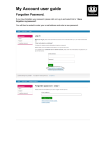
You will then be presented with a log in screen, where you need to enter the
email address and password you used previously.
My Account user guide
users who registered before 14 July 2011
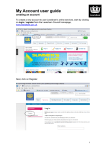
You then need confirm your details. Please click on ‘registration page’ as
shown below.
You must complete the registration, to ensure Lewisham has your up to date details.
You will then be presented with three steps.
•
•
•
Step 1: Title, first name, last name
Step 2: Postcode and address, and optional organisation name.
Step 3: Memorable phrase or word.
My Account user guide
users who registered before 14 July 2011
If the post code you have entered in step 3 above matches a post code in one of
your accounts you will redirected to a “Thank you page” and then you can log in to
your account.
If the post code you have entered in step 3 above does not match a post code in
one of your accounts you will be presented with a page advising that we will send
you a PIN code by post to verify the updated address.
As you are an existing user, please click Continue and on the next screen select
the green button ‘OR – Skip this for now’.
You will be redirected to the website homepage as a logged in user. You can
click on My account on the top pink tab or navigate to Do it online > My Account
to access your account.
You should now be able to view and manage your accounts.
My Account user guide
users who registered before 14 July 2011