1
20S
g
g
rin
(B)
rin
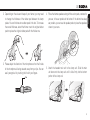
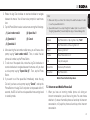
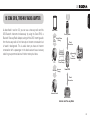
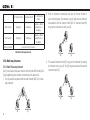
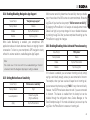
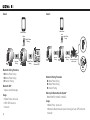
Non-Sena Bluetooth headsets may initiate the Universal Intercom
connection by activating the voice dialing or using the redialing
operation. You may also disconnect the existing connection by ending
a call operation function (refer to the user’s manual of the headsets for
voice dialing, redialing, and ending a call).
(A)
i
Pa
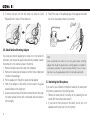
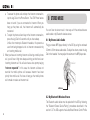
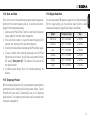
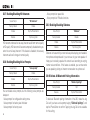
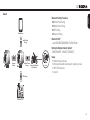
You can initiate the Universal Intercom connection with non-Sena
Bluetooth headsets using the same intercom connection method as
you would between other Sena headsets. You may single tap the Jog
Dial to begin an intercom conversation with the first intercom friend,
double tap with the second intercom friend, and triple tap with the third
intercom friend.
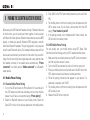
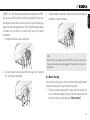
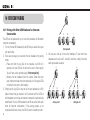
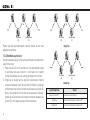
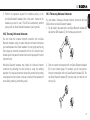
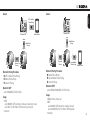
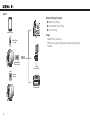
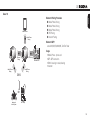
You may make a three-way Universal Intercom connection with two
20Ss and one non-Sena Bluetooth headset.
1. You (A) need to be paired with a non-Sena Bluetooth headset (B)
and another 20S headset (C) for the three-way intercom.
Pa
i
18.2 Two-way Universal Intercom
18.3 Three-way Universal Intercom
(C)
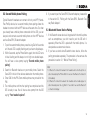
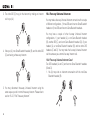
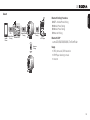
2. Start an intercom conversation with non-Sena Bluetooth headset
(B) in your intercom group. For example, you (A) may start an
intercom conversation with non-Sena Bluetooth headset (B). The
non-Sena Bluetooth headset (B) may also start an intercom call
with you (A).
(A)
(B)
(C)
37
English
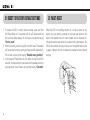
3. Perform the operation required for handsfree pairing on the
non-Sena Bluetooth headset (refer to the user’s manual of the
headsets you want to use). The 20S will automatically perform
pairing with non-Sena Bluetooth headsets in pairing mode.