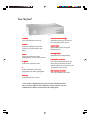
1
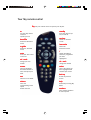
Your Sky remote control
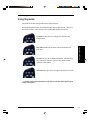
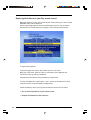
Sky sets your remote control to operate your Sky box
tv
st
andby
standby
sets your Sky remote
control to
operate your TV
turns your Sky box (or
TV) on and off
ser
vic
es
servic
vices
box of
offfic
icee
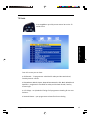
shows the Box Office
screen
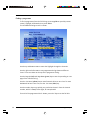
shows the Services
screen
int
er
ac
tive
inter
erac
active
t v guide
shows the TV Guide
screen
mut
mutee
turns your TV’s sound
on and off
shows the
Interactive screen
i
shows information
about the programme
you have
highlighted
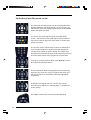
vol + and change your TV’s
volume
ch + and -
ar
arrrows
selec
selectt
move the highlight
around the screen to
select the option you
want
selects the option you
have highlighted and
confirms your choice
tex
extt
switches to text mode
shows the previous
screen
colours
help
select the
corresponding colour
option
shown onscreen
shows help on using Sky
Guide
change the channel
back up
numbers
select channel numbers
or menu options