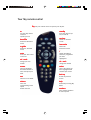
1
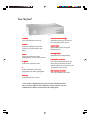
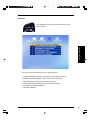
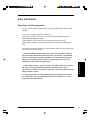
Your Sky box*
st
andby
standby
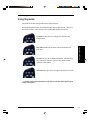
turns your Sky box on and off
ar
arrrows
remot
ommand light
emotee ccommand
red when receiving a command
from the Sky remote control
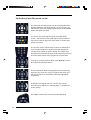
move the highlight around the
screen to select the option you
want
online light
selec
selectt
mes
messsage light
selects the option you have
highlighted or confirms your choice
green when online (using the
telephone line)
yellow when message waiting
int
er
ac
tive car
d slot
inter
erac
active
card
i
insert your interactive card here
when using interactive services
and only when an instruction to do
so appears on the screen
shows information about the
programme you have highlighted
Sky vie
wing car
d slot
viewing
card
t v guide
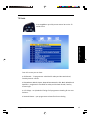
shows the TV Guide screen
insert your viewing card here
back up
shows the previous screen
* Your model's configuration may vary from the illustration shown.
Sky is not responsible for the manufacture of your Sky box. For your
manufacturer's details, see the back cover of this guide.