1
10. If your store is in demo mode you can make test transactions to a Test Server. For that
purpose you can use 4300000000000 as the credit card number.
Everything should be ready to start selling with AuthorizeNet online payments.
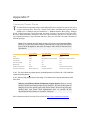
Common error & fix: if you get Error 97 (The time period for this request has expired.
Applicable only to SIM API). The most likely cause is that the clock on your server is set
incorrectly (check to see if it adjusts itself for Daylight Savings Time).
This will help you determine if you need to either adjust the time on your server, or if that
isn't possible, adjust the timestamp your SIM script generates.
This error appears if the timestamp is either five minutes ahead of GMT or fifteen minutes
behind GMT.
The below URL is setup for Error 97 testing. This tool will tell you if the timestamp your
script is generating is significantly off:
http:/ / www.sluggis.com/ error97.htm
If you are having error 99 you can find some help here
http:/ / www.sluggis.com/ error99.htm
Authorize.net AIM
First of all sign up using any Commercial Partner at www.authorize.net.
You will obtain an account and password.
Make sure that you have Power Pack Premium, that contains A uthorize.net payment forms. More
information at http:/ / www.comersus.com/ store
Copy all scripts that begin with comersus_gatewayAuthorize into comersus/store folder.
Log into Authorize.net Control Panel. Go to Settings, Receipt URL and enter
comersus_gatewayAuthorizeNetOrderConfirmation.asp as the Default Receipt and
comersus_gatewayAuthorizeNetAimForm.asp as the form authorized to post transactions.
N ote: enter the full paths to each one of these scripts like
http:/ / www.yourSite.com/ comersus/ store/ comersus_gatewayA uthorizenetA imForm.asp.
Go to Transaction Key menu, enter your secret response and obtain the Transaction Key
(copy and paste to some temporary text document).
Log in to your BackOffice+ and encrypt the Transaction Key obtained from AuthorizeNet
using Utilities/Encryption. Then paste the encrypted transaction key into
Configuration/Settings/pAuthTransactionKey.
Create a new payment method named Credit Cards with redirection URL pointing to
comersus_gateawayAuthorizenetAimForm.asp.
67