1
USER GUIDE
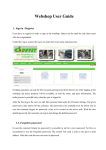
Click login
1
USER GUIDE
Enter your details
2
USER GUIDE
You should arrive at ‘your page’. Click edit to change your details.
3
USER GUIDE
Make any changes required, then press ‘save’.
4
USER GUIDE
This page confirms your changes have been made. You can now logout, or
press edit again to make further changes.
5
USER GUIDE
To add a job, click on ‘recruitment’ then on ‘add your job posting’. Or click on
edit to change an exsiting job.
6
USER GUIDE
Enter your job details, then press save
7
USER GUIDE
To send an alert to ALL other member, enter your message and press ‘send email’.
8