1
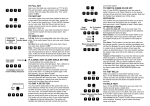
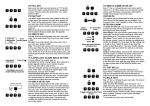
USE R GUID E S UM M ARY
Full Set
Enter Your Code
Press Full
Part Set
Enter Your Code
Press Part
Unset
Enter Your Code
Omit Zones
Enter Your Code
Press Full or Part
Press Omit
Press Zone Number(s)
Press Prog
Reset
Enter Your Code
Press Reset
Chime Set
Enter Your Code
Press Chime
Press Zone Number(s)
Press Prog
Chime Unset
Enter Your Code
Press Chime
Press Reset
Code Change
Enter Existing Code
Enter 00
Enter 01
Enter New Code
Press Prog
Press Reset
Walk Test
Enter Your Code
Enter 00
Enter 06
Conduct Walk Test
Press Reset
Press Reset
Test Sounders & Strobe
Enter Your Code
Enter 00
Enter 05
Press 4, 3, 2, 1 in turn
Press 0
Press Reset
q
f
q
p
q
q
f p
O
1P8
q
r
q
m
1P8
q
U SE R GU ID E
To FULL SET the system
Ensure all zones are closed (e.g. windows and doors). Enter your
code
q
. The Unset light will flash. Press
f.
The exit tone will sound. Leave the premises. During the last three
seconds of the exit period the external strobe will flash. When the
system has set, the exit tone and strobe will stop.
or
To PART SET the system
to
q
00
01
q
P
r
r
Conduct Walk Test
q
00
05
4321
0
r
. The Unset light will flash. Press
p.
system has set the quiet exit tone will stop.
Note: After entering your code the Unset light will flash indicating the
control panel is ready to accept a command (e.g.
f or
p). If no valid command is entered the system will revert to
unset after 16 seconds.
To UNSET the system
Enter via a designated entry route. The slow entry tone will start.
Enter your code
q
. The system will unset and the entry
tone will stop.
Note: During the last ten seconds of the entry period the entry tone
r
q
00
06
q
The quiet exit tone will sound. Leave the protected area. When the
to
m
r
Ensure all zones in the Part Set area are closed. Enter your code
will change from slow to fast.
To OMIT ZONES
during settings
It is possible to omit (exclude) or include individual zones during
setting. Enter your code
Press
q
. Press
f or p.
O. The exit tone and exit timer will stop and the display will
illuminate the zones that are about to be armed. Press the
appropriate numbered button(s)
or included. Press
?
...of the zone(s) to be omitted
P to terminate the omitting procedure. The
system will revert to exit mode. The exit tone and exit timer will restart.