1
SECTION 4 –Modifying the appearance of layers
SECTION 4 Modifying the appearance
of layers
The appearance of the default ADMS layers and the contour layers can be changed.
The types of modification that can be made depend on the type of layer you wish to
modify. Sections 4.1 to 4.7 give details of various different types of modification that
can be made and the types of layer to which these modifications can be made. Once the
appearance of the ADMS layers have been modified the new appearance can be saved
as the default appearance for ADMS layers by selecting Save Layer Options from the File
menu. Note that this will save the current appearance of all of the ADMS layers.
4.1 Modifying the transparency of a layer
The transparency of any layer can be changed. The transparency determines how “seethrough” the layer is and thus whether any features in a lower layer can be seen through
features in this layer. To change the transparency of a layer, follow these steps:
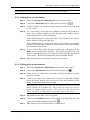
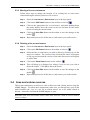
Step 1
Double click on the layer in the layer panel to bring up the layer properties
window.
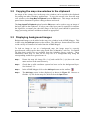
Step 2
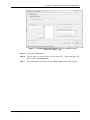
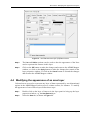
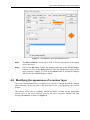
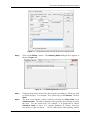
Select the Layer tab and then the Parameters section, as shown in Figure 8.
ADMS Mapper User Guide
Page 29