1
Kirk Z-3040 1407 3600 OEM
13/06/01
16:04
Side 3
4
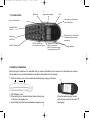
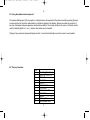
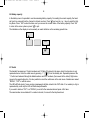
1. Construction
MENU key
Display with backlight
LED
Left arrow key, Redial menu
from standby text
Key for internal calls
Keyboard LOCK
(Menu*)
Right arrow key, save number.
Telephone book menu from
standby text
Recall key
(MAIL key)
SILENT (Menu#)
ON/OFF HOOK keyalso used as turn ON key
CONFIRMATION key MUTE microphone.
MUTE ringer when ringing.
Long key press turns OFF.
Volume up/down
2. Battery installation
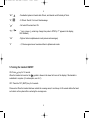
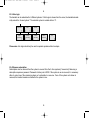
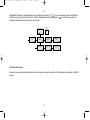
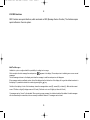
Before using the telephone it is important that you connect the battery to the connector in the battery box. Assemble the battery cover as described below and place the handset into the charger.
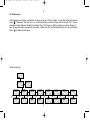
1. Push the battery cover 5 mm towards the headset plug using your thumbs.
2. Lift off battery cover.
3. If the battery is not already installed, place battery plug
in the slot in the battery box.
4. Insert battery with the label readable and replace cover.
5
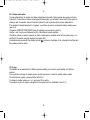
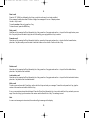
Place the battery plug in the slot
with red wire closest to the mark
(see figure)
*