1
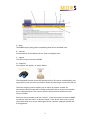
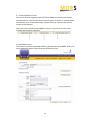
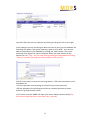
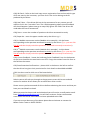
E1i) Enter the end time; please make sure you adhere to the course duration and start/end time requirements if splitting the course into 3.5hr parts. (Tip – This is in 24 hour clock, you do not need to enter the formatting. For example 2300, the system will format the time automatically to 23:00) E1j) Enter the duration in hours. (Tip – please only enter the number. If you enter 7hrs the system will not recognise the entry) E1k) Select the instructor(s) from the drop down box(es). (Tip – you need to ensure the instructor(s) you select are eligible to deliver the course combination you selected in step E1e) E1l) You then have a choice of two options, add driver(s) or submit the course to RTITB Adding Drivers You do not have to enter the driver details at this stage. You can do this after course conclusion before entering the results. If you do wish to add the drivers at this stage (and they have not conducted periodic training with a consortium member before) you will need their full driving licence number, full name, address, date of birth and full employer name and address. You add new drivers to MDRS by clicking the New Driver button. If they have an existing record on MDRS you will only need the surname and postcode of the driver to add them to the course and they can be found by entering their surname and postcode or full driving licence and clicking Search. 14