Download User's Guide

Transcript
IEEE 802.11g Access Point User’s Guide
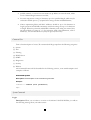
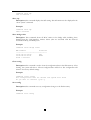
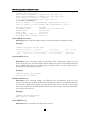
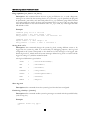
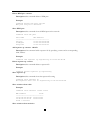
Command> set dhcp server
enter lower IP address of address pool (192.168.1.2):
enter upper IP address of address pool (192.168.1.254):
enter lease time (10080, 1 - 525600):
do you want to assign DNS server (Yes, yes/no)
/* if yes is entered */
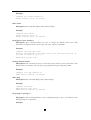
enter IP address of the primary DNS (Unspecified): 129.1.1.1
enter IP address of the secondary DNS (Unspecified): 129.1.1.2
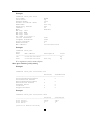
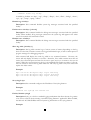
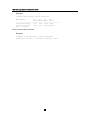
DHCP server status:
IP address range:
Network mask:
Lease time:
Primary DNS IP address:
Secondary DNS IP address:
Disabled
192.168.1.2 to 192.168.1.254
255.255.255.0
10 minutes
129.1.1.1
129.1.2.2
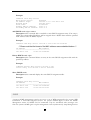
Show DHCP client table
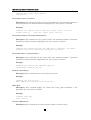
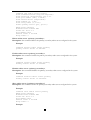
Description: This command displays entries in the dynamic DHCP Assignment Table.
Example:
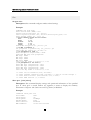
Command> show dhcp client table
HostName IP-Address
Mac-Address
Lease-Expires
Entry Network
------------------------------------------------------------------------ ------User1 192.168.1.133 00-40-05-35-AB-41
10-09-02 16:04:18
dynamic LAN
User2
192.168.1.134 00-40-05-35-AB-42
10-09-02 16:04:18
dynamic WLAN
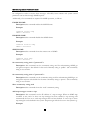
Enable DHCP server
Description: This command enables the Dynamic Host Configuration Protocol server
feature in the 802.11G ACCESS POINT. When enabled, the 802.11G ACCESS POINT will
service DHCP client requests and will respond with IP address, net mask, DNS and the
default gateway’s IP address assignment.
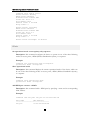
Example:
Command> enable dhcp server
DHCP server is enabled.
Disable DHCP server
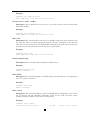
Description: This command disables the Dynamic Host Configuration Protocol server
feature in the 802.11G ACCESS POINT. When disabled, the 802.11G ACCESS POINT will
not respond to DHCP/lease requests. Existing leaseholders will not be able to renew their
leases from the 802.11G ACCESS POINT after the lease term expires, unless another DHCP
server exists in the network.
Example:
Command> disable dhcp server
DHCP server is enabled.
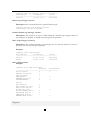
Show DHCP server
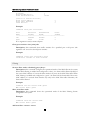
Description: This command shows dhcp server settings.
50