1
E-AUDIO SERVICES IN RICHMOND LIBRARIES
MP3 Otis Digital Audio Player Quick User Guide
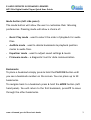
Mode button (left side panel)
The mode button will allow the user to customise their listening
preferences. Pressing mode will allow a choice of:
•
Music Play mode – used to select the order of playback for audio
files.
•
Audible mode – used to delete bookmarks & playback position
marks in audio files.
•
Equalizer mode – used to adjust sound settings & levels
•
Firmware mode – a diagnostic tool for data communication
Bookmarks
To place a bookmark simply press & hold the PLAY/ON button until
you see a bookmark number on the screen. You can place up to 20
bookmarks.
To navigate back to a bookmark press & hold the MODE button (left
hand panel). You will return to the first bookmark, press FF to move
through the other bookmarks.
www.richmond.gov.uk/libraries/e-books
3