Transcript
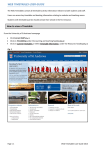
WEB TIMETABLES for STUDENTS User Guide March 2015 v.1.0 The Web Timetables display data for the current academic year. How to view and understand the timetables Go to the University Homepage - www.st-andrews.ac.uk/students/ Select Timetabling Information under the Academic Matters heading Select Module Class Times Select either Department or Modules required modules Select Weeks (s) from the scrolling list Select Days (s) from the drop down list or leave as default Select Start/End Time from the drop down list or leave as default Select Print/Viewing Style - either Grid or Combined Multiple modules can be selected using CTRL + left click to highlight Grid Layout Activity Name (1) Activity Type (2) Building Code & Room Name (3) Academic Staff Name (4) Semester and week numbers (5) The Timetable Grid contains details of the class start and end time and details of day/s of the week when the activity is running. 1. Activity Name - includes the module code and semester e.g. MN3126_S2 2. Activity Type - for example Lecture, Seminar, Practical ,Tutorial. A Core Activity is where all students enrolled are expected to attend the class together e.g. Lectures 3. Building Code & Room Name - a three letter code denoting the building, followed by specific room e.g. GWY: Lecture Room 3. Information on building codes and locations, please see the Teaching Rooms Location Guide 4. Academic Staff Name - Staff member assigned to this activity. 5. Semester and Week Numbers - Semester and weeks when the activity takes place. The example above runs in Semester Two (S2) for weeks 1 - 11. If you have queries regarding the timetable content, please contact your relevant School in the first instance. Timetabling Team, Registry T: 01334 463099 E: [email protected] W: www.st-andrews.ac.uk/students/academic/advice/timetablinginformation/