1
how to get started
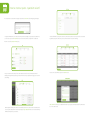
log in
what is the net10 portal?
The net10 portal is your communication portal into Paxton, and your one-stop shop for all things net10.
This document will help you get started, and show you how you can navigate and manage your net10 portal. You can
also submit case studies here, and manage your net10 account.
Firstly, log in at www.net10portal.com using your email address and password, and select your language.
Can’t remember your password? Simply follow the on-screen instructions to reset. You can call our net10 helpline
on +44 (0)1273 810649 if you need any further assistance. For international phone numbers, please see the more
support section of this guide.
Find out how to register as a partner, edit users, place orders, and much more. Plus, learn where to go for more
support should you need it.
register for your account
enter your login
details here
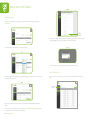
Go to www.net10portal.com and you will see the screen shown below. First of all, select your language.
You need to fill out your details on the registration form to register your company on the portal and set yourself up as
an administrator. At this stage, you need to enter your email address; this will be the address we use to contact you as
well as your login name, and therefore must be valid. Create a password, making a note of it for your records. Once you
have registered, you can then log in to the portal.
the homepage
Catch up with net10 news, view recent quote activity and orders you have placed, in an easy to view graph.
click here
to register
your company
name and
picture
navigation
panel
net10 webnews
quotation
and order
activity
easy view
quotation
graphs