1
7
Doing More with Analog Input
Rules for Using getdata
Using getdata to extract data stored in the engine follows these rules:
• If the requested number of samples is greater than the samples to be acquired, then
an error is returned.
• If the requested data is not returned in the expected amount of time, an error is
returned. The expected time to return data is given by the time it takes the engine to
fill one data block plus the time specified by the Timeout property.
• You can issue ^C (Ctrl+C) while getdata is blocking. This will not stop the
acquisition but will return control to MATLAB.
• The SamplesAcquired property keeps a running count of the total number of
samples per channel that have been acquired.
• The SamplesAvailable property tells you how many samples you can extract from
the engine per channel.
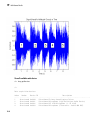
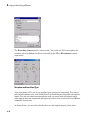
Preview and Extract Data
Suppose you have a data acquisition application that is particularly time consuming. By
previewing the data, you can ascertain whether the acquisition is proceeding as expected
without acquiring all the data. If it is not, then you can abort the session and diagnose
the problem. This example illustrates how you might use peekdata and getdata
together in such an application.
Note: You cannot use the legacy interface on 64-bit MATLAB. See “About the SessionBased Interface” on page 14-2 to acquire and generate data on a 64-bit MATLAB.
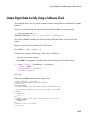
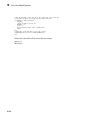
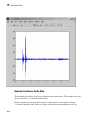
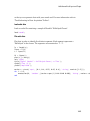
You can run this example by typing daqdoc5_2 at the MATLAB Command Window.
7-14