1
About this guide
The NWP Supply Assessment Tool User Guide is organised as follows:
Chapter 1 Introduction, provides detailed start-up information and a brief description of the major
components of the tool.
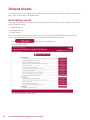
Chapter 2 Assessing Workforce Supply Tool, contains a description of the over all functionality
of the tool, features provided, description of sheets intended for acquiring the data from users, and
description of the sheets involved with report generation.
Who is it useful for?
The tool is intended for any member of staff who would benefit from assessing elements of their
workforce supply to enable and facilitate effective workforce planning at a fully scalable level.
How can it help me and my organisation?
Whether you’re looking for individual statistics, such as sickness and absence or attempting to display a
more holistic report, this tool illustrates the process for you. It’s designed to profile the current staff at a
trust/PCT and help the organisation illustrate their workforce supply issues and aid workforce planning.
Documentation conventions
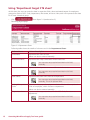
The Workforce Supply Assessment Tool User Guide uses the following conventions:
Symbol
Usage
Click
Refers to positioning the mouse pointer (or cursor) over a page button image or
a link, and clicking the left mouse button. If pressing the right mouse button is
required, this is stated as right-click.
Enter
Refers to typing letters or numbers on the computer keyboard.
Note: Calls your attention to additional information.
Tip: Calls your attention to a useful tip.
Warning: Calls your attention to an important warning.
Bold type
ii
Field names and images names within an explanation.
Assessing Workforce Supply Tool user guide