1
Step 7
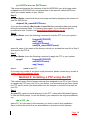
On your iSeries, ensure that the previous step worked by displaying the contents of
save file Q5CPnnnn:
dspsavf lib_name/Q5CPnnnn
If you see the message (No records in save file) then something has gone wrong
during the preceding steps. Try following them again. If you still cannot get this
procedure to work, contact us at [email protected].
Step 8
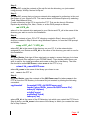
On your iSeries, issue the following command to load the PTF on to your system:
lodptf
licpgm(5COOLSP)
dev(*savf)
select(5CPnnnn)
savf(lib_name/Q5CPnnnn)
where lib_name is the name of the library in which you created the save file in Step 3
and nnnn is the PTF id.
Step 9
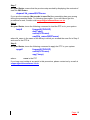
On your iSeries, issue the following command to apply the PTF to your system:
apyptf
where:
licpgm(5COOLSP)
select(5CPnnnn)
apy(*temp)
nnnn is the PTF
If you have any trouble at any point in this procedure, please contact us by e-mail at
[email protected].
Page: 16