1
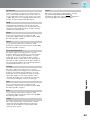
Configuration Menu Functions
Only displayed for Computer input
(does not appear when signals from the[HDMI] input port are being input)
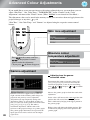
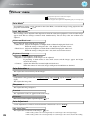
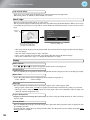
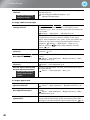
Skin Tone *2
This adjusts the skin tones of people who appear in the images.
p.20
RGB/RGBCMY *1
• RGB
:This lets you adjust the offset and gain for each of the R/G/B colour components.
p.22
• RGBCMY :This lets you adjust the hue and saturation for each of the R/G/B/C/M/Y colour
components.
p.22
Gamma *1
This adjusts gamma. You can select a value, or make adjustments while viewing an image or a graph.
p.20
Auto Iris *3
The amount of light is adjusted appropriately depending on images (On)/ or not adjusted (Off).
p.23
Reset
This returns all settings in the “Picture” menu to their default settings.
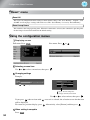
"Image" menu
*1
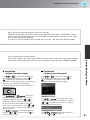
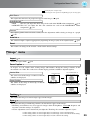
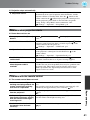
Aspect
Selects the aspect mode.
p.18
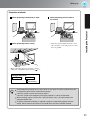
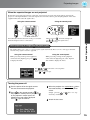
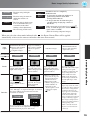
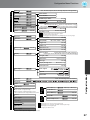
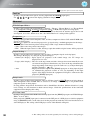
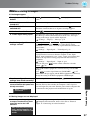
Zoom Caption *1
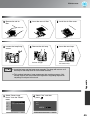
If "Aspect" is set to "Zoom" when viewing images with subtitles, change the setting as follows so that
the subtitles are visible. The vertical size and the display position can both be adjusted together.
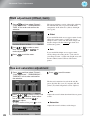
Projection area
The vertical size of the image is reduced so that the
subtitles are displayed.
Use "Vertical Size" to
reduce the image size.
Zoom Position
The whole of the image is moved up so that the
subtitles are displayed.
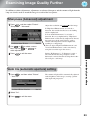
Tracking
Subtitle section
Use "Zoom Position" to change
the display position of the image.
*1
Configuration Menu
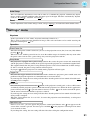
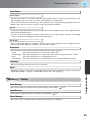
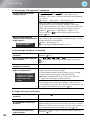
Vertical Size
This adjusts the images if vertical stripes appear in the images.
Sync.
*1
This adjusts the images if flickering, fuzziness or interference appear in the images.
• Flickering and fuzziness may also appear in images when the brightness, contrast , sharpness and
keystone correction settings are adjusted.
• Clearer adjustments can be obtained if you adjust the "Tracking" first and then adjust the "Sync".
*1 The setting values are stored separately for each image source and signal type.
*2 The setting values are stored separately for each image source and colour mode setting.
*3 The setting values are stored separately for each colour mode setting.
29