1
IND560 User’s Guide
a message displays that indicates a failure. After acknowledging the error, the
tester can abort the test, retest this step, or skip this step knowing that it failed.
At the end of the complete test, a print can be initiated that prints all the data of the
calibration test. A full description of the calibration test can be found in Chapter
3.0, Configuration, of the IND560 Technical Manual.
CalFREE™
The IND560 terminal provides a programmable Calibration Test sequence that can
contain up to 25 individual steps. The Calibration Test is designed to lead the
tester through a set of predetermined steps and compare the terminal calibration
with known test weights.
Alibi Memory Direct Access
The Alibi Memory stores transaction data that can be retrieved in order to verify
transaction information.
The information stored in the Alibi Memory includes:
•
Transaction counter value
•
Date and time of transaction
•
Gross, net, and tare weights including units of measure
To view and print the Alibi Memory:
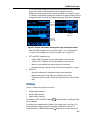
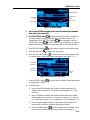
1. Press the Alibi softkey
if programmed as one of the home position
softkeys or press the REPORTS softkey
if programmed as one of the home
position softkeys then select Alibi Memory from the selection box.
2. Press the VIEW TABLE softkey
. The Alibi Search View screen displays.
3. Use the selection boxes and data entry fields to enter specific search
information to limit the search, or do not enter any search limits to view all
Alibi Memory Table information.
4. Press the START SEARCH softkey
. The Alibi Search View screen displays
the search results. Records are ordered by date and time with the most recent
record shown last.
5. Press the PRINT softkey
Memory Table.
on this screen to print the entire selected Alibi
Table Searches
Searching a table can be accessed by various methods including the TARE
MEMORY softkey , TARGET MEMORY softkey , ALIBI softkey
, REPORTS
softkey
, and from the menu tree.
To search a table:
2-33