1
 Fitting on the Raspberry Pi
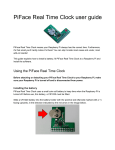
With the battery towards the centre of the Raspberry Pi, align the PiFace Real Time Clock’s holes over the Raspberry Pi’s GPIO pins. Carefully slide the PiFace Real Time Clock all the way down the pins, ensuring they are both kept level as you do so. On the Raspberry Pi model A+ and B+, PiFace Real Time Clock goes over the pins nearest the MicroSD card slot. Installing the Software
Drivers need to be installed so the Raspberry Pi can initially set the time on the PiFace Real Time Clock and then read it when booting. The software for PiFace Real Time Clock is on our GitHub repository online. You can download this in two ways: Raspberry Pi connected to the Internet If you are connected to the Internet download the installation script by opening a Terminal window and entering the following command: