1
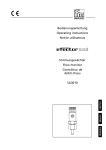
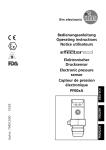
Bedienungsanleitung Operating instructions Notice utilisateurs R Strömungswächter Flow monitor DEUTSCH ENGLISH SI1010 SI1011 FRANÇAIS Sachnr. 701880/01 02/05 Contrôleur de débit Kurzanleitung • Installieren Montage → Seite 6, elektrischer Anschluß → Seite 8. • HI-Abgleich Schalten Sie die Betriebsspannung ein. Nach etwa 15 s ist das Gerät betriebsbereit. Lassen Sie das Medium mit der gewünschten Maximalströmung (HI) in der Anlage fließen. Drücken Sie die Taste Learn/Set und halten Sie sie gedrückt. Die grünen LEDs rechts und links blinken, nach 5 s füllt sich der LED-Balken (grün) von links nach rechts (lassen Sie die Taste los, sobald die ersten LEDs leuchten). Die Anzeige verlischt kurzzeitig. Das Gerät speichert die aktuelle Strömung als Maximalströmung. M S LO HI LO HI LO HI >5...<10 • Das Gerät ist betriebsbereit. Weitere Einstellmöglichkeiten (→ Seite 9) • Der HI-Abgleich genügt für die meisten wasserbasierten Applikationen. Optional: auf Minimalströmung abgleichen (LOAbgleich). • Schaltpunkt und Triggerpunkt einstellen (für schnelle Reaktion auf schnelle Strömungsänderungen). • Einstellung zur Überwachung und optischen Anzeige von Überströmung. • Aktivieren / Deaktivieren der Funktion Fernabgleich. • Rücksetzen auf Werkseinstellung. 2 Bedien- und Anzeigeelemente Einstelltasten MODE / ENTER LEARN / SET FLOW RATE LO HI Betriebsanzeige 0 1 2 3 4 5 6 7 8 9 Betriebsanzeige (Run-Modus) 0 1 2 3 4 5 6 7 8 9 0 1 2 3 4 5 6 7 8 9 0 1 2 3 4 5 6 7 8 9 Aktuelle Strömung im Anzeigebereich (grüner LED-Balken) Überströmung (LED 9 blinkt) Unterströmung (LED 0 blinkt) Anzeige des Schaltpunkts (SP) und des Triggerpunkts (TP): LED orange: Strömung ≥ SP / TP; LED rot: Strömung < SP / TP Einstelltasten Mode / Enter: • Anwahl der Menüpunkte und Bestätigung Learn/Set: • Abgleich auf Maximal- / Minimalströmung; • Reset (Werkseinstellung wieder herstellen); • Einstellen von Werten (kontinuierlich durch Dauerdruck; schrittweise durch Einzeldruck) SID fast Sachnr. 701880/01 3 Menüstruktur Run-Modus HI LO Gerätefunktionen (ENTER-Taste) 0 1 2 3 Schaltpunkt (SP) und Triggerpunkt (TP) einstellen 4 5 6 7 8 9 Abgleich / Werkseinstellung (SET-Taste) Abgleich Maximalströmung >5...<10s 1x (SP) / 2x (TP) Abgleich Minimalströmung >5s 1x >10...<15s Überwachung Überströmung 3x Rücksetzen Werkseinstellung >15...<20s 5s ... 1x Fernabgleich deaktivieren / aktivieren 4x > 5s 1x LED = grün 4 LED = orange LED = rot Sachnr. 701880/01 SID fast Inhalt Bestimmungsgemäße Verwendung . . . . . . . . . . . . . . . . . . . Seite 5 Montage . . . . . . . . . . . . . . . . . . . . . . . . . . . . . . . . . . . . . . Seite 6 Elektrischer Anschluß . . . . . . . . . . . . . . . . . . . . . . . . . . . . . Seite 8 Programmieren . . . . . . . . . . . . . . . . . . . . . . . . . . . . . . . . . Seite 9 Inbetriebnahme / Betrieb / Wartung . . . . . . . . . . . . . . . . . Seite 11 Technische Daten . . . . . . . . . . . . . . . . . . . . . . . . . . . . . . . Seite 11 Einstelldiagramme / Technik-Information . . . . . . . . . . . . . . Seite 12 Der Strömungswächter • erfaßt die Strömungsgeschwindigkeit in flüssigen Medien, • schaltet den Ausgang entsprechend der Programmierung (Schließer oder Öffner, programmierbar durch Anschlußbelegung; → Seite 8), • zeigt den relativen Strömungswert innerhalb des einstellbaren Erfassungsbereichs durch ein LED-Display an - LED 0 = unteres Ende des Fensters (Minimalwert / LO) - LED 9 = oberes Ende des Fensters (Maximalwert / HI). • Zusätzlich können angezeigt werden: - Schaltzustand (LED rot: Strömung unterhalb des Schaltpunkts; LED orange: Strömung hat Schaltpunkt erreicht). - Überströmung: LED 9 blinkt, wenn die Strömung 2 LEDs über der Maximalströmung liegt. - Unterströmung / Strömungsstillstand: LED 0 blinkt, wenn die Strömung unter der Minimalströmung liegt. 5 DEUTSCH Bestimmungsgemäße Verwendung Montage Das Gerät ist adaptierbar an unterschiedliche Prozeßanschlüsse. (Adapter sind gesondert als Zubehör zu bestellen). • Montieren Sie das Gerät bei waagerecht verlaufenden Rohren möglichst seitlich (Abb 1). Bei Montage von unten sollte die Rohrleitung frei von Ablagerungen sein. Bei Montage von oben sollte die Rohrleitung vollständig mit dem zu überwachenden Medium gefüllt sein. • Montieren Sie das Gerät bei senkrecht verlaufenden Rohren in der Steigleitung (Medium strömt aufwärts, Abb. 2). 1 2 Um Fehlfunktionen zu vermeiden, müssen Mindestabstände zwischen Sensor und Krümmungen, Ventilen, Reduzierungen u. ä. eingehalten werden. • Mindestens 5 mal Rohrdurchmesser an der Anströmseite (A). • Mindestens 3 mal Rohrdurchmesser an der Abströmseite (B). 3 6 B min. 3xD D min. 5xD A 1 2 3 A Gewinde M18 x 1,5 1. Fetten Sie die Überwurfmutter (3) und alle Gewinde mit Schmierpaste ein, um mehrmaliges Lösen und Festziehen zu gewährleisten. Achtung: Es darf kein Fett auf die Sensorspitze (A) gelangen. 2. Schrauben Sie den passenden Adapter (2) auf den Prozeßanschluß (1). 3. Setzen Sie den Strömungswächter auf den Adapter und ziehen Sie die Überwurfmutter (3) an; (Anzugsdrehmoment max. 50 Nm). Halten Sie dabei das Gerät in seiner Ausrichtung. Eintauchtiefe des Sensors: mindestens 12 mm in der Rohrleitung. Bei Verwendung der als Zubehör lieferbaren Adapter ist die korrekte Eintauchtiefe sichergestellt. Achtung: Die Sensorspitze darf die Rohrwand nicht berühren. 35 DEUTSCH Montagemaß mit G½-Adapter 21 27 Montagemaß mit G¼-Adapter 13,5 27 13,5 Montagemaß mit M12-Adapter 7 Elektrischer Anschluß Das Gerät darf nur von einer Elektrofachkraft installiert werden. Befolgen Sie die nationalen und internationalen Vorschriften zur Errichtung elektrotechnischer Anlagen. Spannungsversorgung nach EN50178, SELV, PELV. Um die "limited Voltage" Anforderungen gemäß UL 508 zu erfüllen, muß das Gerät aus einer galvanisch getrennten Quelle versorgt und durch eine Überstromeinrichtung abgesichert werden. Schalten Sie die Anlage spannungsfrei und schließen Sie das Gerät folgendermaßen an ( = Schließer / = Öffner): PNP-Geräte 1 BN 4 BK 3 BU 2 WH L+ LP 3 BU 4 BK 1 BN 2 WH L+ 4 BK 3 BU 2 WH L+ LP 3 BU 4 BK 1 BN 2 WH 4 2 LP 3 L+ Steckeransicht (am Gerät) 1 NPN-Geräte 1 BN Steckeransicht (am Gerät) 1 LP 4 2 3 P = Programmierleitung (für Fernabgleich) Adernfarben bei ifm-Kabeldosen: 1 = BN (braun), 2 = WH (weiß), 3 = BU (blau), 4 = BK (schwarz) Wenn die Funktion Fernabgleich aktiv ist: Verwenden Sie 4-Draht-Kabeldosen ohne Brücke zwischen Pins 2 und 4. Bei 3-Draht-Kabeldosen mit Brücke zwischen Pin 2 und Pin 4 löst das Einschalten der Endstufe den Fernabgleich aus! Störanzeige: Bei Kurzschluß leuchten Betriebsanzeige und rote LEDKette im Wechsel. 8 Programmieren ■ Überwachungsbereich Strömung einstellen HI-Abgleich • Medium mit gewünschter Maximalströmung in der Anlage fließen lassen. • > 5 . . . < 1 0 s lang Taste Learn/Set drücken (= Abgleich auf Maximalströmung / oberes Ende des Überwachungsbereichs). Optional: LO-Abgleich Der HI-Abgleich genügt für die meisten wasserbasierten Applikationen. Zusätzlich können Sie das Gerät in einem zweiten Schritt auf Minimalströmung abgleichen: • Medium mit gewünschter Minimalströmung in der Anlage fließen lassen bzw. Strömung anhalten. • > 1 0 . . . < 1 5 s lang Taste Learn/Set drücken (= Abgleich auf Minimalströmung oder Strömungsstillstand / unteres Ende des Überwachungsbereichs). ■ Fernabgleich über Programmierleitung Für die jeweilige Zeit Betriebsspannung (+UB) an Pin 2 (P) anlegen. ■ Schaltpunkt (SP) / Triggerpunkt (TP) einstellen • 1 x kurz Taste Mode/Enter drücken (SP einstellen) oder 2 x kurz Taste Mode/Enter drücken (TP einstellen). • 5 s lang Taste Learn/Set drücken. • Taste Learn/Set festhalten oder mehrmals drücken, bis gewünschter Schaltpunkt eingestellt ist. • 1 x kurz Taste Mode/Enter drücken. ■ Überwachung auf Überströmung • 3 x kurz Taste Mode/Enter drücken. • 5 s lang Taste Learn/Set drücken, loslassen, wenn LED blinkt. • Taste Learn/Set mehrmals drücken, um die LED für den oberen Anzeigewert der Betriebsströmung zu verschieben. • 1 x kurz Taste Mode/Enter drücken. 9 ■ Aktivieren / Deaktivieren der Funktion Fernabgleich • 4 x kurz Taste Mode/Enter drücken. • 5 s lang Taste Learn/Set drücken. • Taste Learn/Set festhalten oder mehrmals drücken, bis gewünschte Funktion eingestellt ist (Funktion aktiv, wenn rechts und links je 3 LEDs grün leuchten; Funktion nicht aktiv, wenn 4 LEDs in der Mitte der Anzeige rot leuchten). • 1 x kurz Taste Mode/Enter drücken. ■ Werkseinstellung wieder herstellen • > 1 5 . . . < 2 0 s lang Taste Learn/Set drücken. ■ Für die Einstellvorgänge gilt: • Wird während des Einstellvorgangs 15 s lang keine Taste gedrückt, geht das Gerät mit unveränderten Werten in den Betriebsmodus zurück. • Ist der Abgleich nicht möglich, blinken alle roten LEDs. Danach geht das Gerät mit unveränderten Werten in den Betriebsmodus zurück. ■ Verriegeln / Entriegeln Das Gerät läßt sich verriegeln, so daß unbeabsichtigte Fehleingaben verhindert werden: Drücken Sie im Run-Modus 10 s lang die beiden Einstelltasten. Sobald die Anzeige verlischt, ist das Gerät verriegelt oder entriegelt. Auslieferungszustand: Nicht verriegelt. Ist das Gerät verriegelt, kann angezeigt werden: • Aktueller Schaltpunkt (Taste Mode/Enter 1 x drücken). • Aktueller Triggerpunkt (Taste Mode/Enter 2 x drücken). • Aktuelle Einstellung für Überwachung auf Überströmung (Taste Mode/Enter 3 x drücken). • Einstellung der Funktion Fernabgleich (Taste Mode/Enter 4 x drücken). 10 Inbetriebnahme / Betrieb / Wartung Prüfen Sie nach Montage, elektrischem Anschluß und Programmierung, ob das Gerät sicher funktioniert. Nach dem Einschalten der Versorgungsspannung leuchten alle LEDs auf und verlöschen wieder schrittweise.* Danach ist das Gerät betriebsbereit. *Während dieser Zeit ist der Ausgang entsprechend der Programmierung geschaltet: EIN bei Schließerfunktion und AUS bei Öffnerfunktion. Störanzeige: Bei Kurzschluß leuchten Betriebsanzeige und roter LEDBalken im Wechsel. Wartungsempfehlung: Überprüfen Sie die Sensorspitze von Zeit zu Zeit auf Ablagerungen. Reinigen Sie sie gegebenenfalls mit einem weichen Tuch. Fest anhaftende Ablagerungen (z. B. Kalk) lassen sich mit handelsüblichem Essigreiniger entfernen. Betriebsspannung [V] . . . . . . . . . . . . . . . . . . . . . . . . . . . . . . 20 ... 36 DC 1 Strombelastbarkeit [mA] . . . . . . . . . . . . . . 400; Kurzschlußschutz, getaktet; verpolungssicher / überlastfest Spannungsabfall [V] . . . . . . . . . . . . . . . . . . . . . . . . . . . . . . . . . . . . . < 2,5 Stromaufnahme [mA] . . . . . . . . . . . . . . . . . . . . . . . . . . . . . . . . . . . < 100 Flüssige Medien Mediumtemperatur [°C]. . . . . . . . . . . . . . . . . . . . . . . . . . . . . . . -25 ... +80 Einstellbereich [cm/s]. . . . . . . . . . . . . . . . . . . . . . . . . . . . . . . . . . . 3 ... 300 Größte Empfindlichkeit [cm/s] . . . . . . . . . . . . . . . . . . . . . . . . . . . . . 3 ... 60 Temperaturgradient [K/min] . . . . . . . . . . . . . . . . . . . . . . . . . . . . . . . . . 300 Ansprechzeit [s] . . . . . . . . . . . . . . . . . . . . . . . . . . . . . . . . . . . . . . . . 1 ... 2 Bereitschaftsverzögerungszeit [s] . . . . . . . . . . . . . . . . 15, optisch signalisiert Druckfestigkeit [bar] . . . . . . . . . . . . . . . . . . . . . . . . . . . . . . . . . . . . . . 300 Umgebungstemperatur [°C] . . . . . . . . . . . . . . . . . . . . . . . . . . . . -25 ... +80 Schutzart . . . . . . . . . . . . . . . . . . . . . . . . . . . . . . IP 67 (IEC 60529) / (UL50) Schockfestigkeit [g] . . . . . . . . . . . . . . . . . . . 50 (DIN / IEC 68-2-27, 11 ms) Vibrationsfestigkeit [g] . . . . . . . . . . . . . . 20 (DIN / IEC 68-2-6, 55-2000 Hz) Gehäusewerkstoffe . . . . . . . . . . . . . . . . . . . . . . . . . . . . . . . . . . PBT-GF 20 Sensorwerkstoff . . . . . . . . V4A (1.4404); O-Ring: FPM 8x1,5 gr 80° Shore A 1) nach EN50178, SELV, PELV; in Bezug auf UL: siehe Seite 8 (Elektrischer Anschluß). 11 DEUTSCH Technische Daten Einstelldiagramme / Technik-Information Strömungsgeschwindigkeit ■ Überwachungsbereich Strömung einstellen Der Erfassungsbereich (Fenster) wird festgelegt durch • Abgleich auf gewünschte Maximalströmung (HI-Teach) = oberes Ende des Fensters. Dieser Abgleich genügt für die meisten wasserbasierten Applikationen. 0 • Zusätzlich Abgleich auf gewünschte Minimalströmung / LO Strömungsstillstand (LO-Teach) = unteres Ende des Fensters LO (optional). 0 1 0 1 2 3 2 3 4 Sensorsignal HI 4 5 6 7 8 9 HI 5 6 7 8 9 LO 0 HI 1 2 3 4 5 6 7 8 9 • Abgleich auf Maximalströmung (HI-Teach) Das Gerät erfaßt die vorhandene Strömung und setzt diesen Wert als oberen Anzeigewert für das LED-Display (LED 9). 1 Schalten Sie die Betriebsspannung ein. Nach etwa 15 s ist das Gerät betriebsbereit. Lassen Sie das Medium mit der gewünschten Maximalströmung in der Anlage fließen. M S LO HI LO HI LO HI >5...<10 s 2 12 M S Drücken Sie die Taste Learn/Set und halten Sie sie gedrückt. Die grünen LEDs rechts und links blinken, nach 5 s füllt sich der LED-Balken (grün) von links nach rechts (lassen Sie die Taste los, sobald die ersten LEDs leuchten). Die Anzeige verlischt kurzzeitig. Das Gerät speichert die aktuelle Strömung als Maximalströmung und geht in den Betriebsmodus. • Abgleich auf Minimalströmung / Strömungsstillstand (LO-Teach), optional Das Gerät erfaßt die vorhandene Strömung und setzt diesen Wert als unteren Anzeigewert für das LED-Display. Im Betriebszustand blinkt die erste grüne LED (LED 0), wenn die Strömung unter diesen Wert fällt (bzw. wenn Strömungsstillstand eintritt). ACHTUNG: LO-Teach darf nur nach HI-Teach durchgeführt werden. Lassen Sie das Medium mit der gewünschten Minimalströmung in der Anlage fließen bzw. halten Sie die Strömung an. M S LO HI LO HI LO HI LO HI >10...<15 s 2 M S Drücken Sie die Taste Learn/Set und halten Sie sie gedrückt. Die grünen LEDs rechts und links blinken, nach 5 s füllt sich der LED-Balken (grün) von links nach rechts, nach weiteren 5 s füllt sich der LED-Balken (grün) von rechts nach links (lassen Sie die Taste los, sobald die ersten LEDs rechts leuchten). DEUTSCH 1 Die Anzeige verlischt kurzzeitig. Das Gerät speichert die aktuelle Strömung als Minimalströmung und geht in den Betriebsmodus. • Fernabgleich Sie können das Gerät auch über die Programmierleitung abgleichen, wenn die Funktion Fernabgleich aktiv ist. Legen Sie für die jeweilige Zeit Betriebsspannung (+UB) an Pin 2 (P): >5...<10 s für HI-Teach, >10...<15 s für LO-Teach. Wenn die Betriebsspannung länger als 15 s an Pin 2 anliegt, • werden alle Einstellungen auf Werkseinstellung zurückgesetzt. Wenn die Betriebsspannung länger als 20 s an Pin 2 anliegt, • bleibt der Abgleich unwirksam; das Gerät geht mit unveränderten Werten in den Betriebsmodus; • wird das Gerät verriegelt (die Tastenfunktionen sind so lange gesperrt, wie die Betriebsspannung an Pin 2 anliegt). 13 ■ Schaltpunkt (SP) / Triggerpunkt (TP) einstellen Der Schaltpunkt ist werksseitig voreingestellt (LED 7). Er liegt stets über dem Triggerpunkt (TP); Einstellbereich des Schaltpunkts: TP ↔ LED 9. Einstellbereich des Triggerpunkts: LED 0 ↔ SP. M 1 S LO HI LO HI LO HI 1 x (SP) 2 x (TP) Drücken Sie die Taste Mode/Enter einmal / zweimal. Die aktuelle Einstellung wird angezeigt: Leuchtende LED: Grobeinstellung, blinkende LED: Feineinstellung. 2 Drücken Sie die Taste Learn/Set und halten Sie sie gedrückt. Nach 5 s wird der Schaltpunkt erhöht* (schrittweise durch Einzeldruck oder kontinuierlich durch Festhalten der Taste). Anzeige: Die blinkende LED läuft von links nach rechts. Nach Erreichen der LED 9 beginnt der Durchlauf wieder bei LED 0. Die stetig leuchtende LED wandert eine Position weiter.** 3 Drücken Sie kurz die Taste Mode/Enter (= Bestätigung). Die Anzeige verlischt kurzzeitig. Die neue Einstellung wird wirksam; das Gerät geht in den Betriebsmodus. M S >5 s M S LO HI *SP / TP verringern: Lassen Sie blinkende und leuchtende LED bis zum maximalen Einstellwert laufen. Danach beginnt der Durchlauf wieder bei dem minimalen Einstellwert. **Überlauf: Überschreiten blinkende und leuchtende LEDs den maximalen Einstellwert, beginnt der Durchlauf wieder bei dem minimalen Einstellwert. 14 ■ Überwachung auf Überströmung Mit dieser Funktion können Sie die Position des Anzeigefensters im Überwachungsbereich festlegen: Verschieben Sie die LED für den oberen Anzeigewert auf die Position 8, 7, 6 oder 5. Bei maximaler Betriebsströmung leuchten alle LEDs von 0 bis zu dieser LED. Die LEDs oberhalb dieses Bereichs signalisieren Überströmung. Liegt der Schaltpunkt oberhalb des Bereichs, schaltet das Gerät bei Überströmung. M S 1 LO HI LO HI LO HI 3x M S 2 Drücken Sie die Taste Mode/Enter dreimal. Die aktuelle Einstellung wird angezeigt (grüne LED). Drücken Sie die Taste Learn/Set 5 s lang (bis die LED blinkt). M S M S 3 4 LO HI Drücken Sie die Taste Learn/Set so oft, bis die gewünschte LED blinkt. Bei jedem Tastendruck geht die LED eine Position zurück. Bei Unterschreiten der LED 5 beginnt der Durchlauf wieder bei LED 9. Drücken Sie kurz die Taste Mode/Enter (= Bestätigung). Die Anzeige verlischt kurzzeitig. Das Gerät speichert die neue Einstellung und geht in den Betriebsmodus. Hinweis: Nach jedem Abgleich auf Maximalströmung (HI-Teach) wird die Verschiebung wieder zurückgesetzt (auf LED 9). 15 DEUTSCH 5s ■ Aktivieren / Deaktivieren der Funktion Fernabgleich Ist die Funktion aktiv, kann das Gerät durch Spannung auf Pin 2 abgeglichen werden. Auslieferungszustand: Funktion aktiv. Funktion aktiv LO HI Funktion nicht aktiv LO HI Rechts und links leuchten je 3 LEDs grün.* Die 4 LEDs in der Mitte leuchten rot.* *Die LEDs blinken, wenn Spannung auf Pin 2 liegt. M S LO HI S LO HI 1 4x M Drücken Sie die Taste Mode/Enter viermal. Die aktuelle Einstellung wird angezeigt. Drücken Sie die Taste Learn/Set und halten Sie sie gedrückt, >5 s 2 LO M 3 HI S LO HI nach 5 s wird die Funktion umgeschaltet. (Mit jedem neuen Tastendruck auf Learn/Set wird die Funktion erneut umgeschaltet). Drücken Sie kurz die Taste Mode/Enter (= Bestätigung). Die Anzeige verlischt kurzzeitig, danach geht das Gerät in den Betriebsmodus. Wenn die Funktion Fernabgleich aktiv ist, und die Betriebsspannung länger als 20 s an Pin 2 anliegt, wird das Gerät verriegelt (die Tastenfunktionen sind so lange gesperrt, wie die Betriebsspannung an Pin 2 anliegt). Verwenden Sie 4-Draht-Kabeldosen ohne Brücke zwischen Pins 2 und 4. Bei 3-Draht-Kabeldosen mit Brücke zwischen Pin 2 und Pin 4 löst das Einschalten der Endstufe den Fernabgleich aus! 16 ■ Werkseinstellung wieder herstellen (Reset) S LO HI LO HI LO HI LO HI LO HI >15...<20 s M S Drücken Sie die Taste Learn/Set und halten Sie sie gedrückt. Die grünen LEDs rechts und links blinken, nach 5 s füllt sich der LED-Balken (grün) von links nach rechts, nach weiteren 5 s füllt sich der LED-Balken (grün) von rechts nach links, nach weiteren 5 s füllt sich der LED-Balken (orange) von links nach rechts (lassen Sie die Taste los, sobald die ersten LEDs orange leuchten). Die Anzeige verlischt kurzzeitig. Alle Einstellungen werden auf Werkseinstellung zurückgesetzt, das Gerät geht in den Run-Modus Strömung. 17 DEUTSCH M Funktionsweise bei schnellen Strömungsänderungen Strömung Maximalströmung Schaltpunkt (SP) Hysterese Triggerpunkt (TP) Minimalströmung OUT OUT t 1 0 1 0 Steigt die Strömungsgeschwindigkeit, schaltet der Ausgang bei Erreichen des Triggerpunkts (TP). Sinkt die Strömungsgeschwindigkeit wieder, schaltet der Ausgang zurück, wenn der Wert “SP minus Hysterese” erreicht ist. Wird der obere Level (SP) nicht innerhalb kurzer Zeit* erreicht, schaltet der Ausgang sofort zurück. (*ca. 1 s; abhängig von der Applikation und vom Arbeitsbereich des Sensors). Funktionsweise bei langsamen Strömungsänderungen Strömung Maximalströmung Schaltpunkt (SP) Hysterese Triggerpunkt (TP) Minimalströmung OUT OUT 1 0 1 0 t Steigt die Strömungsgeschwindigkeit, schaltet der Ausgang bei Erreichen des Schaltpunkts (SP). Sinkt die Strömungsgeschwindigkeit wieder, schaltet der Ausgang zurück, wenn der Wert “SP minus Hysterese” erreicht ist. 18 Brief adjustment instructions • Installation Mounting → page 24, electrical connection → page 26. • HI-Teach Apply the operating voltage. After approx. 15 s the unit is ready. Allow the medium to flow through the system at the required maximmum flow rate (HI). Press the Learn/Set button and keep it pressed. The green LEDs on the right and on the left flash, after 5 s the LED bar (green) fills from left to right (release the button as soon as the first LEDs light). The indication goes off briefly. The unit stores the current flow as maximum flow. M S LO HI LO HI LO HI >5...<10 • The unit is ready for normal operation. Further setting options (→ page 27) • The HI-Teach is sufficient for the majority of waterbased applications. Optional: adjustment to minimum flow (LO-Teach). • Setting of the switch point and the trigger point (for fast reaction to rapid changes in flow velocity. • Setting for monitoring and optical indication of excess flow. • Activate / deactivate the function for remote adjustment. • Reset to factory settings. 20 Controls and visual indication setting buttons MODE / ENTER LEARN / SET FLOW RATE LO HI function display 0 1 2 3 4 5 6 7 8 9 Function display (Run mode) 0 1 2 3 4 5 6 7 8 9 0 1 2 3 4 5 6 7 8 9 0 1 2 3 4 5 6 7 8 9 current flow within the display range (LED bar green) excess flow (LED 9 flashes) underflow (LED 0 flashes) Indication of the switch point (SP) and the trigger point (TP): LED orange: flow ≥ SP / TP; LED red: flow < SP / TP Setting buttons Mode / Enter: • selection of the menu items and acknowledgement Learn/Set: • adjustment to maximum / minimum flow; • reset to factory settings • setting of values (scrolling by holding pressed;incremental by pressing briefly) SID fast 701880/01 21 Menu structure Run mode HI LO 0 1 2 3 4 5 6 7 8 9 Unit functions (ENTER button) Setting the switch point (SP) and the trigger point (TP) Adjustment / factory setting (SET button) Adjustment to maximum flow >5...<10s 1x (SP) / 2x (TP) Adjustment to minimum flow >5s 1x >10...<15s Monitoring excess flow Factory reset 3x >15...<20s 5s ... 1x Activate / deactivate the function for remote adjustment 4x > 5s 1x LED = green 22 LED = orange LED = red 701880/01 SID fast Contents Function and features . . . . . . . . . . . . . . . . . . . . Installation . . . . . . . . . . . . . . . . . . . . . . . . . . . . Electrical connection . . . . . . . . . . . . . . . . . . . . . Programming . . . . . . . . . . . . . . . . . . . . . . . . . . Installation and set-up / Operation / Maintenance Technical data . . . . . . . . . . . . . . . . . . . . . . . . . . Programming diagrams / Technical information . . . . . . . . . . . . . . . . . . . . . . . . . . . . . . . . . . . . . . . . . . . . . . . . . . . page 23 page 24 page 26 page 27 page 29 page 29 page 30 Function and features • It is also possible to indicate: - Switching status (LED red: flow below the switch point, LED orange: flow has reached the switch point). - Excess flow: LED 9 flashes if the flow is considerably higher (2 LEDs) than the display range. - Underflow / flow standstill: LED 0 flashes if the flow is lower than the display range. 23 ENGLISH The flow monitor • detects the flow velocity in liquid media • switches the output according to the programming (N.O./ or N.C./ , programmmable by wiring; → page 26) • and indicates the relative flow value within the adjustable detection range by means of LEDs: - LED 0 = lower limit of the detection range (maximum value / LO) - LED 9 = upper limit of the detection range (minimum value / HI) Installation The unit is adaptable for various process fittings (adapters to be ordered separately as accessories). • In the case of horizontal pipes mount the unit from the side, if possible (fig. 1). When the unit is to be mounted at the bottom of the pipe, it should be free from deposits. When the unit is to be mounted at the top of the pipe, it should be completely filled with the medium to be monitored. • In the case of vertical pipes mount the unit in a place where the medium flows upwards (fig. 2). 1 To avoid malfunction a minimum distance between the flow monitor and bends, valves, changes in cross-section or such like must be observed: • Min. 5 x pipe diameter upstream (A), • min. 3 x pipe diameter downstream (B). 2 3 B min. 3xD D min. 5xD A 24 1 2 3 A thread M18 x 1.5 1. Lubricate the nut (3) and all threads with grease to ensure the nut can be loosened and tightened several times. Note: No grease must be applied to the sensor tip (A). 2. Screw the suitable adapter (2) onto the process fitting (1). 3. Insert the flow monitor into the adapter. While keeping the unit aligned tighten the nut (3); (max. tightening torque 50 Nm). Insertion depth of the sensor: min. 12 mm in the pipe. When the adapters are used which are available as accessories, the correct depth is ensured. Note: The sensor tip must not touch the pipe wall. 25 ENGLISH 35 mounting dimension with G½ adapter 21 27 mounting dimension with G¼ adapter 13,5 27 13,5 mounting dimension with M12 adapter Electrical connection The unit must only be connected by an electrician. The national and international regulations for the installation of electrical equipment must be observed. Voltage supply to EN50178, SELV, PELV. The device shall be supplied from an isolating source and protected by an overcurrent device such that the limited voltage circuit requirements in accordance with UL 508 are met. Disconnect power before connecting the unit. Wiring ( = N.O. / = N.C.): PNP units 1 BN 4 BK 3 BU 2 WH L+ LP 3 BU 4 BK 1 BN 2 WH L+ L- 4 BK 3 BU 2 WH L+ LP 3 BU 4 BK 1 BN 2 WH L+ LP 4 2 3 P NPN units 1 BN connector view (sensor) 1 connector view (sensor) 1 4 2 3 P = programming wire (for remote adjustment) Core colours of ifm sockets: 1 = BN (brown), 2 = WH (white), 3 = BU (blue), 4 = BK (black) If the function for remote adjustment is active: Use 4-wire connection cables without a link between pins 2 and 4. With 3-wire sockets with a link between pin 2 and pin 4 switching of the output stage triggers the remote adjustment! Failure indication: In the case of a short circuit the function indication and the red LED row are lit alternately. 26 Programming ■ Setting of the detection range HI-Teach • Allow the medium to flow through the system at the required maximum flow rate. • Press the Learn/Set button for >5...<10 s (= adjustment to maximum flow / upper limit of the detection range). Optional: LO-Teach The HI-Teach is sufficient for the majority of waterbased applications. Optional: adjustment to minimum flow. • Allow the medium to flow through the system at the required minimum flow rate or bring flow to a standstill. • Press the Learn/Set button for >10...<15 s (= adjustment to minimum flow or flow standstill / lower limit of the detection range). ■ Remote adjustment via programming wire Apply the operating voltage (+UB) to pin 2 for the respective time. ■ Monitoring excess flow • Press the Mode/Enter button three times. • Press the Learn/Set button for 5 s, release the button when LED flashes. • Press the Learn/Set button several times to shift the LED for the maximum display value. • Press the Mode/Enter button briefly. 27 ENGLISH ■ Setting of switch point (SP) / trigger point (TP) • Press the Mode/Enter button briefly (to set SP) or press the Mode/Enter button twice (to set TP). • Press the Learn/Set button for 5 s, • keep the Learn/Set button pressed or press the button several times until the requested switch point is set. • Press the Mode/Enter button briefly. ■ Activate / deactivate the function for remote adjustment • Press the Mode/Enter button four times. • Press the Learn/Set button for 5 s, • keep the Learn/Set button pressed or press the button several times until the requested function is set (function active, when 3 LEDs on the right and 3 LEDs left are lit green; function not active, when the 4 LEDs in the middle are lit in red). • Press the Mode/Enter button briefly. ■ Reset to factory settings • Press the Learn/Set button for >15...<20 s. ■ The following applies to all setting procedures: • If no button is pressed for 15 s during the setting procedure, the unit returns to the operating mode with the parameter values unchanged. • If adjustment has not been possible, all the red LEDs flash. The unit returns to the operating mode with the parameter values unchanged. ■ Locking / Unlocking The unit can be electronically locked to prevent unwanted adjustment of the set parameters: Press both setting buttons for 10 s (the unit must be in Run mode). Indication goes out briefly (acknowledgement of locking / unlocking). Units are delivered from the factory in the unlocked state. If the unit is locked, it is possible to indicate • the current switch point (press the Mode/Enter button once), • the current trigger point (press the Mode/Enter button two times), • the setting of the function “monitoring excess flow” (press the Mode/Enter button three times), • the setting of the function for remote adjustment (press the Mode/Enter button four times). 28 Installation and set-up / Operation / Maintenance After mounting, wiring and setting check whether the unit operates correctly. At power on, all LEDs light and go off one after the other.* The unit is then ready for operation. *During this time the output is switched according to the programming: ON with the NO function and OFF with the NC function. Failure indication: In the case of a short circuit the function indication and the red LED row are lit alternately. Recommended maintenance Check the sensor tip for build-up from time to time. Clean it with a soft cloth. If necessary, build-up which adheres firmly (e.g. lime) can be removed with a common vinegar cleansing agent. Technical data Response time [s] . . . . . . . . . . . . . . . . . . . . . . . . . . . . . . . . . . . . . . . 1 ... 2 Power-on delay time [s] . . . . . . . . . . . . . . . . . . . . . . . 15, optically indicated Pressure rating [bar]. . . . . . . . . . . . . . . . . . . . . . . . . . . . . . . . . . . . . . . 300 Operating temperature [°C] . . . . . . . . . . . . . . . . . . . . . . . . . . . . -25 ... +80 Protection . . . . . . . . . . . . . . . . . . . . . . . . . . . . . . IP 67 (IEC 60529) / (UL50) Shock resistance [g]. . . . . . . . . . . . . . . . . . . . 50 (DIN / IEC 68-2-27, 11 ms) Vibration resistance [g] . . . . . . . . . . . . . . 20 (DIN / IEC 68-2-6, 55-2000 Hz) Housing material . . . . . . . . . . . . . . . . . . . . . . . . . . . . . . . . . . . . PBT-GF 20 Sensor material . . . . . . . . . . . . . . . . . . . . . . . . . . . stainless steel (316S12); O-ring: FPM 8x1.5 gr 80° Shore A 1) to EN50178, SELV, PELV; referring to UL: see page 26 (Electrical connection). 29 ENGLISH Operating voltage [V] . . . . . . . . . . . . . . . . . . . . . . . . . . . . . . 20 ... 36 DC 1) Current rating [mA]. . . . . . . . . . . . . . . . . . . . . 400; short-circuit protection; reverse polarity protection / overload protection Voltage drop [V] . . . . . . . . . . . . . . . . . . . . . . . . . . . . . . . . . . . . . . . . < 2.5 Current consumption [mA] . . . . . . . . . . . . . . . . . . . . . . . . . . . . . . . < 100 Liquids Medium temperature [°C] . . . . . . . . . . . . . . . . . . . . . . . . . . . . . -25 ... +80 Setting range [cm/s] . . . . . . . . . . . . . . . . . . . . . . . . . . . . . . . . . . . 3 ... 300 Greatest sensitivity [cm/s] . . . . . . . . . . . . . . . . . . . . . . . . . . . . . . . . 3 ... 60 Max. temperature gradient of medium [K/min] . . . . . . . . . . . . . . . . . . . 300 ■ Setting of the detection range The detection range (window) is determined by: • Adjustment to the required maximum flow (HI-Teach) = upper limit of the window. This setting is sufficient for the majority of waterbased applications. • Additionaly: adjustment to the required minimum flow / flow standstill (LO-Teach) = lower limit of the window (optional). flow velocity Programming diagrams / Technical information sensor signal 0 LO HI 0 1 2 3 4 5 6 7 8 9 LO 0 HI 1 2 3 4 5 6 7 8 9 LO 0 HI 1 2 3 4 5 6 7 8 9 • Adjustment to maximum flow (HI-Teach) The unit detects the current flow and sets this value as the maximum value for the LED display (LED 9). 1 Apply the operating voltage. After approx. 15 s the unit is ready. Allow the medium to flow through the system at the required maximum flow rate. M S LO HI LO HI LO HI >5...<10 s 2 30 M S Press the Learn/Set button and keep it pressed. The green LEDs on the right and on the left flash, after 5 s the LED bar (green) fills from left to right (release the button as soon as the first LEDs light). The indication goes off briefly. The unit stores the current flow as maximum flow and passes into the operating mode. • Adjustment to minimum flow / flow standstill (LO-Teach), optional The unit detects the current flow and sets this value as the minimum display value for the LED display. In normal operation the first green LED (LED 0) flashes when the flow falls below this value (or when it comes to a standstill). NOTE: The LO-Teach operation may only be carried out after the HITeach operation. Allow the medium to flow through the system at the required minimum flow rate or bring to a standstill. M Press the Learn/Set button and keep it pressed. The green LEDs on the right and on the left flash, S >10...<15 s LO HI LO HI LO HI 2 M S after 5 s the LED bar (green) fills from left to right after a further 5 s the LED bar (gren) fills from right to left (release the button as soon as the first LEDs on the right light). The indication goes off briefly. The unit stores the current flow as minimum flow and passes into the operating mode. • Remote adjustment You can also adjust the unit via the programming wire, if the function for remote adjustment is active. Apply the operating voltage (+UB) to pin 2 (P) for the respective time: >5...<10 s for HI-Teach; >10...<15 s for LO-Teach. If the operating voltage is applied to pin 2 for more than 15 s, • all adjustments are set back to factory setting. If the operating voltage is applied to pin 2 for more than 20 s, • the adjustment does not become effective; the unit passes into the operating mode with unchanged values, • the unit is locked (the buttons are inactive as long as the operating voltage is applied to pin 2). 31 ENGLISH 1 ■ Setting of switch point (SP) / trigger point (TP) The switch point is preset at the factory (LED 7).It is always higher than the trigger point. Setting range for SP: TP ↔ LED 9, setting range for TP: LED 0 ↔ SP. M 1 S LO HI LO HI LO HI 1 x (SP) 2 x (TP) Press the Mode/Enter button once or twice. The setting is indicated: LED lit: coarse setting, LED flashes: fine setting. 2 Press the Learn/Set button and keep it pressed. After 5 s the switch point is increased* (incremental by pressing briefly or scrolling by holding pressed). Indication: The flashing LED moves from left to right. After LED 9 has been reached the cycle starts again at LED 0. The LED which is constantly lit moves on by one position.** 3 Press the Mode/Enter button briefly (acknowledgement). The indication goes off briefly. The setting becomes effective; the unit passes into the operating mode. M S >5 s M S LO HI *Decrease SP / TP: Let the flashing and lit LEDs move to the maximum setting value. Then the cycle starts again at the minimum setting value. **Overflow: If the flashing LED and the lit LED exceed the maximum setting value, the cycle starts again at the minimum setting value. 32 ■ Monitoring excess flow With this function the position of the display window within the detection range can be defined: Shift the LED for the maximum display value to position 8, 7, 6 or 5. In the case of maximum flow all LEDs from 0 up to this LED are lit. The LEDs above the range signal excess flow. If the switch point is above this range, the unit switches in the case of excess flow. M S 1 LO HI LO HI LO HI LO HI 3x M S 2 Press the Mode/Enter button three times. The current setting is indicated (green LED). Press the Learn/Set button for 5 s (until LED flashes). 5s S M S 3 4 Press the Learn/Set button several times until the requested LED flashes (LED 8, 7, 6 or 5). Each time the button is pressed the LED moves back by one position. When it is lower than LED 5 the cycle starts again at LED 9. Press the Mode/Enter button briefly (acknowledgement). The indication goes off briefly. The unit stores the new setting and passes into the run mode. Please note: The display value is reset (to LED 9) after each maximum flow rate adjustment (HI-Teach. 33 ENGLISH M ■ Activate / deactivate the function for remote adjustment If the function is active, the unit can be adjusted by applying voltage to pin 2. Unit supplied: function active. Function active LO HI Function not active LO HI The 3 LEDs on the right and left are lit in green.* The 4 LEDs in the middle are lit in red.* *The LEDs flash if voltage is applied to pin 2. M S LO HI S LO HI 1 4x M Press the Mode/Enter button four times. The current setting is indicated. Press the Learn/Set button and keep it pressed, >5 s 2 LO M 3 HI S LO HI after 5 s the function changes. (Each time the Learn/Set button is pressed the function changes again). Press the Mode/Enter button briefly (= acknowledgement). The indication goes off briefly, the unit then passes into the operating mode. If the function for remote adjustment is active and the operating voltage is applied to pin 2 for more than 20 s, the unit is locked (the buttons are inactive as long as the operating voltage is applied to pin 2). Use 4-wire connection cables without a link between pins 2 and 4. With 3-wire sockets with a link between pin 2 and pin 4 switching of the output stage triggers the remote adjustment! 34 ■ Return to factory setting S HI LO HI after 5 s the LED bar (green) fills from left to right, LO HI after a further 5 s the LED bar (green) fills from right to left, LO HI LO HI >15...<20 s M Press the Learn/Set button and keep it pressed. The green LEDs on the right and on the left flash, LO S after a further 5 s the LED bar (orange) fills from left to right (release the button as soon as the first orange LEDs light). The indication goes off briefly. All settings are returned to factory setting and the unit passes into the run mode flow. ENGLISH M 35 Operating principle / fast changes in flow velocity flow maximum flow switch point (SP) hysteresis trigger point (TP) minimum flow t 1 0 1 0 OUT OUT When the flow rises, the output switches when the trigger point (TP) has been reached. When the flow falls again, the output switches back when the value "SP minus hysteresis" has been reached. If SP is not reached within a short time*, the output switches back immediately (*approx. 1s; depends on the application and the and the operating range of the sensor). Operating principle / slow changes in flow velocity flow maximum flow switch point (SP) hysteresis trigger point (TP) minimum flow OUT OUT 1 0 1 0 t When the flow rises, the output switches when the switch point (SP) has been reached. When the flow falls again, the output switches back when the value "SP minus hysteresis" has been reached. 36 Notice succincte de réglage • Installation Montage → page 42, raccordement électrique → page 44. • HI-Teach Mettre l’appareil sous tension L'appareil est opérationnel après env. 15 s. Le débit du fluide doit être à la valeur maximale (HI) souhaité. Appuyer sur le bouton Learn/Set et le maintenir appuyé. Les LED vertes à droite et à gauche clignotent; après 5 s la rampe de LED s'allume de gauche à droite (relâcher le bouton dès que les premières LED s'allument). L'affichage s'éteint brièvement. L'appareil mémorise le débit existant en tant que débit maximum. M S LO HI LO HI LO HI >5...<10 • L'appareil est opérationnel. D’autres possibilités de réglage (→ page 45) • Ce réglage (HI-Teach) suffit pour la plupart des applications à base d'eau. Option: réglage sur débit minimum. (LO-Teach). • Régler le seuils de commutation: seuil haut (SP) et seul bas (TP) pour une réaction rapide lors d'une variation brusque du débit (augmentation et chute du débit. • Réglage pour surveillance et visualisation d'un débit excessif. • Activer / désactiver la fonction "réglage à distance". • Récupérer les réglages de base effectués en usine. 38 Eléments de service et d’indication MODE / ENTER LEARN / SET FLOW RATE LO boutons-poussoir de réglage HI 0 1 2 3 4 5 6 7 8 9 indication de fonction Indication de fonction (Mode RUN) 0 1 2 3 4 5 6 7 8 9 0 1 2 3 4 5 6 7 8 9 0 1 2 3 4 5 6 7 8 9 débit actuel du fluide dans la plage de détection (rampe LED verte) débit excessif (LED 9 clignote) chute du débit (LED 0 clignote) Indication du seuils de commutation: seuil haut (SP) / seuil bas (TP) LED orange: débit ≥ SP / TP; LED rouge: débit < SP/ TP Boutons-poussoir de réglage Mode/Enter: • sélection des options de menu; validation Learn/Set: • réglage sur débit maximum / minimum / • récupérer les réglages de base (Reset) • réglage des valeurs (en appuyant sur le bouton-poussoir et le maintenant appuyé, pas à pas en appuyant sur le bouton-poussoir plusieurs fois) SID fast 701880/01 39 Structure du menu Mode Run HI LO Fonctions d’appareil (Bouton ENTER) 0 1 2 3 4 5 6 7 8 9 Réglage (Bouton SET) Seuil de commutation haut (SP) Seuil de commutation bas (TP) Réglage sur débit maximum >5...<10s 1x (SP) / 2x (TP) Réglage sur débit minimum >5s 1x >10...<15s Surveiller un débit excessif 3x Réglages de base >15...<20s 5s ... 1x Activer / désactiver la fonction réglage à distance 4x > 5s 1x LED = verte 40 LED = orange LED = rouge 701880/01 SID fast Contenu Fonctionnement et caractéristiques . . . . . . . . . . . Montage . . . . . . . . . . . . . . . . . . . . . . . . . . . . . Raccordement électrique . . . . . . . . . . . . . . . . . . Programmation . . . . . . . . . . . . . . . . . . . . . . . . . Mise en service / Fonctionnement / Maintenance . Données techniques . . . . . . . . . . . . . . . . . . . . . Diagrammes de réglage / Informations techniques . . . . . . . . . . . . . . . . . . . . . . . . . . . . . . . . . . . . . . . . . . . . . . . . . page page page page page page page 41 42 44 45 47 47 48 Fonctionnement et caractéristiques • Il est également possible d'indiquer - l'état de commutation de la sortie (LED rouge: débit inférieur au seuil de commutation, LED orange: débit supérieur ou égal au seuil de commutation), - le dépassement de la limite supérieure de la plage de détection: la LED 9 clignote lorsque le débit est nettement supérieur à l'échelle de visualisation (2 LED), - que le débit est inférieur au débit minimal ou nul: la LED 0 clignote lorsque le débit est inférieur à l'échelle de visualisation. 41 FRANÇAIS Le contrôleur de débit • détecte la vitesse de circulation du fluide (milieux liquides), • commute la sortie en fonction de la programmation (programmation normalement ouvert/ ou normalement fermé/ , suivant le branchement de l'alimentation, → page 44), • et indique un débit relatif dans la plage de détection réglable par des LED: - LED 0 = limite inférieure de la plage de détection (valeur minimale / LO) - LED 9 = limite supérieure de la plage de détection (valeur maximale / HI) Montage L'appareil est adaptable à différents types de raccords process (adaptateurs à commander séparément comme accessoires). • Dans le cas des tubes horizontaux monter l'appareil latéralement, si possible (fig. 1). Lorsque l'appareil est monté par le bas le tube doit être dégagé de dépôts. Lorsque l'appareil est monté par le haut le tube doit être rempli entièrement du fluide à surveiller. • Dans le cas des tubes verticaux nous recommandons d’effectuer le piquage là où le fluide monte (fig. 2). 1 Afin d’éviter un mauvais fonctionnement une distance minimum doit être respectée entre la sonde et les coudes, vannes, changements de section, etc. • Min. 5 x diamètre de la canalisation en amont (A), • min. 3 x diamètre de la canalisation en aval (B). 2 3 B min. 3xD D min. 5xD A 42 1 2 3 A filetage M18 x 1,5 1. Graisser l'écrou (3) et les filetages afin d'assurer que l'écrou peut être desserré et serré plusieurs fois. Remarque: Aucune graisse ne doit être appliquée au bout de la sonde (A). 2. Visser l'adaptateur approprié (2) sur le raccord process (1). 3. Placer le contrôleur de débit sur l'adaptateur et serrer l'écrou (3); (couple de serrage maxi 50 Nm). Maintenir l'appareil dans son orientation. Profondeur d'installation de la sonde: min. 12 mm dans le tube. L'utilisation de nos accessoires de montage assurent un positionnement correct de la sonde. Attention: le bout de la sonde ne doit pas toucher la paroi du tube. FRANÇAIS 35 cote de montage adaptateur G½ 21 27 cote de montage adaptateur G¼ 13,5 27 13,5 cote de montage adaptateur M12 43 Raccordement électrique L'appareil doit être monté par un électricien. Les règlements nationaux et internationaux relatifs à l'installation de matériel électrique doivent être respectés. Alimentation selon EN50178, TBTS, TBTP. Afin de répondre aux exigences de la norme "UL 508" pour la catégorie "limited voltage", l´appareil doit être impérativement alimenté par une alimentation isolée galvaniquement et équipée d´un dispositif de protection contre les surcharges. Mettre l’installation hors tension avant le raccordement. Schéma de branchement ( = N.O. / = N.F.): appareils PNP 1 BN 4 BK 3 BU 2 WH L+ LP 3 BU 4 BK 1 BN 2 WH L+ L- 4 BK 3 BU 2 WH L+ LP 3 BU 4 BK 1 BN 2 WH L+ LP 4 2 3 P appareils NPN 1 BN branchement connecteur (côté capteur) 1 branchement connecteur (côté capteur) 1 4 2 3 P = Fil de programmation (pour le réglage à distance) Couleurs des fils conducteurs des connecteurs femelles ifm: 1 = BN (brun), 2 = WH (blanc), 3 = BU (bleu), 4 = BK (noir). Lorsque la fonction "réglage à distance" est actif: Utiliser des connecteurs 4 pôles sans shunt entre les broches 2 et 4. L'utilisation de connecteurs femelles 3 fils avec shunt entre les broches 2 et 4 entraîne le passage de l'appareil en mode autoapprentissage lors de la commutation de la sortie. Indication de défaut: Dans le cas d'un court-circuit, l'indication de fonctionnement et la rampe de LED rouges sont allumées en alternance. 44 Programmation ■ Réglage de la plage de détection débit HI-Teach • Le débit du fluide doit être à la valeur maximale souhaité. • Appuyer sur le bouton Learn/Set pendant > 5 . . . < 1 0 s (= réglage sur débit maximum). Ce réglage suffit pour la plupart des applications à base d'eau. Option: réglage sur débit minimum (LO-Teach). • Le débit du fluide doit être à la valeur minimale souhaité (ou débit nul). • Appuyer sur le bouton Learn/Set pendant > 1 0 . . . < 1 5 s (= réglage sur débit minimum. ■ Réglage à l'aide du fil de programmation (réglage à distance) Raccorder le + de l'alimentation à la broche 2 (P) pendant le temps correspondant. ■ Réglage du seuils de commutation • Appuyer une fois sur le bouton Mode/Enter (seuil haut / SP) ou appuyer deux fois sur le bouton Mode/Enter (seuil bas / TP). • Appuyer sur le bouton Learn/Set pendant 5 s. • Maintenir le bouton Learn/Set appuyé ou l'appuyer plusieurs fois jusqu'à ce que le seuil de commutation souhaité soit réglé. • Appuyer brièvement sur le bouton Mode/Enter. FRANÇAIS ■ Surveiller un débit excessif • Appuyer trois fois sur le bouton Mode/Enter. • Appuyer sur le bouton Learn/Set pendant 5 s, le relâcher lorsque une LED clignote. • Appuyer sur le bouton Learn/Set plusieurs fois pour déplacer la LED indiquant la valeur maximale du débit de fonctionnement. • Appuyer brièvement sur le bouton Mode/Enter. 45 ■ Activer / désactiver la fonction "réglage à distance" • Appuyer quatre foi sur le bouton Mode/Enter. • Appuyer sur le bouton Learn/Set pendant 5 s. • Maintenir le bouton Learn/Set appuyé ou l'appuyer plusieurs fois jusqu'à ce que la fonction souhaité soit réglé (fonction actif, si les 3 LED à droite et à gauche sont allumées en vert; fonction non actif, si les 4 LED au milieu sont allumées en rouge). • Appuyer brièvement sur le bouton Mode/Enter. ■ Récupérer les réglages de base effectués en usine • Appuyer sur le bouton Learn/Set pendant > 1 5 . . . < 2 0 s . ■ Pour les réglages, les points suivants sont valables: • Si lors du réglage, aucun bouton n'est appuyé pendant 15 s, l'appareil redevient opérationnel sans aucune modification des valeurs. • Si le réglage est impossible, les LED rouges clignotent. Puis l'appareil redevient opérationnel sans aucune modification des valeurs. ■ Blocage / Déblocage L'appareil peut être verrouillé afin d'éviter une fausse programmation non intentionnelle: Appuyer sur les deux boutons-poussoir pendant 10 s (l’appareil doit être en Mode Run). La visualisation s'éteint brièvement (confirmation du blocage / déblocage). Appareil livré: non bloqué. Si l'appareil est verrouillé il est possible d'indiquer • le seuil de commutation SP actuel (appuyer une fois sur le boutonpoussoir Mode/Enter), • le seuil de commutation TP actuel (appuyer deux fois sur le boutonpoussoir Mode/Enter), • le réglage de la fonction "surveiller un débit excessif" (appuyer trois fois sur le bouton-poussoir Mode/Enter), • le réglage de la fonction "réglage à distance" (appuyer quatre fois sur le bouton-poussoir Mode/Enter). 46 Mise en service / Fonctionnement / Maintenance Après le montage, le câblage et le réglage vérifier le bon fonctionnement de l'appareil. Dès la mise sous tension toutes les LED s'allument et s'éteignent l'une après l'autre.* L'appareil est ensuite opérationnel. *Durant ce temps la sortie est commutée en fonction de la programmation: ON pour la fonction N.O. et OFF pour la fonction N.F. Indication de défaut: Dans le cas d'un court-circuit, l'indication de fonctionnement et la rampe de LED rouges sont allumées en alternance. Maintenance recommandée: Vérifier périodiquement l’éventuelle présence de dépôts en bout de sonde. Le cas échéant, les enlever avec un chiffon doux. Les dépôts adhérant fortement (ex: calcaire) peuvent être retirés avec un produit acétique de nettoyage usuel. Données techniques Tension d'alimentation [V] . . . . . . . . . . . . . . . . . . . . . . . . . . . 20 ... 36 DC 1 Courant de sortie [mA]. . . . . . . . . . . . . . . . . . . 400; protégé: courts-circuits protégé: inv. de pol. / protégé contre les surcharges Chute de tension [V] . . . . . . . . . . . . . . . . . . . . . . . . . . . . . . . . . . . . . < 2,5 Consommation [mA] . . . . . . . . . . . . . . . . . . . . . . . . . . . . . . . . . . . . < 100 Milieu liquide Température du fluide [°C]. . . . . . . . . . . . . . . . . . . . . . . . . . . . . -25 ... +80 Plage de réglage des seuils [cm/s] . . . . . . . . . . . . . . . . . . . . . . . . . 3 ... 300 Meilleure sensibilité [cm/s]. . . . . . . . . . . . . . . . . . . . . . . . . . . . . . . . 3 ... 60 Gradient de température maxi du fluide [K/min] . . . . . . . . . . . . . . . . . . 300 Tenue en pression [bar] . . . . . . . . . . . . . . . . . . . . . . . . . . . . . . . . . . . . 300 Température ambiante [°C] . . . . . . . . . . . . . . . . . . . . . . . . . . . . -25 ... +80 Protection. . . . . . . . . . . . . . . . . . . . . . . . . . . . . . IP 67 (CEI 60529) / (UL50) Tenue aux chocs [g]. . . . . . . . . . . . . . . . . . . . 50 (DIN / CEI 68-2-27, 11 ms) Tenue aux vibrations [g] . . . . . . . . . . . . . 20 (DIN / CEI 68-2-6, 55-2000 Hz) Boîtier . . . . . . . . . . . . . . . . . . . . . . . . . . . . . . . . . . . . . . . . . . . . PBT-GF 20 Matière de la sonde . . .INOX 316L; joint torique: FPM 8x1,5 gr 80° Shore A 1) selon EN50178, TBTS, TPTB; par rapport à UL: voir page 44 (Raccordement électrique). 47 FRANÇAIS Temps de réponse [s] . . . . . . . . . . . . . . . . . . . . . . . . . . . . . . . . . . . . 1 ... 2 Retard à la disponibilité [s] . . . . . . . . . . . . . . . . . . . 15, signalé optiquement Diagrammes de réglage / Informations techniques vitese de circulation ■ Réglage de la plage de détection débit La plage de détection est déterminée par: • Réglage sur débit maximum souhaité (HI-Teach) . Ce réglage suffit pour la plupart des applications à base d'eau. • De plus: Réglage sur débit 0 minimum suohaité / nul (LOTeach (optionnel). LO signal du capteur HI 0 1 2 3 4 5 6 7 8 9 LO 0 HI 1 2 3 4 5 6 7 8 9 LO 0 HI 1 2 3 4 5 6 7 8 9 • Réglage sur débit maximum (HI-Teach) L'appareil détecte le débit existant et l'utilise comme valeur maximale pour l'affichage à LED (LED 9). 1 Mettre l'appareil sous tension. L'appareil est opérationnel après env. 15 s. Le débit du fluide doit être à la valeur maximale souhaité et constant. M S LO HI LO HI LO HI >5...<10 s 2 48 M S Appuyer sur le bouton Learn/Set et le maintenir appuyé. Les LED vertes à droite et à gauche clignotent; après 5 s la rampe de LED s'allume de gauche à droite (relâcher le bouton dès que les premières LED s'allument). L'affichage s'éteint brièvement. L'appareil mémorise le débit existant en tant que débit maximum et devient opérationnel. • Réglage sur débit minimum ou débit nul (LO-Teach; optionnel) L'appareil détecte le débit existant et l'utilise comme valeur minimale pour l'affichage à LED. En fonctionnement la première LED verte (LED 0) clignote lorsque le débit du fluide tombe en-dessous de cette valeur (ou lorsque le débit est nul). ATTENTION: L'opération LO-Teach doit toujours être effectuée après l'opération HI-Teach. Le débit du fluide doit être à sa valeur minimale souhaité (ou débit nul) et constant. 1 M S LO HI LO HI >10...<15 s 2 M LO HI LO HI S Appuyer sur le bouton Learn/Set et le maintenir appuyé. Les LED vertes à droite et à gauche clignotent; après 5 s la rampe de LED s'allume de gauche à droite, après 5 s supplémentaires la rampe de LED s'allume de droite à gauche (relâcher le bouton dès que les premières LED à droite s'allument). L'affichage s'éteint brièvement. L'appareil mémorise le débit existant en tant que débit minimum et devient opérationnel. • Réglage à l'aide du fil de programmation (réglage à distance) Raccorder le + de l'alimentation à la broche 2 (P) pendant le temps correspondant: Si le + de l'alimentation est raccordé à la broche 2 (P) pendant plus de 15s, • la fonction “Récupérer les réglages de base” est activée. Si le + de l'alimentation est raccordé à la broche 2 (P) pendant plus de 20s, • le nouveau réglage n'est pas mémorisé; l'appareil reprend la surveillance du débit sans modification de la plage de détection; • l'appareil est verrouillé (les deux boutons-poussoir sont inactifs tant que le + de l'alimentation reste raccordé à la broche 2). 49 FRANÇAIS >5...<10 s (HI-Teach) / >10...<15 s (LO-Teach). ■ Réglage du seuils de commutation - Seuil de commutation haut (SP) - Seuil de commutation bas (TP) Le seuil de commutation haut est préréglé en usine (LED 7). Il est toujours plus élevé que le seuil bas (TP); plage de réglage: TP ↔ LED 9. Le seuil de commutation est préréglé en usine (LED 0); plage de réglage: LED 0 ↔ SP. M 1 S LO HI LO HI LO HI 1 x (SP) 2 x (TP) M S >5 s 2 M 3 S LO HI Appuyer sur le bouton Mode/Enter une fois / deux fois. Le réglage actuel est indiqué. LED allumée: réglage grossier, LED clignotante: réglage fin Appuyer sur le bouton Learn/Set et le maintenir. Après 5 s le seuil de commutation est augmenté* (pas à pas en appuyant sur le bouton-poussoir plusieurs fois ou continuellement en le maintenant appuyé). Indication: La LED clignotante passe de gauche à droite. Lorsque la LED clignotante atteint la position 9, elle retourne à la LED 0 et la LED qui est constamment allumée avance d'un pas.** Appuyer sur le bouton Mode/Enter brièvement (confirmation). L'affichage s'éteint brièvement. La réglage nouveau devient effectif; l'appareil devient opérationnel. *Réduire les seuils: Laissez les LED clignotante et allumée passer la valeur de réglage maximum. Ensuite le cycle recommence à la valeur de réglage minimum. **Dépassement: Si la LED clignotante et la LED allumée dépassent la valeur de réglage maximum, le cycle recommence à la valeur de réglage minimum. 50 ■ Surveiller un débit excessif Grâce à cette fonction, une fenêtre d'affichage dans la plage de détection peut être définie: Déplacer la LED indiquant la valeur maximale à la position 8, 7, 6 ou 5. En débit maximum toutes les LED de cette échelle sont allumées. Les LED au-dessus de cette échelle signalent un débit excessif. Si le seuil de commutation est supérieur à cette échelle, l'appareil commute en cas de débit excessif. M S 1 HI LO HI Appuyer sur le bouton Learn/Set pendent 5 s (jusqu'à ce que la LED clignote). LO HI LO HI Appuyer sur le bouton Learn/Set plusieurs fois jusqu'à ce que la LED désirée clignote (LED 8, 7, 6 ou 5). Après chaque pression sur le bouton la LED recule d'un pas. Lorsque la LED 5 est atteinte, une nouvelle pression permet le retour à la LED 9. Appuyer sur le bouton Mode/ Enter brièvement (confirmation). L'affichage s'éteint brièvement. L'appareil mémorise le nouveau réglage et devient opérationnel. 3x M S 2 5s M S M S 3 4 Appuyer trois fois sur le bouton Mode/Enter. Le réglage actuel est affiché (LED verte). LO FRANÇAIS Remarque: Après chaque réglage sur débit maximum (HI-Teach), la valeur d'affichage déplacée est repositionnée (à la LED 9). 51 ■ Activer / désactiver la fonction "réglage à distance" Si la fonction est active, l'appareil peut être réglé en raccordant le + de l'alimentation à la broche 2. Appareil livré: fonction actif. Fonction actif LO HI Les 4 LED au milieu sont allumées en rouge.* Fonction non actif LO HI Les 3 LED à droite et à gauche sont allumées en vert.* *Les LED clignotent lorsque le + de l'alimentation est raccordé à la broche 2 (P). M S LO HI Appuyer sur le bouton-poussoir Mode/Enter quatre fois. Le réglage actuel est indiqué. S LO HI Appuyer sur le bouton-poussoir Learn/Set et le maintenir appuyé, LO HI 1 4x M >5 s 2 M 3 S LO HI après 5 s la fonction change. (Après chaque nouvelle pression sur le bouton Learn/Set la fonction change de nouveau). Appuyer brièvement sur le bouton Mode/Enter (= confirmation). L'affichage s'éteint brièvement, ensuite l'appareil devient opérationnel. Lorsque la fonction "réglage à distance" est actif, ...le raccordement du + de l'alimentation à la broche 2 (P) pendant plus de 20 s entraîne le verrouillage de l'appareil: les boutons-poussoir deviennent inactifs et le restent durant tout le temps de raccordement du + de l'alimentation à la broche 2 (P). ... utiliser des connecteurs 4 pôles sans shunt entre les broches 2 et 4. L'utilisation de connecteurs femelles 3 fils avec shunt entre les broches 2 et 4 entraîne le passage de l'appareil en mode autoapprentissage lors de la commutation de la sortie. 52 ■ Récupérer les réglages de base effectués en usine S'assurer d'être dans le mode Run débit. S LO HI LO HI LO HI LO HI LO HI >15...<20 s M S Appuyer sur le bouton Learn/Set et le maintenir appuyé. Les LED vertes à droite et à gauche clignotent; après 5 s la rampe de LED s'allume de gauche à droite, après 5 s supplémentaires la rampe de LED s'allume de droite à gauche, après 5 s supplémentaires la rampe de LED (orange) s'allume de gauche à droite (relâcher le bouton dès que les premières LED orange s'allument). L'affichage s'éteint brièvement. Tous les réglages effectués en usine sont récupérés, l'appareil devient opérationnel. FRANÇAIS M 53 Principe de fonctionnement lors d'une variation brusque du débit débit débit maximum seuil haut (SP) hystérésis seuil bas (TP) débit minimum t 1 0 1 0 OUT OUT Si le débit augmente, la sortie commute lorsque le seuil de commutation bas (TP) est atteint. Si le débit diminue de nouveau, la sortie ne commute que lorsque la valeur “SP minus hystérésis” est atteinte. Si SP n'est pas atteint dans un délai court, la sortie commute immédiatement. (*env. 1s; dépend de l'application et de la plage de fonctionnement du capteur). Principe de fonctionnement lors d'une variation lente du débit débit débit maximum seuil haut (SP) hystérésis seuil bas (TP) débit minimum OUT OUT 1 0 1 0 t Si le débit augmente, la sortie commute lorsque le seuil de commutation haut (SP) est atteint. Si le débit diminue de nouveau, la sortie ne commute que lorsque la valeur “SP minus hystérésis” est atteinte. 54