1
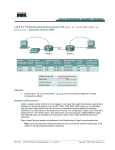
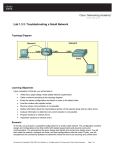
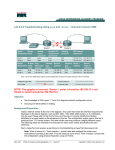
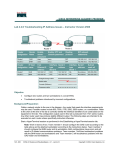
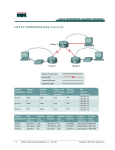
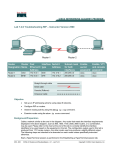
Lab 9.3.7 Troubleshooting Routing Issues with debug – Instructor Version 2500 Objective • Utilize a systematic OSI troubleshooting process to diagnose routing problems. • Use various show commands to gather information. • Use debug commands and logging. Background/Preparation Cable a network similar to the one in the diagram. Any router that meets the interface requirements displayed on the above diagram, such as 800, 1600, 1700, 2500, 2600 routers, or a combination, may be used. Please refer to the chart at the end of the lab to correctly identify the interface identifiers to be used based on the equipment in the lab. The configuration output used in this lab is produced from 1721 series routers. Any other router used may produce a slightly different output. The following steps are intended to be executed on each router unless specifically instructed otherwise. Start a HyperTerminal session as performed in the Establishing a HyperTerminal session lab. Note: Go to the erase and reload instructions at the end of this lab. Perform those steps on all routers in this lab assignment before continuing. 312 - 833 CCNA 2: Routers and Routing Basics v 3.1 - Lab 9.3.7 Copyright 2003, Cisco Systems, Inc. Step 1 Configure the hostname, passwords and interfaces on the GAD router a. On the GAD router, enter the global configuration mode and configure the hostname as shown in the chart. Then configure the console, virtual terminal, and enable passwords. If there is a problem doing this, refer to the Configuring Router Passwords lab. Configure interfaces as shown in the table. Step 2 Configure the routing protocol on the GAD router a. Go to the proper command mode and enter the following: GAD(config)#router rip GAD(config-router)#network 192.168.1.0 GAD(config-router)#network 192.168.2.0 GAD(config-router)#version 2 GAD(config-router)#exit GAD(config)#exit Step 3 Save the GAD router configuration GAD#copy running-config startup-config Destination filename [startup-config]? [Enter] Step 4 Configure the hostname, passwords and interfaces on the BHM router a. On the BHM router, enter the global configuration mode and configure the hostname as shown in the chart. Then configure the console, virtual terminal and enable passwords. Configure interfaces as shown in the table. Step 5 Configure the routing protocol on the BHM router a. Go to the proper command mode and enter the following: BHM(config)#router rip BHM(config-router)#network 192.168.2.0 BHM(config-router)#network 192.168.3.0 BHM(config-router)#version 1 BHM(config-router)#exit BHM(config)#exit Step 6 Save the BHM router configuration BHM#copy running-config startup-config Destination filename [startup-config]? [Enter] Step 7 Gather Facts by asking and listening a. After asking around, it was found that a network associate on the night shift changed some of the routing parameters on the routers for a circuit between the GAD office and the BHM office. Unfortunately, proper procedure was not followed and no documentation was created on these changes. 313 - 833 CCNA 2: Routers and Routing Basics v 3.1 - Lab 9.3.7 Copyright 2003, Cisco Systems, Inc. Step 8 Gather facts (test basic functionality) Verify that the internetwork is not functioning by pinging the LAN interfaces. a. From GAD, is it possible to ping the BHM router FastEthernet interface? No b. From BHM, is it possible to ping the GAD router FastEthernet interface? No Step 9 Gather Facts by starting testing to isolate the problem a. This confirmed that there is no reachability between GAD and BHM. Even though it is suspected that there is a routing issue, the temptation to go right to testing routing is resisted. Instead good scientific troubleshooting method is followed. b. First start at the Physical layer, and confirm the WAN link circuit is up. From the GAD router, issue the show interfaces serial 0 command to confirm that the line and protocol is up. c. Are they both up? Yes GAD#show interfaces serial 0 Serial0 is up, line protocol is up <output omitted> d. Now that it is known that the line and protocol are both up, test the Data Link layer. From the GAD router, issue the show CDP neighbors command to confirm that the BHM router is a neighbor to the GAD router serial 0 interface. e. Is BHM shown as a neighbor on interface serial 0? Yes GAD#show cdp neighbors Capability Codes: R - Router, T - Trans Bridge, B - Source Route Bridge S - Switch, H - Host, I - IGMP, r - Repeater Device ID BHM Local Intrfce Ser 0 Holdtme 151 Capability R Platform 2500 Port ID Ser 0 Step 10 Examine the routing table a. It looks like the data link layer is good. Time to move up and examine the network layer. Check the GAD routing table to see if there is a route to the BHM LAN. To do this, issue the show ip route command on the GAD router. b. Is the route there? No c. Are there any RIP routes? No GAD#show ip route <output omitted> Gateway of last resort is not set C C 192.168.1.0/24 is directly connected, Ethernet0 192.168.2.0/24 is directly connected, Serial0 Step 11 Examine the routing protocol status a. After examining the routing tables, it is discovered that there is no route to the BHM Ethernet LAN. So use the show ip protocols command to view the routing protocol status. From the GAD router, type the following: GAD#show ip protocols b. What networks is RIP routing? 192.168.1.0 192.168.2.0 c. 314 - 833 Are these the correct networks? Yes CCNA 2: Routers and Routing Basics v 3.1 - Lab 9.3.7 Copyright 2003, Cisco Systems, Inc. GAD#show ip protocol Routing Protocol is "rip" Sending updates every 30 seconds, next due in 16 seconds Invalid after 180 seconds, hold down 180, flushed after 240 Outgoing update filter list for all interfaces is Incoming update filter list for all interfaces is Redistributing: rip Default version control: send version 2, receive version 2 Interface Send Recv Triggered RIP Key-chain Ethernet0 2 2 Serial0 2 2 Automatic network summarization is in effect Routing for Networks: 192.168.1.0 192.168.2.0 Routing Information Sources: Gateway Distance Last Update 192.168.2.2 120 00:10:58 Distance: (default is 120) Step 12 Gather Facts to identify the exact problem a. Now that a routing issue has been confirmed, the exact source of the routing problem needs to be discovered so it can be corrected. To observe the routing exchange between the routers will use the debug ip rip command. b. From a GAD console, type the debug ip packet command and watch the output for a minute or two. c. Record a sample of output from GAD or BHM BHM#debug ip rip RIP protocol debugging is on BHM# *Mar 1 20:18:21.714: RIP: ignored v1 packet from 192.168.2.1 version) *Mar 1 20:18:23.074: RIP: sending v2 update to 224.0.0.9 via (192.168.2.2) *Mar 1 20:18:23.074: RIP: build update entries - suppressing update *Mar 1 20:18:49.346: RIP: sending v2 update to 224.0.0.9 via (192.168.2.2) *Mar 1 20:18:49.346: RIP: build update entries - suppressing update *Mar 1 20:18:51.210: RIP: ignored v1 packet from 192.168.2.1 version) BHM#debug ip packet IP packet debugging is on BHM# *Mar 1 20:21:06.802: IP: 60, unroutable *Mar 1 20:21:11.474: IP: 60, unroutable *Mar 1 20:21:11.538: IP: len 52, rcvd 2 *Mar 1 20:21:16.182: IP: 60, unroutable *Mar 1 20:21:20.982: IP: 60, unroutable 315 - 833 (illegal Serial0 null Serial0 null (illegal s=192.168.17.1 (Serial0), d=224.0.0.10, len s=192.168.17.1 (Serial0), d=224.0.0.10, len s=192.168.17.1 (Serial0), d=255.255.255.255, s=192.168.17.1 (Serial0), d=224.0.0.10, len s=192.168.17.1 (Serial0), d=224.0.0.10, len CCNA 2: Routers and Routing Basics v 3.1 - Lab 9.3.7 Copyright 2003, Cisco Systems, Inc. *Mar 1 20:21:25.534: IP: s=192.168.17.1 (Serial0), d=224.0.0.10, len 60, unroutable d. Are there routing updates being passed? Yes e. What is happening to the routing updates from BHM? They are being ignored because they are the wrong version. f. Type undebug all to stop the output. Step 13 Consider the possibilities a. From the information discovered through the troubleshooting process, what are the possible problems? The debug ip rip command shows that the routing updates are not displayed because the RIP versions are incompatible. Step 14 Create an action plan a. How can the problem be corrected? Change the version of RIP on router BHM to be compatible with that of GAD. Step 15 Implement the action plan a. Try the solution that was proposed in the previous step. Step 16 Observe the results a. Now it is necessary to confirm that the solution has solved the problem. This is done by reversing the tests that have been previously performed. b. Observe the routing exchange between the routers using the debug ip rip command and watch the output for a minute or two. BHM#debug ip rip RIP protocol debugging is on BHM# *Mar 1 20:27:10.918: RIP: received v1 update from 192.168.2.1 on Serial0 *Mar 1 20:27:10.918: 192.168.1.0 in 1 hops *Mar 1 20:27:12.918: RIP: sending v1 flash update to 255.255.255.255 via Serial0 (192.168.17.2) *Mar 1 20:27:12.918: RIP: build flash update entries - suppressing null update *Mar 1 20:27:29.230: RIP: sending v1 update to 255.255.255.255 via Serial0 (192.168.2.2) *Mar 1 20:27:29.230: RIP: build update entries - suppressing null update *Mar 1 20:27:37.710: RIP: received v1 update from 192.168.2.1 on Serial0 *Mar 1 20:27:37.710: 192.168.1.0 in 1 hops c. Type undebug all to stop the output. d. Check the GAD routing table to see if there is a route to BHM using the show ip route. e. Are there any RIP routes? Yes f. 316 - 833 Is the route to BHM there? Yes CCNA 2: Routers and Routing Basics v 3.1 - Lab 9.3.7 Copyright 2003, Cisco Systems, Inc. GAD#show ip route Codes: C - connected, S - static, I - IGRP, R - RIP, M - mobile, B BGP D - EIGRP, EX - EIGRP external, O - OSPF, IA - OSPF inter area N1 - OSPF NSSA external type 1, N2 - OSPF NSSA external type 2 E1 - OSPF external type 1, E2 - OSPF external type 2, E - EGP i - IS-IS, L1 - IS-IS level-1, L2 - IS-IS level-2, ia - IS-IS inter area * - candidate default, U - per-user static route, o - ODR P - periodic downloaded static route Gateway of last resort is not set C C R 192.168.1.0/24 is directly connected, Ethernet0 192.168.2.0/24 is directly connected, Serial0 192.168.3.0/24 [120/1] via 192.168.2.2, 00:00:01, Serial0 g. Just to confirm everything is the working from the GAD router try to ping the LAN interface of the BHM router. Was it successful? Yes h. If this does not correct the problem, then repeat the process. i. If the tests were successful, document the changes and back up the configuration. Upon completion of the previous steps, log off by typing exit and turn the router off. 317 - 833 CCNA 2: Routers and Routing Basics v 3.1 - Lab 9.3.7 Copyright 2003, Cisco Systems, Inc. Erasing and reloading the router Enter into the privileged EXEC mode by typing enable. If prompted for a password, enter class. If “class” does not work, ask the instructor for assistance. Router>enable At the privileged EXEC mode, enter the command erase startup-config. Router#erase startup-config The responding line prompt will be: Erasing the nvram filesystem will remove all files! Continue? [confirm] Press Enter to confirm. The response should be: Erase of nvram: complete Now at the privileged EXEC mode, enter the command reload. Router(config)#reloadRouter#reload The responding line prompt will be: System configuration has been modified. Save? [yes/no]: Type n and then press Enter. The responding line prompt will be: Proceed with reload? [confirm] Press Enter to confirm. In the first line of the response will be: Reload requested by console. After the router has reloaded the line prompt will be: Would you like to enter the initial configuration dialog? [yes/no]: Type n and then press Enter. The responding line prompt will be: Press RETURN to get started! Press Enter. The router is ready for the assigned lab to be performed. 318 - 833 CCNA 2: Routers and Routing Basics v 3.1 - Lab 9.3.7 Copyright 2003, Cisco Systems, Inc. Router Interface Summary Router Ethernet Ethernet Serial Serial Interface Model Interface #1 Interface #2 Interface #1 Interface #2 #5 800 (806) Ethernet 0 (E0) Ethernet 1 (E1) 1600 Ethernet 0 (E0) Ethernet 1 (E1) Serial 0 (S0) Serial 1 (S1) 1700 FastEthernet 0 (FA0) FastEthernet 1 (FA1) Serial 0 (S0) Serial 1 (S1) 2500 Ethernet 0 (E0) Ethernet 1 (E1) Serial 0 (S0) Serial 1 (S1) 2600 FastEthernet 0/0 FastEthernet 0/1 (FA0/1) Serial 0/0 (S0/0) Serial 0/1 (FA0/0) (S0/1) In order to find out exactly how the router is configured, look at the interfaces. This will identify the type of router as well as how many interfaces the router has. There is no way to effectively list all of the combinations of configurations for each router class. What is provided are the identifiers for the possible combinations of interfaces in the device. This interface chart does not include any other type of interface even though a specific router may contain one. An example of this might be an ISDN BRI interface. The string in parenthesis is the legal abbreviation that can be used in IOS command to represent the interface. 319 - 833 CCNA 2: Routers and Routing Basics v 3.1 - Lab 9.3.7 Copyright 2003, Cisco Systems, Inc. GAD#show running-config Building configuration... Current configuration: ! version 12.0 no service password-encryption ! hostname GAD ! enable secret 5 $1$O3uG$CI4acFapdY8A8CylvUpKq. ! ip subnet-zero ! interface Ethernet0 ip address 192.168.1.1 255.255.255.0 no ip directed-broadcast ! interface Serial0 ip address 192.168.2.1 255.255.255.0 no ip directed-broadcast no ip mroute-cache no fair-queue clock rate 64000 ! interface Serial1 no ip address no ip directed-broadcast shutdown ! router rip version 1 network 192.168.1.0 network 192.168.2.0 ! ip classless ! line con 0 transport input none line aux 0 line vty 0 4 password cisco login ! end 320 - 833 CCNA 2: Routers and Routing Basics v 3.1 - Lab 9.3.7 Copyright 2003, Cisco Systems, Inc. BHM#show running-config Building configuration... Current configuration: ! version 12.0 no service password-encryption ! hostname BHM ! enable secret 5 $1$iQzD$hHdQsscpbSdVj63u69J1X1 ! ip subnet-zero ! interface Ethernet0 ip address 192.168.3.1 255.255.255.0 no ip directed-broadcast ! interface Serial0 ip address 192.168.2.2 255.255.255.0 no ip directed-broadcast no ip mroute-cache no fair-queue ! interface Serial1 no ip address no ip directed-broadcast shutdown ! router rip version 1 network 192.168.2.0 network 192.168.3.0 ! ip classless ! line con 0 transport input none line aux 0 line vty 0 4 password cisco login ! end 321 - 833 CCNA 2: Routers and Routing Basics v 3.1 - Lab 9.3.7 Copyright 2003, Cisco Systems, Inc. Lab 9.3.7 Troubleshooting Routing Issues with debug – Instructor Version 2600 Objective • Utilize a systematic OSI troubleshooting process to diagnose routing problems. • Use various show commands to gather information. • Use debug commands and logging. Background/Preparation Cable a network similar to the one in the diagram. Any router that meets the interface requirements displayed on the above diagram, such as 800, 1600, 1700, 2500, 2600 routers, or a combination, may be used. Please refer to the chart at the end of the lab to correctly identify the interface identifiers to be used based on the equipment in the lab. The configuration output used in this lab is produced from 1721 series routers. Any other router used may produce a slightly different output. The following steps are intended to be executed on each router unless specifically instructed otherwise. Start a HyperTerminal session as performed in the Establishing a HyperTerminal session lab. Note: Go to the erase and reload instructions at the end of this lab. Perform those steps on all routers in this lab assignment before continuing. 734 - 833 CCNA 2: Routers and Routing Basics v 3.1 - Lab 9.3.7 Copyright 2003, Cisco Systems, Inc. Step 1 Configure the hostname, passwords and interfaces on the GAD router a. On the GAD router, enter the global configuration mode and configure the hostname as shown in the chart. Then configure the console, virtual terminal, and enable passwords. If there is a problem doing this, refer to the Configuring Router Passwords lab. Configure interfaces as shown in the table. Step 2 Configure the routing protocol on the GAD router a. Go to the proper command mode and enter the following: GAD(config)#router rip GAD(config-router)#network 192.168.1.0 GAD(config-router)#network 192.168.2.0 GAD(config-router)#version 2 GAD(config-router)#exit GAD(config)#exit Step 3 Save the GAD router configuration GAD#copy running-config startup-config Destination filename [startup-config]? [Enter] Step 4 Configure the hostname, passwords and interfaces on the BHM router a. On the BHM router, enter the global configuration mode and configure the hostname as shown in the chart. Then configure the console, virtual terminal and enable passwords. Configure interfaces as shown in the table. Step 5 Configure the routing protocol on the BHM router a. Go to the proper command mode and enter the following: BHM(config)#router rip BHM(config-router)#network 192.168.2.0 BHM(config-router)#network 192.168.3.0 BHM(config-router)#version 1 BHM(config-router)#exit BHM(config)#exit Step 6 Save the BHM router configuration BHM#copy running-config startup-config Destination filename [startup-config]? [Enter] Step 7 Gather Facts by asking and listening a. After asking around, it was found that a network associate on the night shift changed some of the routing parameters on the routers for a circuit between the GAD office and the BHM office. Unfortunately, proper procedure was not followed and no documentation was created on these changes. 735 - 833 CCNA 2: Routers and Routing Basics v 3.1 - Lab 9.3.7 Copyright 2003, Cisco Systems, Inc. Step 8 Gather facts (test basic functionality) Verify that the internetwork is not functioning by pinging the LAN interfaces. a. From GAD, is it possible to ping the BHM router FastEthernet interface? No b. From BHM, is it possible to ping the GAD router FastEthernet interface? No Step 9 Gather Facts by starting testing to isolate the problem a. This confirmed that there is no reachability between GAD and BHM. Even though it is suspected that there is a routing issue, the temptation to go right to testing routing is resisted. Instead good scientific troubleshooting method is followed. b. First start at the Physical layer, and confirm the WAN link circuit is up. From the GAD router, issue the show interfaces serial 0 command to confirm that the line and protocol is up. c. Are they both up? Yes GAD#show interfaces serial 0/0 Serial0/0 is up, line protocol is up <output omitted> d. Now that it is known that the line and protocol are both up, test the Data Link layer. From the GAD router, issue the show CDP neighbors command to confirm that the BHM router is a neighbor to the GAD router serial 0 interface. e. Is BHM shown as a neighbor on interface serial 0? Yes GAD#show cdp neighbors Capability Codes: R - Router, T - Trans Bridge, B - Source Route Bridge S - Switch, H - Host, I - IGMP, r - Repeater Device ID BHM Local Intrfce Ser 0/0 Holdtme 151 Capability R Platform 2600 Port ID Ser 0/0 Step 10 Examine the routing table a. It looks like the data link layer is good. Time to move up and examine the network layer. Check the GAD routing table to see if there is a route to the BHM LAN. To do this, issue the show ip route command on the GAD router. b. Is the route there? No c. Are there any RIP routes? No GAD#show ip route <output omitted> Gateway of last resort is not set C C 192.168.1.0/24 is directly connected, FastEthernet0/0 192.168.2.0/24 is directly connected, Serial0/0 Step 11 Examine the routing protocol status a. After examining the routing tables, it is discovered that there is no route to the BHM Ethernet LAN. So use the show ip protocols command to view the routing protocol status. From the GAD router, type the following: GAD#show ip protocols b. What networks is RIP routing? 192.168.1.0 192.168.2.0 c. 736 - 833 Are these the correct networks? Yes CCNA 2: Routers and Routing Basics v 3.1 - Lab 9.3.7 Copyright 2003, Cisco Systems, Inc. GAD#show ip protocol Routing Protocol is "rip" Sending updates every 30 seconds, next due in 16 seconds Invalid after 180 seconds, hold down 180, flushed after 240 Outgoing update filter list for all interfaces is Incoming update filter list for all interfaces is Redistributing: rip Default version control: send version 2, receive version 2 Interface Send Recv Triggered RIP Key-chain FastEthernet0/0 2 2 Serial0/0 2 2 Automatic network summarization is in effect Routing for Networks: 192.168.1.0 192.168.2.0 Routing Information Sources: Gateway Distance Last Update 192.168.2.2 120 00:10:58 Distance: (default is 120) Step 12 Gather Facts to identify the exact problem a. Now that a routing issue has been confirmed, the exact source of the routing problem needs to be discovered so it can be corrected. To observe the routing exchange between the routers will use the debug ip rip command. b. From a GAD console, type the debug ip packet command and watch the output for a minute or two. c. Record a sample of output from GAD or BHM BHM#debug ip rip RIP protocol debugging is on BHM# *Mar 1 20:18:21.714: RIP: ignored v1 packet from 192.168.2.1 version) *Mar 1 20:18:23.074: RIP: sending v2 update to 224.0.0.9 via (192.168.2.2) *Mar 1 20:18:23.074: RIP: build update entries - suppressing update *Mar 1 20:18:49.346: RIP: sending v2 update to 224.0.0.9 via (192.168.2.2) *Mar 1 20:18:49.346: RIP: build update entries - suppressing update *Mar 1 20:18:51.210: RIP: ignored v1 packet from 192.168.2.1 version) BHM#debug ip packet IP packet debugging is on BHM# *Mar 1 20:21:06.802: IP: s=192.168.17.1 60, unroutable *Mar 1 20:21:11.474: IP: s=192.168.17.1 60, unroutable *Mar 1 20:21:11.538: IP: s=192.168.17.1 d=255.255.255.255, len 52, rcvd 2 *Mar 1 20:21:16.182: IP: s=192.168.17.1 60, unroutable *Mar 1 20:21:20.982: IP: s=192.168.17.1 60, unroutable 737 - 833 CCNA 2: Routers and Routing Basics v 3.1 - Lab 9.3.7 (illegal Serial0/0 null Serial0/0 null (illegal (Serial0/0), d=224.0.0.10, len (Serial0/0), d=224.0.0.10, len (Serial0/0), (Serial0/0), d=224.0.0.10, len (Serial0/0), d=224.0.0.10, len Copyright 2003, Cisco Systems, Inc. *Mar 1 20:21:25.534: IP: s=192.168.17.1 (Serial0/0), d=224.0.0.10, len 60, unroutable d. Are there routing updates being passed? Yes e. What is happening to the routing updates from BHM? They are being ignored because they are the wrong version. f. Type undebug all to stop the output. Step 13 Consider the possibilities a. From the information discovered through the troubleshooting process, what are the possible problems? The debug ip rip shows that the routing updates are not being entered into the routing table. The RIP versions are incompatible. Step 14 Create an action plan a. How can the problem be corrected? Change the version of RIP on router BHM to be compatible with that of GAD. Step 15 Implement the action plan a. Try the solution that was proposed in the previous step. Step 16 Observe the results a. Now it is necessary to confirm that the solution has solved the problem. This is done by reversing the tests that have been previously performed. b. Observe the routing exchange between the routers using the debug ip rip command and watch the output for a minute or two. BHM#debug ip rip RIP protocol debugging is on BHM# *Mar 1 20:27:10.918: RIP: received v1 update from 192.168.2.1 on Serial0/0 *Mar 1 20:27:10.918: 192.168.1.0 in 1 hops *Mar 1 20:27:12.918: RIP: sending v1 flash update to 255.255.255.255 via Serial0/0 (192.168.17.2) *Mar 1 20:27:12.918: RIP: build flash update entries - suppressing null update *Mar 1 20:27:29.230: RIP: sending v1 update to 255.255.255.255 via Serial0/0 (192.168.2.2) *Mar 1 20:27:29.230: RIP: build update entries - suppressing null update *Mar 1 20:27:37.710: RIP: received v1 update from 192.168.2.1 on Serial0/0 *Mar 1 20:27:37.710: 192.168.1.0 in 1 hops c. Type undebug all to stop the output. d. Check the GAD routing table to see if there is a route to BHM using the show ip route. e. Are there any RIP routes? Yes f. 738 - 833 Is the route to BHM there? Yes CCNA 2: Routers and Routing Basics v 3.1 - Lab 9.3.7 Copyright 2003, Cisco Systems, Inc. GAD#show ip route Codes: C - connected, S - static, I - IGRP, R - RIP, M - mobile, B BGP D - EIGRP, EX - EIGRP external, O - OSPF, IA - OSPF inter area N1 - OSPF NSSA external type 1, N2 - OSPF NSSA external type 2 E1 - OSPF external type 1, E2 - OSPF external type 2, E - EGP i - IS-IS, L1 - IS-IS level-1, L2 - IS-IS level-2, ia - IS-IS inter area * - candidate default, U - per-user static route, o - ODR P - periodic downloaded static route Gateway of last resort is not set C C R 192.168.1.0/24 is directly connected, FastEthernet0/0 192.168.2.0/24 is directly connected, Serial0/0 192.168.3.0/24 [120/1] via 192.168.2.2, 00:00:01, Serial0/0 g. Just to confirm everything is the working from the GAD router try to ping the LAN interface of the BHM router. Was it successful? Yes h. If this does not correct the problem, then repeat the process. i. If the tests were successful, document the changes and back up the configuration. Upon completion of the previous steps, log off by typing exit and turn the router off. 739 - 833 CCNA 2: Routers and Routing Basics v 3.1 - Lab 9.3.7 Copyright 2003, Cisco Systems, Inc. Erasing and reloading the router Enter into the privileged EXEC mode by typing enable. If prompted for a password, enter class. If “class” does not work, ask the instructor for assistance. Router>enable At the privileged EXEC mode, enter the command erase startup-config. Router#erase startup-config The responding line prompt will be: Erasing the nvram filesystem will remove all files! Continue? [confirm] Press Enter to confirm. The response should be: Erase of nvram: complete Now at the privileged EXEC mode, enter the command reload. Router(config)#reloadRouter#reload The responding line prompt will be: System configuration has been modified. Save? [yes/no]: Type n and then press Enter. The responding line prompt will be: Proceed with reload? [confirm] Press Enter to confirm. In the first line of the response will be: Reload requested by console. After the router has reloaded the line prompt will be: Would you like to enter the initial configuration dialog? [yes/no]: Type n and then press Enter. The responding line prompt will be: Press RETURN to get started! Press Enter. The router is ready for the assigned lab to be performed. 740 - 833 CCNA 2: Routers and Routing Basics v 3.1 - Lab 9.3.7 Copyright 2003, Cisco Systems, Inc. Router Interface Summary Router Ethernet Ethernet Serial Serial Interface Model Interface #1 Interface #2 Interface #1 Interface #2 #5 800 (806) Ethernet 0 (E0) Ethernet 1 (E1) 1600 Ethernet 0 (E0) Ethernet 1 (E1) Serial 0 (S0) Serial 1 (S1) 1700 FastEthernet 0 (FA0) FastEthernet 1 (FA1) Serial 0 (S0) Serial 1 (S1) 2500 Ethernet 0 (E0) Ethernet 1 (E1) Serial 0 (S0) Serial 1 (S1) 2600 FastEthernet 0/0 FastEthernet 0/1 (FA0/1) Serial 0/0 (S0/0) Serial 0/1 (FA0/0) (S0/1) In order to find out exactly how the router is configured, look at the interfaces. This will identify the type of router as well as how many interfaces the router has. There is no way to effectively list all of the combinations of configurations for each router class. What is provided are the identifiers for the possible combinations of interfaces in the device. This interface chart does not include any other type of interface even though a specific router may contain one. An example of this might be an ISDN BRI interface. The string in parenthesis is the legal abbreviation that can be used in IOS command to represent the interface. 741 - 833 CCNA 2: Routers and Routing Basics v 3.1 - Lab 9.3.7 Copyright 2003, Cisco Systems, Inc. GAD#show running-config Building configuration... Current configuration: ! version 12.0 no service password-encryption ! hostname GAD ! enable secret 5 $1$O3uG$CI4acFapdY8A8CylvUpKq. ! ip subnet-zero ! interface FastEthernet0/0 ip address 192.168.1.1 255.255.255.0 no ip directed-broadcast ! interface Serial0/0 ip address 192.168.2.1 255.255.255.0 no ip directed-broadcast no ip mroute-cache no fair-queue clock rate 64000 ! interface Serial0/1 no ip address no ip directed-broadcast shutdown ! router rip version 1 network 192.168.1.0 network 192.168.2.0 ! ip classless ! line con 0 transport input none line aux 0 line vty 0 4 password cisco login ! end 742 - 833 CCNA 2: Routers and Routing Basics v 3.1 - Lab 9.3.7 Copyright 2003, Cisco Systems, Inc. BHM#show running-config Building configuration... Current configuration: ! version 12.0 no service password-encryption ! hostname BHM ! enable secret 5 $1$iQzD$hHdQsscpbSdVj63u69J1X1 ! ip subnet-zero ! interface FastEthernet0/0 ip address 192.168.3.1 255.255.255.0 no ip directed-broadcast ! interface Serial0/0 ip address 192.168.2.2 255.255.255.0 no ip directed-broadcast no ip mroute-cache no fair-queue ! interface Serial0/1 no ip address no ip directed-broadcast shutdown ! router rip version 1 network 192.168.2.0 network 192.168.3.0 ! ip classless ! line con 0 transport input none line aux 0 line vty 0 4 password cisco login ! end 743 - 833 CCNA 2: Routers and Routing Basics v 3.1 - Lab 9.3.7 Copyright 2003, Cisco Systems, Inc.