Transcript
OPERATING INSTRUCTIONS W1411
POWER ON
1.
Power the unit up by switching On the side lights of the vehicle.
( Leave the system for a minute to warm up )
ZERO CALIBRATION
1.
2.
With the vehicle empty, raise the body into the correct weighing position.
( This should be when the body is clear of the chassis )
Make sure the Normal/Set switch is in the Normal position.
3.
Adjust the FINE ZERO knob on the right hand side of the display into the
centre position.
4.
Remove the display front and adjust the COARSE ZERO pot shown, until
the display shows 00.0
SPAN CALIBRATION
1.
With the vehicle carrying a known weight, raise the body into the weighing
position.
2.
Make sure the Normal/Set switch is in the Normal position.
3.
Remove the display front and adjust the SPAN pot shown, until the display
shows the correct weight.
ZERO TRIMMING
1.
If the display does not read zero when empty and in the weighing position, the
FINE ZERO knob can easily be turned until the display shows 00.0
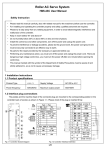
Picture showing the SPAN/ZERO pots inside the display