1
USCX100
4 Operation
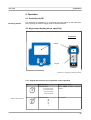
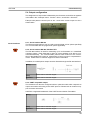
ESCape menu item
Abort entry without saving
Switches the instrument OFF if
pressed for more than 2 s
ENTER menu item
Confirm entry with saving
Switches the instrument ON if
pressed for more than 2 s
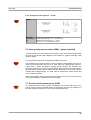
4.2.2 Keypad key functions (internal keypad where specified)
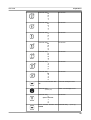
Key
Main function
Secondary function(s)
Right Arrow
Character position selection for Screen selection in
measurement mode
data entry. Move RIGHT.
Down Arrow
Move menu/list selection item Character entry from scrolled
characters, move in scrolled lists
DOWN
screen selection in
measurement mode
ALT
Backlight on/off
ESC
ESCape menu item
Abort entry without saving, escape
measurement mode
ENT
ENTer menu item
Confirm entry with saving or move
through menu structure
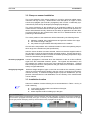
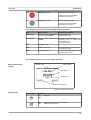
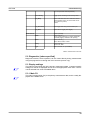
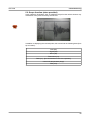
4.2.3 Display functions (on screen where specified)
Main measurement
display
Display icons
Menu header
Display line 1
Display line 2
Date, time (optional)
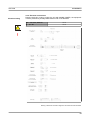
Illustration 11: Main display functions
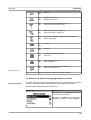
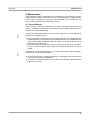
Display icons
Display icon
Function
On
Off
Not used
On
Off
Datalogger recording (where specified)
Datalogger switched off
21