1
USCX100
Table of Contents
USCX100
Operating Instructions
Table of Contents
Page
1 Safety instructions, legal requirements, warranty, return policy.................5
1.1 Symbols used in these operating instructions..............................................5
1.2 Safety instructions.......................................................................................5
1.3 Warranty...................................................................................................... 6
1.4 Return policy................................................................................................ 6
1.5 Legislative requirements..............................................................................6
2 Introduction...................................................................................................... 7
3 Installation........................................................................................................ 8
3.1 Unpacking and storage................................................................................8
3.1.1 Unpacking............................................................................................. 8
3.1.2 Storage ................................................................................................ 8
3.1.3 Identification of components.................................................................8
3.2 Clamp-on sensor installation.......................................................................9
3.3 Installation location......................................................................................9
3.4 Pipe preparation.......................................................................................... 12
3.5 Clamp-on sensor mounting configurations and separation distance............12
3.6 Flowmeter installation..................................................................................13
3.6.1 Wall mounting.......................................................................................13
3.6.2 Electrical connections...........................................................................15
3.7 Clamp-on sensor mounting.........................................................................16
3.7.1 Sensor pipe mounting configurations....................................................16
3.7.2 Acoustic coupling gel............................................................................16
3.7.3 Correct positioning of the sensors........................................................17
3.7.4 Sensor mounting with tension straps....................................................17
4 Operation.......................................................................................................... 19
4.1 Switching On/Off.......................................................................................... 19
4.2 Keypad and display.....................................................................................19
4.2.1 Keypad key functions............................................................................19
4.2.2 Display functions..................................................................................21
4.3 Quick setup wizard......................................................................................22
4.4 Measurements............................................................................................. 25
4.4.1 Main process value (PV) display...........................................................25
4.4.2 Diagnostic displays...............................................................................26
4.4.3 Totalisers.............................................................................................. 26
4.4.4 Datalogger............................................................................................ 26
5 Commissioning................................................................................................ 27
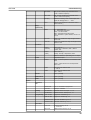
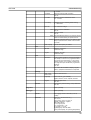
5.1 Menu structure............................................................................................ 27
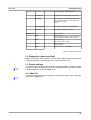
5.2 Diagnostics.................................................................................................. 31
5.3 Display settings........................................................................................... 31
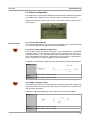
5.4 Output configuration....................................................................................33
5.4.1 Serial interface RS 232.........................................................................33
5.4.2 Serial interface RS 485.........................................................................33
3