1
Chapter 4 Settings — [PROJECTOR SETUP] menu
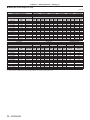
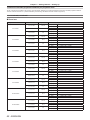
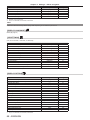
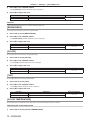
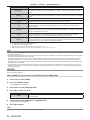
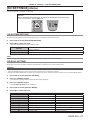
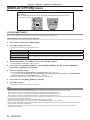
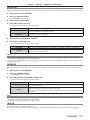
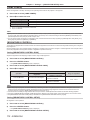
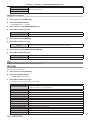
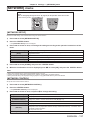
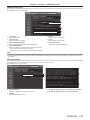
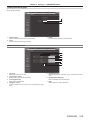
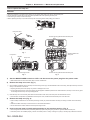
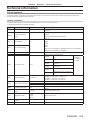
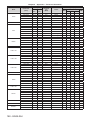
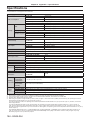
[SUB VERSION]
Displays the sub version of the firmware of the projector.
[NETWORK VERSION]
Displays the firmware version of the projector.
[UPGRADE(ET‑UK20)]
Displays the activation status based on the Upgrade Kit.
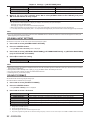
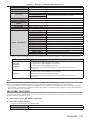
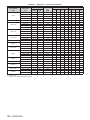
[POWER ON TIMES]
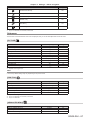
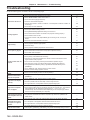
[ON COUNT]
[LAMP1 ON]
Displays the number of times the lamp is turned on.
[LAMP2 ON]
[LAMP1]
Displays runtime in detail.
[LAMP2]
Displays runtime in detail.
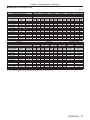
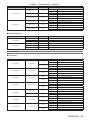
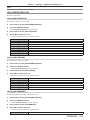
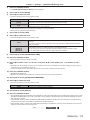
[NUMBER OF REGISTERED
SIGNAL]
[REMOTE2 STATUS]
[AC VOLTAGE]
[COOLING CONDITION]
Displays the number of times the power is turned on.
Displays the number of registered signals.
Displays the control status of the REMOTE2.
Displays the status of the AC voltage.
Displays the set cooling conditions. When [AUTO] is set, automatically recognized result is displayed.
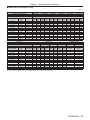
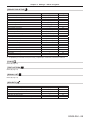
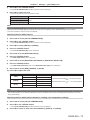
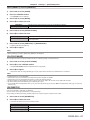
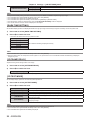
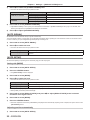
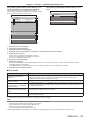
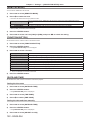
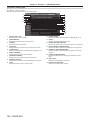
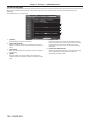
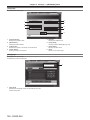
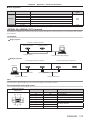
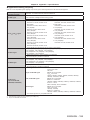
[MEMORY NO.]
Displays the memory number of the input signal.
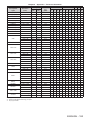
[INPUT]
Displays the input terminal currently selected.
[SIGNAL NAME]
Displays the input signal name.
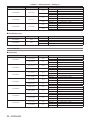
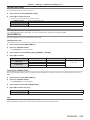
[SIGNAL FREQUENCY]
[SYNC.STATE]
Displays the synch polarity of the input signal.
[V.SYNC WIDTH]
[SIGNAL INFORMATION]
Displays the frequency of the input signal.
Displays the vertical sync signal pulse width of the input signal.
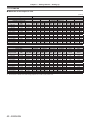
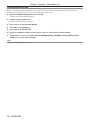
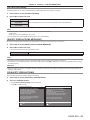
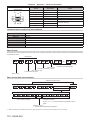
[SCAN TYPE]
Displays the scan type of the input signal.
[TOTAL DOTS]
Displays the total dot count of the input signal.
[DISPLAY DOTS]
[TOTAL LINES]
Displays the number of input signal display dots.
Displays the total line count of the input signal.
[DISPLAY LINES]
[SAMPLING]
Displays the number of input signal display lines.
Displays the sampling information of the input signal.
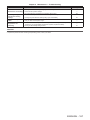
[SIGNAL LEVEL]
[BIT DEPTH]
Displays the signal level of the input signal.
Displays the gradation of the input signal.
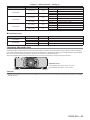
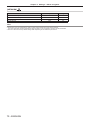
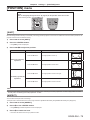
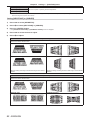
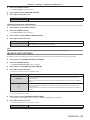
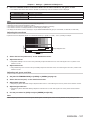
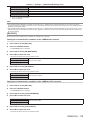
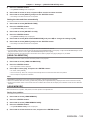
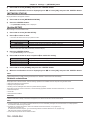
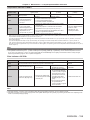
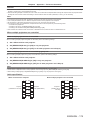
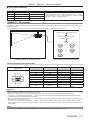
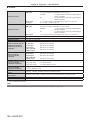
*1 The lamp runtime to be displayed is real time. The following conversion is required to calculate the rough estimate for lamp replacement.
Model No.
Formula for lamp replacement time (rough estimate)
PT‑DZ13KE
PT‑DS12KE
PT‑DW11KE
(A x 56 + B x 40 + C x 35) ÷ 56
ff A: Runtime when [LAMP POWER] is set to [HIGH]
ff B: Runtime when [LAMP POWER] is set to [MIDDLE]
ff C: Runtime when [LAMP POWER] is set to [ECO]
The formula when the optional Replacement lamp unit (for portrait mode) is used is:
(B x 2 + C) ÷ 2
PT‑DZ10KE
(A x 40 + B x 35) ÷ 40
ff A: Runtime when [LAMP POWER] is set to [NORMAL]
ff B: Runtime when [LAMP POWER] is set to [ECO]
The formula when the optional Replacement lamp unit (for portrait mode) is used is:
(A x 2 + B) ÷ 2
Note
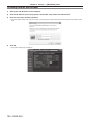
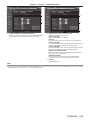
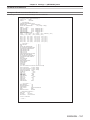
ff The content of status can be sent via E-mail by pressing the <ENTER> button while displaying the status.
ff Some items in [SIGNAL INFORMATION] may be displayed and others not displayed, depending on the signal being input.
ff If you attach a lamp unit used in a projector of a model different from the projector (PT‑DZ13KE, PT‑DS12KE, PT‑DW11KE, PT‑DZ10KE)
to the projector, or when the lamp unit used in the projector to a projector of a different model, the “lighting time” and “runtime” displayed in
[STATUS] may differ from the actual time.
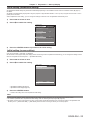
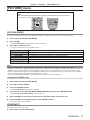
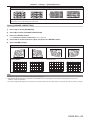
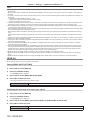
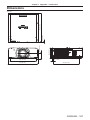
[NO SIGNAL SHUT-OFF]
A function that automatically switches the power source of the projector to standby if there is no input signal for a certain period of time. The
time before switching to standby can be set.
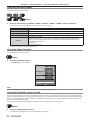
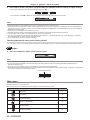
1) Press as to select [NO SIGNAL SHUT-OFF].
2) Press qw to switch the item.
ff The items will switch each time you press the button.
[DISABLE]
[10MIN.] - [90MIN.]
Disables the No signal shut-off function.
Allows you to set in ten minutes intervals.
ENGLISH - 121