1
3. SETTING UP
3.1 Equipment Checklist.
Your spectroradiometer should come with the following parts:
1. Spectroradiometer model SR9910 Version 7
2. Light guide(s) and input optic accessories in case.
3. RS232 computer interface cable
4. 25 way to 9 way serial port connector adaptor
5. Monochromator input port plug
6. 12v Switch mode power supply
7. Mains Lead
8. Software disk(s)
9. Handbook
3.2 Connecting to the PC
After unpacking the spectroradiometer, place it on a flat stable surface near to the host PC.
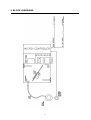
Connect the external 12 volt pwer supply to the 12V input socket on the rear panel of the
spectroradiomter. Plug the power supply into the mains. With both the spectroradiometer and
the PC turned OFF, plug the RS232 interface cable into the rear panel connector of the
spectroradiometer and either COM1 or COM2 connectors of your computer. (The
spectroradiometer control software will support serial connections up to COM4). If in doubt,
consult your PC's manual.
Leave the light guides in their boxes for the moment and turn on the PC and spectroradiometer.
IMPORTANT: If you have to use the same serial port as your PC's mouse, make sure the mouse
driver is NOT active when using the spectroradiometer. Again, check your PC's manual on
details. The mouse driver, when active, can send signals via the RS232 which can cause the
electronics in spectroradiometer to hang.
8