1
Playback
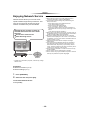
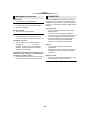
Using the Digital Media Controller
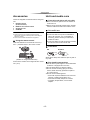
You can use a smartphone or tablet as the Digital
Media Controller (DMC) to playback contents
from DLNA server on the Renderer (this unit).
Possible applications:
Renderer
*
Server
Controller
*
Server
Renderer
*
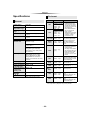
“HDMI CEC”
This unit supports “HDMI CEC” (Consumer
Electronics Control) function.
See the operating instructions for connected
equipment for operational details.
Preparation
1 Set “HDMI CEC” to “On” (> 27).
(The default setting is “On”.)
2 Set the “HDMI CEC” operations on the
connected equipment (e.g., TV).
3 Turn on all “HDMI CEC” compatible
equipment and select this unit’s input channel
on the connected TV so that the “HDMI CEC”
function works properly.
Repeat this procedure when the
connections or settings are changed.
+
Controller
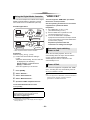
Automatic input switching
Power on link
* DMC compatible software should be installed.
Preparation
Perform steps 1 and 2. (> 20)
3 Perform the “Remote Device Settings”.
(> 26)
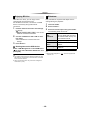
≥ With the default setting, the unit name will
be displayed in the following;
[BDT161] [BDT160] > DMP-BDT160/1
[BDT813] > DMP-BD81
≥ You can register up to 16 devices.
1
2
3
4
5
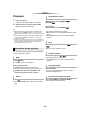
When the unit starts playback, the TV will
automatically switch the input channel and the
screen of the unit will be displayed.
Additionally when the TV is off, the TV will
automatically turn on.
Power off link
All connected equipment compatible with “HDMI
CEC”, including this unit, automatically turns off
when you switch the TV off.
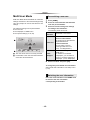
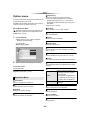
Press [HOME].
Select “Network”.
Select “Home Network”.
≥ This unit supports the “HDMI CEC” (Consumer Electronics
Control) function. However, operation cannot be
guaranteed on all HDMI CEC devices.
Select “Media Renderer”.
Operate the DMC compatible devices.
To exit from Media Renderer screen
Press [HOME].
For more details, refer to the following website and the
operating instructions for each of the equipment.
http://panasonic.jp/support/global/cs/
(This site is in English only.)
≥ Depending on the contents and the connected equipment,
playback may not be possible.
≥ Items displayed in grey on the display cannot be played
back by this unit.
- 21 -