1
MANAGING POSITIONS
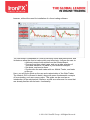
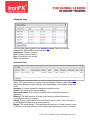
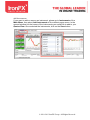
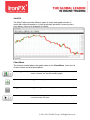
Positions lists all the open positions under the accounts listed in Accounts.
A description of each of its columns you can find in the paragraph Main Menu
– View - Positions.
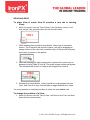
Opening a position
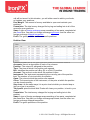
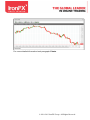
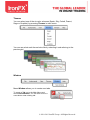
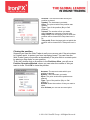
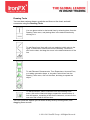
To open a position from the Quote View, double-click on a buy or sell rate,
this will open the New Order dialog.
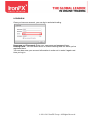
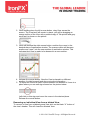
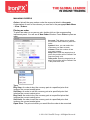
Choose Instant Execution tab, select your account number, Instrument
(Symbol), Volume, Stop Loss and Take Profit prices and click Buy or Sell.
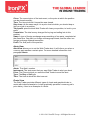
Account: This allows you to select the account under which to place the
order.
Symbol: Here, you can select the instrument you want to trade.
Volume: Enter the number of lots you want to trade.
Stop Loss: Enter the target price at which the position will be closed if the
Stop loss level is hit.
Take profit: Enter the target price at which the position will be closed if the
Take profit level is hit.
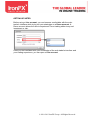
Modifying the position
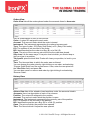
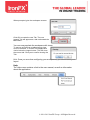
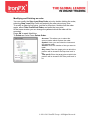
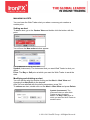
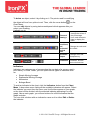
You can modify the Stop Loss/Stop Order price by double clicking the
position, selecting Modify Position and entering the new price for Stop
Loss/Stop Profit at any time.
To modify a position's limit price, just like for stop loss, double click the
position again, select Modify Position and enter the new price for Take
Profit/Limit Order.
© 2010-2013 IronFX Group. All Rights Reserved.