1
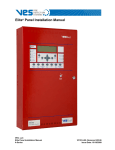
eMatrix Installation Manual
ves_header.jpg
VES, LLC
eMatrix Installation Manual
VF3513-00, Revision E01.05
Issue Date: 05/03/2013
Revision History
Revision
Date
Status
Description
E01.00
08/26/2008
Initial release
Modify original from parent company.
E01.01
09/08/08
internal edits
Modify original Kentec version. Change label on front-panel illustration from “Fire Alarm
Matrix Display” to “Fire Alarm eMatrix”. Change from Central time to Eastern Standard Time
in Section 1, Introduction. Add English units to dimensions descriptions containing International Standard of Units. Global change from eLAN Lite to Elite. Global change from DIL to
DIP. Add reference for configuring with Loop Explorer and eSP Discovery. Update VES part
numbering.Removed high voltage references. Change from Syncro and Syncro AS to eLAN
and Elite. Global change from jumper link to jumper. Added RMA and warranty return process in Introduction, Section 1.
E01.02
09/16/2008
Internal edits
Increased font-size of title and centered image on front-cover. Add “location security” to
step one of “To complete the installation:”, Installation, Section 3. Identify correct values for
Specifications, Appendix A. Add the following to Overview Section 2: “88 indicators in our
largest standard configuration” , “For custom configurations please contact our sales
department.”, “All Elite firmware versions support eMatrix.”, “eLAN firmware 4.00050 and
above.” and “eSP Discovery firmware 2.5 and above”. Add to Installation, Section 3, “a
listed 24 volt auxiliary supply may also be used.”. Add to Equipment List, Appendix B, “3.28
feet” reference for 1 meter length. Correct name in Equipment List, Appendix B: change
from VES Graphic Annunciator to eMatrix. Remove the following sentence from Equipment
List, Appendix B: “The RS485 serial bus supports operation of the 16 Channel I/O Interface,
the eMatrix and the eView on the VESNet or eNet network.” Change from glands to
connectors in Installation, section 3. Identify that DIP switch position 6 is not used in
Installation, Section 3. Change gauge to 14 - 24 AWG in Specifications, Appendix A.
Change alarm current and standby current from LED reference to circuit board reference.
This change allows users to identify currents associated with 8,24,40,56,72 or 88
LEDs.Remove “Subassembly” section containing part number table in Equipment List,
Appendix B. Subassembly table contains models not associated with this product.
E01.03
11/18/2008
Content changes
under UL project
08CA27859.
Added Operating Environment to Appendix A, Specifications.
Changed document revision on all footers from E01.02 to E01.03
E01.05
01/14/2009
Content changes
under UL project
08CA27859.
Added maximum input rating of 24 VDC @ 360 mA to Appendix A, Specifications,
Electrical. Replaced VES logo header on front and rear cover. Corrected header spacing.
Removed page count from back cover. Page count changed from 28 to 27. Corrected
document revision levels identified in Section 1, Introduction, Related Documentation.
Changed the document revision on all footers from E01.03 to E01.04.
E01.05
05/03/2013
Photo Change
New Front Cover Picture. Correct numbers of expansion boards and part compliments.
VES, LLC
eMatrix Installation Manual
VF3513-00, Revision E01.05
Underwriters Laboratories (UL)
File number (S 8485)
Fire Alarm Equipment
VES, LCC
NFPA
FCC Compliance
This equipment has been tested and found to comply with the limits for a Class A digital device, pursuant to Part 15 of the FCC Rules. These limits are
designed to provide reasonable protection against harmful interference when the equipment is operated in a commercial environment. This equipment
generates, uses, and can radiate radio frequency energy and, if not installed and used in accordance with the Installation Manual, may cause harmful
interference to radio communications. Operation of this equipment in a residential area is likely to cause harmful interference in which case the user will
be required to correct the interference at his own expense. Any changes or modifications not expressly approved by VES, LCC could void the user’s
authority to operate this equipment under the rules and regulations of the FCC.
Operation is subject to the following two conditions:
(1) This device may not cause harmful interference, and
(2) This device must accept any interference received, including interference that may cause undesired operation.
VES, LLC
eMatrix Installation Manual
VF3513-00, Revision E01.05
Copyright © 2009 - 2013 by
VES, LLC All rights reserved.
VES is a registered trademark of VES, LLC.
All other product or service names are the property of their respective owners.
VES, LLC
eMatrix Installation Manual
VF3513-00, Revision E01.05
i
Contents
Section 1
Introduction
Using This Manual . . . . . . . . . . . . . . . . . . . . . . . . . . . . . . . . . . . . . . . . . . . . . . . . . . . . . . . . . . . . 2
Related Documentation. . . . . . . . . . . . . . . . . . . . . . . . . . . . . . . . . . . . . . . . . . . . . . . . . . . . . . . . 2
Document Conventions . . . . . . . . . . . . . . . . . . . . . . . . . . . . . . . . . . . . . . . . . . . . . . . . . . . . . . . . 2
Part Numbers . . . . . . . . . . . . . . . . . . . . . . . . . . . . . . . . . . . . . . . . . . . . . . . . . . . . . . . . . . . . . . 2
Writing styles . . . . . . . . . . . . . . . . . . . . . . . . . . . . . . . . . . . . . . . . . . . . . . . . . . . . . . . . . . . . . . 2
If You Need Help . . . . . . . . . . . . . . . . . . . . . . . . . . . . . . . . . . . . . . . . . . . . . . . . . . . . . . . . . . . . . 3
Contacting VES Tech Support . . . . . . . . . . . . . . . . . . . . . . . . . . . . . . . . . . . . . . . . . . . . . . . . . . . 3
RMA Returns Required . . . . . . . . . . . . . . . . . . . . . . . . . . . . . . . . . . . . . . . . . . . . . . . . . . . . . . 3
Warranty Returns. . . . . . . . . . . . . . . . . . . . . . . . . . . . . . . . . . . . . . . . . . . . . . . . . . . . . . . . . . . 3
Advanced Replacements . . . . . . . . . . . . . . . . . . . . . . . . . . . . . . . . . . . . . . . . . . . . . . . . . . . . . 4
Suspect-Product Testing . . . . . . . . . . . . . . . . . . . . . . . . . . . . . . . . . . . . . . . . . . . . . . . . . . . . . 4
Product Return Address . . . . . . . . . . . . . . . . . . . . . . . . . . . . . . . . . . . . . . . . . . . . . . . . . . . . . . . 4
Section 2
Overview
Controls and Indicators . . . . . . . . . . . . . . . . . . . . . . . . . . . . . . . . . . . . . . . . . . . . . . . . . . . . . . . 6
Options and Features . . . . . . . . . . . . . . . . . . . . . . . . . . . . . . . . . . . . . . . . . . . . . . . . . . . . . . . . . . 7
Section 3
Installation
Before You Begin. . . . . . . . . . . . . . . . . . . . . . . . . . . . . . . . . . . . . . . . . . . . . . . . . . . . . . . . . . . . . 8
Mounting . . . . . . . . . . . . . . . . . . . . . . . . . . . . . . . . . . . . . . . . . . . . . . . . . . . . . . . . . . . . . . . . . . . . 9
Connecting . . . . . . . . . . . . . . . . . . . . . . . . . . . . . . . . . . . . . . . . . . . . . . . . . . . . . . . . . . . . . . . . . 10
Addressing . . . . . . . . . . . . . . . . . . . . . . . . . . . . . . . . . . . . . . . . . . . . . . . . . . . . . . . . . . . . . . . . . 11
Configuring . . . . . . . . . . . . . . . . . . . . . . . . . . . . . . . . . . . . . . . . . . . . . . . . . . . . . . . . . . . . . . . . . 12
Maintenance . . . . . . . . . . . . . . . . . . . . . . . . . . . . . . . . . . . . . . . . . . . . . . . . . . . . . . . . . . . . . . . . 13
Periodic Testing . . . . . . . . . . . . . . . . . . . . . . . . . . . . . . . . . . . . . . . . . . . . . . . . . . . . . . . . . . . 13
Changing LED Positions 1. . . . . . . . . . . . . . . . . . . . . . . . . . . . . . . . . . . . . . . . . . . . . . . . . . . . . 3
VES, LLC
eMatrix Installation Manual
VF3513-00, Revision E01.05
ii
Contents
Appendix A
Specifications
Electrical . . . . . . . . . . . . . . . . . . . . . . . . . . . . . . . . . . . . . . . . . . . . . . . . . . . . . . . . . . . . . . . . . . . 16
Operating Environment . . . . . . . . . . . . . . . . . . . . . . . . . . . . . . . . . . . . . . . . . . . . . . . . . . . . . . . 16
Appendix B
Equipment List
Model Numbering . . . . . . . . . . . . . . . . . . . . . . . . . . . . . . . . . . . . . . . . . . . . . . . . . . . . . . . . . . . . 18
Circuit Boards . . . . . . . . . . . . . . . . . . . . . . . . . . . . . . . . . . . . . . . . . . . . . . . . . . . . . . . . . . . . 18
Cabinet Styles . . . . . . . . . . . . . . . . . . . . . . . . . . . . . . . . . . . . . . . . . . . . . . . . . . . . . . . . . . . . 18
Installation and Maintenance Parts . . . . . . . . . . . . . . . . . . . . . . . . . . . . . . . . . . . . . . . . . . . . 18
eMatrix Models . . . . . . . . . . . . . . . . . . . . . . . . . . . . . . . . . . . . . . . . . . . . . . . . . . . . . . . . . . . . 19
Part Number Assignment Matrix . . . . . . . . . . . . . . . . . . . . . . . . . . . . . . . . . . . . . . . . . . . . . . . 25
Compatibility Features . . . . . . . . . . . . . . . . . . . . . . . . . . . . . . . . . . . . . . . . . . . . . . . . . . . . . . . 26
VES, LLC
eMatrix Installation Manual
VF3513-00, Revision E01.05
iii
Contents
This page intentionally left blank.
VES, LLC
eMatrix Installation Manual
VF3513-00, Revision E01.05
Introduction
1
Section 1
Introduction
This manual describes the installation of the VES eMatrix, VF13XX-YYY. The eMatrix is a custom-device containing model numbering for specific applications. Reference Appendix B, “Equipment List” for the model number
assignment that meets your specific application.
This section describes:
• Using This Manual
• Related Documentation
• Document Conventions
• If You Need Help
• Contacting VES For Repair
The figure below illustrates the eMatrix VF13XX-YYY:
Figure 1-1
eMatrix
VES, LLC
eMatrix Installation Manual
VF3513-00, Revision E01.05
1 of 28
Introduction
1
Using This Manual
The following sections provide instructions for installing, testing and troubleshooting the eMatrix:
Section 1
Introduction provides document conventions, the technical help-line, repair and return
information.
Section 2
Overview provides a summary features of the eMatrix.
Section 3
Installation describes how to install, configure and troubleshoot the eMatrix.
Appendix A
Specifications provides operating characteristics of the eMatrix.
Appendix B
Equipment List provides model numbers and descriptions for the eMatrix.
Related Documentation
The following documents shall be used to provide additional information for installing the eNet Interface:
• eLAN H Panel Installation Manual with Releasing VF1615-00, Rev. E05.XX
• eLAN A Panel Installation Manual with Releasing VF1635-00, Rev. E02.XX
• Elite H Installation Manual, VF3515-00, Rev.E02.XX
• Elite A Installation Manual, VF3514-00, Rev.E02.XX
Document Conventions
This document contains conventions for part numbers and writing style.
Part Numbers
Part numbers are provided in Section 1 and Appendix B of this manual. Refer to Appendix B, Equipment List for a
complete list of part numbers required for completing this installation.
Writing styles
Before you begin using this installation manual, familiarize yourself with the following stylistic conventions:
Bold type
Indicates text that you must type exactly as it appears or indicates a default value.
Italic type
Denotes a displayed variable, a variable that you must type, or is used for emphasis.
Courier font
Indicates text displayed on a computer screen.
VES, LLC
eMatrix Installation Manual
VF3513-00, Revision E01.05
2 of 28
Introduction
1
If You Need Help
If you need technical support contact VES at (800) 274 - 9514 or email [email protected].
VES technical support is available Monday through Friday, 8:00 AM to 6:00 PM, Eastern Standard Time.
Contacting VES Tech Support
On-site technicians familiar with the product issue should contact VES Tech Support and include the:
• Product part number
• Purchase order or VES order number
• Product serial number
• Current function of the product
• Expected function of the product
• Installation of the product
RMA Returns Required
A Return Material Authorization (RMA) must be assigned to all products returning to VES. VES Tech Support will
assign an RMA to a returning product after recording information collected from the on-site technician. VES cannot
not accept product-returns that do not include an accompanying RMA number.
An RMA number is assigned when:
• A product issue is acknowledged by a VES Tech Support representative
• A product was damaged during shipping
• An order was placed using an incorrect part number *
• An order was placed using an incorrect part quantity *
• An order is no longer required *
* Restocking fees may apply.
Warranty Returns
VES Tech Support can replace a defective product when the original purchase is within the warranty period defined
in the sales contract. Check your sales-contract for more information or contact your VES sales representative about
the warranty period described in your sales-contract.
Warranty products that have been placed in service will be repaired or replaced by VES.
Warranty products that have not been placed in service will be returned to VES stock and an equivalent credit will be
provided to the contractor.
VES, LLC
eMatrix Installation Manual
VF3513-00, Revision E01.05
3 of 28
Introduction
1
Advanced Replacements
Suspect-products that fail to operate in the field can be replaced quickly using the advanced replacement process.
The advanced replacement process is available to all contractors who maintain an acceptable line of credit with VES.
Initiate the advanced replacement process by requesting an RMA number from a VES Tech Support representative.
Advanced replacements can be shipped to your location when the suspect-product is covered under warranty and
when a replacement product is in stock. All advanced replacement products are shipped UPS ground.
Expedited Replacements
Advanced replacements can be expedited at the request of the contractor. Shipping costs associated with this
process are the responsibility of the contractor.
Returning Products
Suspect products returning to VES using the advanced replacement process must be received 30 days from the RMA
issue-date. Contractors can be billed for returning products received following this 30 day period.
Suspect-Product Testing
Suspect-products returned to VES are tested to confirm operating failures experienced in the field.
If the suspect-product is found to be functional, contractors must absorb the following expenses:
• Shipping of the advanced replacement product
• Return-shipping of the suspect-product
• Cost of the advanced replacement product
Product Return Address
Prominently display the RMA number on all packages sent to VES for return.
Ship all return products to:
Attention: RMA # _____________
VES, LLC
620 Allendale Road, Suite 175
King of Prussia, PA. 19406
VES, LLC
eMatrix Installation Manual
VF3513-00, Revision E01.05
4 of 28
Introduction
1
This page intentionally left blank.
VES, LLC
eMatrix Installation Manual
VF3513-00, Revision E01.05
5 of 28
Overview
2
Section 2
Overview
The eMatrix is a graphical annunciator that provides a flexible and expandable solution for fire alarm systems. It
includes a simple two-wire connection for installing models of the eLAN and Elite Panel. Adaptable features of the
eMatrix allow LED positions to be added or removed without wiring changes. The modular nature of the eMatrix
supports up to 88 standard-LED-connections. Please contact your VES sales representative for applications
requiring more than 88 LED indicators.
The eMatrix accepts firmware versions of the eLAN Panel above 4.00050 and all firmware versions of the Elite
Panel. The eMatrix requires eSP Discovery version 4.9 or above for configuration.
Controls and Indicators
Controls of the eMatrix can be ordered with the following features:
Lamp Test
Illuminates all indicators when pressed for testing purposes.
Buzzer Silence
Silence the eMatrix’s internal buzzer.
Reset
Resets the VES control panel to which the eMatrix is connected.
Alarm Silence
Silences the sounders on the VES control panel to which the eMatrix is connected.
Enable Control
Keyswitch which enables Reset and Alarm SILENCE controls.
Indicators of the eMatrix can be ordered with the following features:
Fire
Lights whenever a fire condition is present on the panel to which the eMatrix is connected.
POWER ON
Indicates that the eMatrix is supplied with power.
FAULT
Lights whenever a fault condition is present on the panel to which the VES Graphic
Annunciator is connected.
DISABLEMENT
Lights whenever a disablement condition is present on the panel to which the
eMatrix is connected.
Figure 2-1 illustrates controls and indicators of the eMatrix:
Figure 2-1
Controls and Indicators
Fire
Lamp
Test
Buzzer
Silence
Reset
Alarm
Silence
Enable
Controls
Power On
Fault
Disablement
The eMatrix can be ordered with or without indicators or controls.
VES, LLC
eMatrix Installation Manual
VF3513-00, Revision E01.05
6 of 28
Overview
2
Options and Features
The eMatrix cabinet size can be custom ordered to accept applications requiring 24, 56 or 88 LEDs.
The table below describes features of the eMatrix:
Cabinet
Dimension
Width x Height x Depth
Maximum LEDs
Maximum Accommodations
AM2
15.25” x 14.5” x 4.25”
40
(1) Red LED driver board
(2) LED expansion board
AM3
19” x 14.5” 4.25”
72
(1) Red LED driver board
(4) LED expansion boards
AM4
24” x 14.5” x 5”
88
(1) Red LED driver board
(5) LED expansion boards
All eMatrixs include a Red LED driver board containing 8 LEDs. LED expansion boards contain 16 LEDs in colors
of Red, Green or Yellow. Reference Appendix B, Equipment List for features and custom models of the eMatrix.
Figure 2-2 illustrates cabinets of the eMatrix:
Figure 2-2
Cabinets of the eMatrix
AM4
AM3
AM2
VES, LLC
eMatrix Installation Manual
VF3513-00, Revision E01.05
7 of 28
Installation
3
Section 3
Installation
This section provides instructions for connecting cables, mounting and testing the eMatrix.
To complete the installation:
1
Notify the monitoring center and local security that the eLAN or Elite Panel will be temporarily out of service
when installing or replacing the eMatrix.
2
Remove the eMatrix from its packaging and check its contents.
3
Mount the eMatrix and connect cabling for power and communication.
4
Applying power to the eMatrix.
5
Configure the eMatrix using Loop Explorer or eSP Discovery.
Install this product in accordance with NFPA 72, the National Electrical Code and all local codes.
The eMatrix installation must be performed by qualified personnel familiar with electronic
components. Electronic components within the eMatrix are vulnerable to damage from
electrostatic discharge. Ground straps must be worn by installers before handling eMatrix
circuit boards to prevent electrostatic discharge damage.
Before You Begin
Before you begin the installation, take a few minutes to review the installation information, gather the required items,
and complete the tasks listed below to make the installation as quick and easy as possible.
Acquire the following items that are not included with the eMatrix, but may be required for the installation:
Item
Quantity
Description
Communication Cabling
1
Specify required lengths of 14 to 24 AWG.
Power Cabling
1
Specify required lengths of 14 to 24 AWG.
Ground Strap
1
A ground strap is required for handling circuit boards. The ground strap is
not provided in the packaging of the eMatrix.
VES, LLC
eMatrix Installation Manual
VF3513-00, Revision E01.05
8 of 28
Installation
3
Mounting
Determine the best location for the eMatrix before mounting it. Set the device on a flat, dry surface and position it so
that it is at eye-level with the center of the display-face. Install the eMatrix within 3900 feet (1200 meters) of the
eLAN or Elite Panel and connect a communication cable suitable for RS485 data at 19200 baud.
Mount the enclosure of the eMatrix using four-screws with a minimum 1/5” (5mm) diameter.
The unit must not be mounted in another enclosure or near sources of excessive heat. Cables must be connected using
13/16” (20mm) cable connectors to pass through knockouts provided on the cabinet-enclosure. Debris created from
the drilling process must be removed from the cabinet before additional cable entry points are made and power is
applied to the eMatrix.
Figure 3-1 illustrates locations for the mounting screws:
Figure 3-1
Mounting Screw Locations
Four 1/5" (5 mm) mounting screws
VES, LLC
eMatrix Installation Manual
VF3513-00, Revision E01.05
9 of 28
Installation
3
Connecting
Perform the following connections to provide power and communication to the eMatrix:
1
Connect a set of wires to the AUX 24V terminals of the eLAN or Elite Panel or a UL listed 24 VDC auxiliary
power supply. Maintain polarity for the wire connections by observing positive and negative indicators on each
device.
2
Connect another set of wires to the COMMS terminals of the eLAN or Elite Panel.
Provide cabling for both connections meeting the constraints for wire length and gauge specified in the
“Before You Begin” section.
Figure 3-2 illustrates data cable connections on the eMatrix:
Figure 3-2
Data Cable Connections
Termination
Jumper
8
7
1
SW1
COMM - COMM +
0V
24V
2
COMM - COMM +
0V
24V
RS485 transmission lines need to be terminated for correct operation. All boards that connect to the serial bus of the
eLAN or Elite Panel have a jumper which needs to be connected to the last board on the RS485 transmission line
only. If the eMatrix is the last device on the serial bus of the eLAN or Elite Panel, then the jumper should be
connected as shown on the drawing below. Only the last board connected to the serial bus should be connected with a
jumper.
If there are additional I/O boards or View repeaters connected further down the RS485 transmission line, then no
links should be connected to the mimic boards and a link should be connected to the last I/O board. See I/O board
manuals for further information on this.
VES, LLC
eMatrix Installation Manual
VF3513-00, Revision E01.05
10 of 28
Installation
3
Figure 3-3 illustrates RS485 serial bus connections on the eMatrix:
Figure 3-3
RS485 Serial Bus Connections
CONNECT JUMPER HERE FOR
AN eMATRIX WITH 24 LEDS
CONNECT JUMPER HERE FOR
AN eMATRIX WITH 8 LEDS
CONNECT JUMPER HERE FOR
AN eMATRIX WITH 56 LEDS
CONNECT JUMPER HERE FOR
AN eMATRIX WITH 40 LEDS
Addressing
Each of the LED driver boards in the eMatrix must be allocated a unique address between 1 and 32. These addresses
must be different than other devices on the RS485 transmission line. The address is set by a binary coded DIP switch
on each board.
Figure 3-4 illustrates an example address setting of 1 to 4 on the eMatrix:
Figure 3-4
Addressing
16 LED eMATRIX BOARD
9 TO 24
ADDRESS 2
16 LED eMATRIX BOARD
41 TO 56
ADDRESS 4
VES, LLC
eMatrix Installation Manual
8 LED eMATRIX BOARD
1 TO 8
ADDRESS 1
16 LED eMATRIX BOARD
25 TO 40
ADDRESS 3
VF3513-00, Revision E01.05
11 of 28
Installation
3
Figure 3-5 illustrates DIP switch positions for addresses 1 through 32 on the eMatrix:
Figure 3-5
DIP Switch Positions On The eMatrix:
Switch position 6 is unused. Set address 32 with DIP switches 1 through 5 in the down position.
Figure 3-6 illustrates address 32 addresses on the eMatrix:
Figure 3-6
Address 32 on the eMatrix:
ON
1
2
3
4
5
6
Unused
DIP switch
position 6.
Configuring
Configure features of the eMatrix with eSP Discovery when operating the eLAN A or the eLAN H Panel.
Configure features of the eMatrix with Loop Explorer when operating the Elite A or Elite H Panel.
Refer to the eLAN Configuration Manual With Releasing, VF1625-00 for more information about configuring
features with the eSP Discovery application.
VES, LLC
eMatrix Installation Manual
VF3513-00, Revision E01.05
12 of 28
Installation
3
Maintenance
The eMatrix requires periodic testing and may require changes to the position of LED indicators.
Periodic Testing
The eMatrix should be periodically tested at the same time as the rest of the fire alarm system in a systematic manner
which ensures that all indicators show the correct information.
eMatrixs with controls, have a lamp test facility which can be used to verify that all indicators and the internal buzzer
are working correctly. The silence buzzer, silence alarm and reset controls should also be tested periodically.
The eMatrixs require little or no maintenance other than to ensure that the fascia is clean and clear of obstructions. If
required, the fascia can be wiped with a barely damp cloth. Cleaning solutions other than those specifically designed
for plastics such as anti static spray cleaners should not be used.
Mains powered versions of the eMatrixs contain sealed lead acid batteries which are float charged. The batteries can
be expected to provide adequate service for 3 to 4 years and should be tested annually in accordance with the manufacturer’s recommendations. Batteries should be replaced with the same type at the end of their useful life.
Changing LED Positions
The construction of eMatrix is such that it is simple to add, remove or change the position of LED indicators without
the need for special tools or wiring.
The indicators are connected to a steel plate which has a matrix of holes on a 1/4” (6 mm) grid. The steel plate is covered by the printed building plan which reveals only the areas of the plate where indicators are connected. If changes
or additions are made to the building plan, a new building plan can be produced and connected to an existing
eMatrix.
Figure 3-7 illustrates construction of the eMatrix:
Figure 3-7
Construction of the eMatrix
1/10" (3mm) Perspex
printed with building plan
Steel plate with
1/4"(6mm) grid
Fiber optic light pipe
LED lens
VES, LLC
eMatrix Installation Manual
VF3513-00, Revision E01.05
13 of 28
Installation
3
Figure 3-8 illustrates adding or changing the position of the LED indicator on the eMatrix:
Figure 3-8
Construction of the eMatrix
Remove 1/10" (3mm) Perspex
printed with building plan
3
Attach fiber optic light
pipe to lens and
connect new Perspex
Connect additional lens
in required position
Attach fiber optic light
pipe to PCB
Reference Appendix B, Equipment List for parts used to add or change LED positions on the eMatrix.
VES, LLC
eMatrix Installation Manual
VF3513-00, Revision E01.05
14 of 28
Installation
3
This page intentionally left blank.
VES, LLC
eMatrix Installation Manual
VF3513-00, Revision E01.05
15 of 28
Specifications
A
Appendix A
Specifications
This appendix provides specifications for the VES eMatrix:
Electrical
DESCRIPTION
SPECIFICATION
Supply Voltage
21 to 30 VDC
Maximum Input Rating
24 VDC @ 360 mA
Standby Current
Red LED Driver Board
Contains 8 LEDs: 13 mA
Red LED Expansion Board
Contains 16 LEDs: 13 mA
Green LED Expansion Board
Contains 16 LEDs: 13 mA
Yellow LED Expansion Board
Contains 16 LEDs: 13 mA
Alarm Current
Red LED Driver Board
Contains 8 LEDs: 45 mA
Red LED Expansion Board
Contains 16 LEDs: 45 mA
Green LED Expansion Board
Contains 16 LEDs: 45 mA
Yellow LED Expansion Board
Contains 16 LEDs: 45 mA
Terminal Capacity
14 to 24 AWG solid or stranded wire
Communications Interface
RS485 serial bus protocol
Operating Environment
Low Temperature
32 +/- 3oF (0 +/- 2oC)
Dry indoor use only
High Temperature
120+/- 3oF (49 +/- 2oC)
Dry indoor use only
Relative Humidity
93% +/- 2% @ 90 +/- 3oF
(32 +/- 2oC)
This device functions in an
atmosphere of relative humidity up
to 93 percent, non-condensing.
VES, LLC
eMatrix Installation Manual
VF3513-00, Revision E01.05
16 of 28
Specifications
A
This page intentionally left blank.
VES, LLC
eMatrix Installation Manual
VF3513-00, Revision E01.05
17 of 28
Equipment list
B
Appendix B
Equipment List
This appendix provides models and supporting equipment for all versions of the eMatrix.
Model Numbering
The eMatrix is a graphical annunciator containing model numbering, VF13XX-YYY for custom applications.
Reference Section, “Part Number Assignment Matrix” to select a configuration suitable for each application and
then reference Section, “VES Graphic Annunciator Models” to determine the model suitable for the cabinet size.
All eMatrixes include one Red LED driver board, VF13XX-000. The Red LED driver board contains
8 LEDs. LED expansion boards contain 16 LEDs of red, green or yellow.
Cabinet Styles
The following cabinet styles are provided with the eMatrix for various LED configurations:
CABINET STYLES DIMENSIONS
MAXIMUM BOARD CAPACITY
AM2
15.25” x 14.5” x 4.25”
2 expansion board
AM3
19” x 14.5” 4.25”
4 expansion boards
AM4
24” x 14.5” x 5”
5 expansion boards
Installation and Maintenance Parts
The following parts are recommended for installation and maintenance of the eMatrix:
MATERIAL
DESCRIPTION
VF1349-10
eMatrix 8 way Control Board -- Red
VF1350-10
eMatrix 16 way Expansion Kit -- Red
VF1350-50
eMatrix 16 way Expansion Kit -- Yellow
VF1350-70
eMatrix 16 way Expansion Kit -- Green
VF1351-00
Fiber optic cable w/ Light pipe Kit of 5
VF1352-00
Fiber optic cable w/ Light pipe Kit of 10
VF1353-00
Fiber optic cable cutting tool
VES, LLC
eMatrix Installation Manual
VF3513-00, Revision E01.05
18 of 28
Equipment list
B
eMatrix Models
The following models are provided for the AM2 cabinet of the eMatrix:
AM2 CABINET, RED
EXPANSION BOARD POPULATION
VF1301-000
0 red, 0 green, 0 yellow expansion board
VF1301-001
0 red, 0 green, 1 yellow expansion board
VF1301-010
0 red, 1 green, 0 yellow expansion board
VF1301-100
1 red, 0 green, 0 yellow expansion board
VF1301-110
1 red, 1 green, 0 yellow expansion board
VF1301-011
0 red, 1 green, 1 yellow expansion board
VF1301-101
1 red, 0 green, 1 yellow expansion board
VF1301-200
2 red, 0 green, 0 yellow expansion board
VF1301-020
0 red, 2 green, 0 yellow expansion board
VF1301-002
0 red, 0 green, 2 yellow expansion board
AM2 CABINET, GRAY
EXPANSION BOARD POPULATION
VF1302-000
0 red, 0 green, 0 yellow expansion board
VF1302-001
0 red, 0 green, 1 yellow expansion board
VF1302-010
0 red, 1 green, 0 yellow expansion board
VF1302-100
1 red, 0 green, 0 yellow expansion board
VF1302-110
1 red, 1 green, 0 yellow expansion board
VF1302-011
0 red, 1 green, 1 yellow expansion board
VF1302-101
1 red, 0 green, 1 yellow expansion board
VF1302-200
2 red, 0 green, 0 yellow expansion board
VF1302-020
0 red, 2 green, 0 yellow expansion board
VF1302-002
0 red, 0 green, 2 yellow expansion board
VES, LLC
eMatrix Installation Manual
VF3513-00, Revision E01.05
19 of 28
Equipment list
B
The following models are provided for the AM3 cabinet of the eMatrix:
AM3 CABINET, RED
EXPANSION BOARD POPULATION
VF1321-000
0 Red, 0 Green, 0 Yellow Expansion Board
VF1321-001
0 Red, 0 Green, 1 Yellow Expansion Board
VF1321-010
0 Red, 1 Green, 0 Yellow Expansion Board
VF1321-100
1 Red, 0 Green, 0 Yellow Expansion Board
VF1321-002
0 Red, 0 Green, 2 Yellow Expansion Board
VF1321-011
0 Red, 1 Green, 1 Yellow Expansion Board
VF1321-020
0 Red, 2 Green, 0 Yellow Expansion Board
VF1321-101
1 Red, 0 Green, 1 Yellow Expansion Board
VF1321-110
1 Red, 1 Green, 0 Yellow Expansion Board
VF1321-111
1 Red, 1 Green, 1 Yellow Expansion Board
VF1321-200
2 Red, 0 Green, 0 Yellow Expansion Board
VF1321-003
0 Red, 0 Green, 3 Yellow Expansion Board
VF1321-012
0 Red, 1 Green, 2 Yellow Expansion Board
VF1321-021
0 Red, 2 Green, 1 Yellow Expansion Board
VF1321-210
2 Red, 1 Green, 0 Yellow Expansion Board
VF1321-030
0 Red, 3 Green, 0 Yellow Expansion Board
VF1321-300
3 Red, 0 Green, 0 Yellow Expansion Board
VF1321-310
3 Red, 1 Green, 0 Yellow Expansion Board
VF1321-301
3 Red, 0 Green, 1 Yellow Expansion Board
VF1321-211
2 Red, 1 Green, 1 Yellow Expansion Board
VF1321-220
2 Red, 2 Green, 0 Yellow Expansion Board
VF1321-202
2 Red, 0 Green, 2 Yellow Expansion Board
VF1321-022
0 Red, 2 Green, 2 Yellow Expansion Board
VF1321-130
1 Red, 3 Green, 0 Yellow Expansion Board
VF1321-103
1 Red, 0 Green, 3 Yellow Expansion Board
VF1321-031
0 Red, 3 Green, 1 Yellow Expansion Board
VF1321-013
0 Red, 1 Green, 3 Yellow Expansion Board
VF1321-112
1 Red, 1 Green, 2 Yellow Expansion Board
VES, LLC
eMatrix Installation Manual
VF3513-00, Revision E01.05
20 of 28
Equipment list
AM3 CABINET, RED
EXPANSION BOARD POPULATION
VF1321-121
1 Red, 2 Green, 1 Yellow Expansion Board
VF1321-040
0 Red, 4 Green, 0 Yellow Expansion Board
VF1321-004
0 Red, 0 Green, 4 Yellow Expansion Board
VF1321-400
4 Red, 0 Green, 0 Yellow Expansion Board
VF1321-102
1 Red, 0 Green, 2 Yellow Expansion Board
VF1321-120
1 Red, 2 Green, 0 Yellow Expansion Board
VF1321-201
2 Red, 0 Green, 1 Yellow Expansion Board
AM3 CABINET, GRAY
EXPANSION BOARD POPULATION
VF1322-000
0 Red, 0 Green, 0 Yellow Expansion Board
VF1322-001
0 Red, 0 Green, 1 Yellow Expansion Board
VF1322-010
0 Red, 1 Green, 0 Yellow Expansion Board
VF1322-100
1 Red, 0 Green, 0 Yellow Expansion Board
VF1322-002
0 Red, 0 Green, 2 Yellow Expansion Board
VF1322-011
0 Red, 1 Green, 1 Yellow Expansion Board
VF1322-020
0 Red, 2 Green, 0 Yellow Expansion Board
VF1322-101
1 Red, 0 Green, 1 Yellow Expansion Board
VF1322-110
1 Red, 1 Green, 0 Yellow Expansion Board
VF1322-200
2 Red, 0 Green, 0 Yellow Expansion Board
VF1322-003
0 Red, 0 Green, 3 Yellow Expansion Board
VF1322-012
0 Red, 1 Green, 2 Yellow Expansion Board
VF1322-021
0 Red, 2 Green, 1 Yellow Expansion Board
VF1322-030
0 Red, 3 Green, 0 Yellow Expansion Board
VF1322-102
1 Red, 0 Green, 2 Yellow Expansion Board
VF1322-111
1 Red, 1 Green, 1 Yellow Expansion Board
VF1322-120
1 Red, 2 Green, 0 Yellow Expansion Board
VF1322-201
2 Red, 0 Green, 1 Yellow Expansion Board
VF1322-210
2 Red, 1 Green, 0 Yellow Expansion Board
VES, LLC
eMatrix Installation Manual
B
VF3513-00, Revision E01.05
21 of 28
Equipment list
AM3 CABINET, GRAY
EXPANSION BOARD POPULATION
VF1322-211
2 Red, 1 Green, 1 Yellow Expansion Board
VF1322-220
2 Red, 2 Green, 0 Yellow Expansion Board
VF1322-202
2 Red, 0 Green, 2 Yellow Expansion Board
VF1322-022
0 Red, 2 Green, 2 Yellow Expansion Board
VF1322-130
1 Red, 3 Green, 0 Yellow Expansion Board
VF1322-103
1 Red, 0 Green, 3 Yellow Expansion Board
VF1322-031
0 Red, 3 Green, 1 Yellow Expansion Board
VF1322-013
0 Red, 1 Green, 3 Yellow Expansion Board
VF1322-121
1 Red, 2 Green, 1 Yellow Expansion Board
VF1322-040
0 Red, 4 Green, 0 Yellow Expansion Board
VF1322-004
0 Red, 0 Green, 4 Yellow Expansion Board
VF1322-400
4 Red, 0 Green, 0 Yellow Expansion Board
VF1322-102
1 Red, 0 Green, 2 Yellow Expansion Board
VF1322-120
1 Red, 2 Green, 0 Yellow Expansion Board
VF1322-201
2 Red, 0 Green, 1 Yellow Expansion Board
VES, LLC
eMatrix Installation Manual
B
VF3513-00, Revision E01.05
22 of 28
Equipment list
B
The following models are provided for the AM4 cabinet of the eMatrix:
AM4 CABINET, RED
EXPANSION BOARD POPULATION
VF1331-000
0 Red, 0 Green, 0 Yellow Expansion Board
VF1331-001
0 Red, 0 Green, 1 Yellow Expansion Board
VF1331-010
0 Red, 1 Green, 0 Yellow Expansion Board
VF1331-100
1 Red, 0 Green, 0 Yellow Expansion Board
VF1331-002
0 Red, 0 Green, 2 Yellow Expansion Board
VF1331-011
0 Red, 1 Green, 1 Yellow Expansion Board
VF1331-020
0 Red, 2 Green, 0 Yellow Expansion Board
VF1331-101
1 Red, 0 Green, 1 Yellow Expansion Board
VF1331-110
1 Red, 1 Green, 0 Yellow Expansion Board
VF1331-200
2 Red, 0 Green, 0 Yellow Expansion Board
VF1331-003
0 Red, 0 Green, 3 Yellow Expansion Board
VF1331-012
0 Red, 1 Green, 2 Yellow Expansion Board
VF1331-021
0 Red, 2 Green, 1 Yellow Expansion Board
VF1331-030
0 Red, 3 Green, 0 Yellow Expansion Board
VF1331-102
1 Red, 0 Green, 2 Yellow Expansion Board
VF1331-111
1 Red, 1 Green, 1 Yellow Expansion Board
VF1331-120
1 Red, 2 Green, 0 Yellow Expansion Board
VF1331-201
2 Red, 0 Green, 1 Yellow Expansion Board
VF1331-210
2 Red, 1 Green, 0 Yellow Expansion Board
VF1331-300
3 Red, 0 Green, 0 Yellow Expansion Board
VF1331-004
0 Red, 0 Green, 4 Yellow Expansion Board
VF1331-013
0 Red, 1 Green, 3 Yellow Expansion Board
VF1331-022
0 Red, 2 Green, 2 Yellow Expansion Board
VF1331-031
0 Red, 3 Green, 1 Yellow Expansion Board
VF1331-040
0 Red, 4 Green, 0 Yellow Expansion Board
VF1331-103
1 Red, 0 Green, 3 Yellow Expansion Board
VF1331-112
1 Red, 1 Green, 2 Yellow Expansion Board
VES, LLC
eMatrix Installation Manual
VF3513-00, Revision E01.05
23 of 28
Equipment list
AM4 CABINET, RED
EXPANSION BOARD POPULATION
VF1331-121
1 Red, 2 Green, 1 Yellow Expansion Board
VF1331-130
1 Red, 3 Green, 0 Yellow Expansion Board
VF1331-202
2 Red, 0 Green, 2 Yellow Expansion Board
VF1331-211
2 Red, 1 Green, 1 Yellow Expansion Board
VF1331-220
2 Red, 2 Green, 0 Yellow Expansion Board
VF1331-301
3 Red, 0 Green, 1 Yellow Expansion Board
VF1331-310
3 Red, 1 Green, 0 Yellow Expansion Board
VF1331-400
4 Red, 0 Green, 0 Yellow Expansion Board
VF1331-005
0 Red, 0 Green, 5 Yellow Expansion Board
VF1331-014
0 Red, 1 Green, 4 Yellow Expansion Board
VF1331-023
0 Red, 2 Green, 3 Yellow Expansion Board
VF1331-032
0 Red, 3 Green, 2 Yellow Expansion Board
VF1331-041
0 Red, 4 Green, 1 Yellow Expansion Board
VF1331-050
0 Red, 5 Green, 0 Yellow Expansion Board
VF1331-104
1 Red, 0 Green, 4 Yellow Expansion Board
VF1331-113
1 Red, 1 Green, 3 Yellow Expansion Board
VF1331-122
1 Red, 2 Green, 2 Yellow Expansion Board
VF1331-131
1 Red, 3 Green, 1 Yellow Expansion Board
VF1331-140
1 Red, 4 Green, 0 Yellow Expansion Board
VF1331-203
2 Red, 0 Green, 3 Yellow Expansion Board
VF1331-212
2 Red, 1 Green, 2 Yellow Expansion Board
VF1331-221
2 Red, 2 Green, 1 Yellow Expansion Board
VF1331-230
2 Red, 3 Green, 0 Yellow Expansion Board
VF1331-302
3 Red, 0 Green, 2 Yellow Expansion Board
VF1331-311
3 Red, 1 Green, 1 Yellow Expansion Board
VF1331-320
3 Red, 2 Green, 0 Yellow Expansion Board
VF1331-401
4 Red, 0 Green, 1 Yellow Expansion Board
VF1331-410
4 Red, 1 Green, 0 Yellow Expansion Board
VES, LLC
eMatrix Installation Manual
B
VF3513-00, Revision E01.05
24 of 28
Equipment list
AM4 CABINET, RED
EXPANSION BOARD POPULATION
VF1331-500
5 Red, 0 Green, 0 Yellow Expansion Board
AM4 CABINET, GRAY
EXPANSION BOARD POPULATION
VF1332-000
0 Red, 0 Green, 0 Yellow Expansion Board
VF1332-001
0 Red, 0 Green, 1 Yellow Expansion Board
VF1332-010
0 Red, 1 Green, 0 Yellow Expansion Board
VF1332-100
1 Red, 0 Green, 0 Yellow Expansion Board
VF1332-002
0 Red, 0 Green, 2 Yellow Expansion Board
VF1332-011
0 Red, 1 Green, 1 Yellow Expansion Board
VF1332-020
0 Red, 2 Green, 0 Yellow Expansion Board
VF1332-101
1 Red, 0 Green, 1 Yellow Expansion Board
VF1332-110
1 Red, 1 Green, 0 Yellow Expansion Board
VF1332-200
2 Red, 0 Green, 0 Yellow Expansion Board
VF1332-003
0 Red, 0 Green, 3 Yellow Expansion Board
VF1332-012
0 Red, 1 Green, 2 Yellow Expansion Board
VF1332-021
0 Red, 2 Green, 1 Yellow Expansion Board
VF1332-030
0 Red, 3 Green, 0 Yellow Expansion Board
VF1332-102
1 Red, 0 Green, 2 Yellow Expansion Board
VF1332-111
1 Red, 1 Green, 1 Yellow Expansion Board
VF1332-120
1 Red, 2 Green, 0 Yellow Expansion Board
VF1332-201
2 Red, 0 Green, 1 Yellow Expansion Board
VF1332-210
2 Red, 1 Green, 0 Yellow Expansion Board
VF1332-300
3 Red, 0 Green, 0 Yellow Expansion Board
VF1332-004
0 Red, 0 Green, 4 Yellow Expansion Board
VF1332-013
0 Red, 1 Green, 3 Yellow Expansion Board
VF1332-022
0 Red, 2 Green, 2 Yellow Expansion Board
VF1332-031
0 Red, 3 Green, 1 Yellow Expansion Board
VF1332-040
0 Red, 4 Green, 0 Yellow Expansion Board
VES, LLC
eMatrix Installation Manual
B
VF3513-00, Revision E01.05
25 of 28
Equipment list
AM4 CABINET, GRAY
EXPANSION BOARD POPULATION
VF1332-103
1 Red, 0 Green, 3 Yellow Expansion Board
VF1332-112
1 Red, 1 Green, 2 Yellow Expansion Board
VF1332-121
1 Red, 2 Green, 1 Yellow Expansion Board
VF1332-130
1 Red, 3 Green, 0 Yellow Expansion Board
VF1332-202
2 Red, 0 Green, 2 Yellow Expansion Board
VF1332-211
2 Red, 1 Green, 1 Yellow Expansion Board
VF1332-220
2 Red, 2 Green, 0 Yellow Expansion Board
VF1332-301
3 Red, 0 Green, 1 Yellow Expansion Board
VF1332-310
3 Red, 1 Green, 0 Yellow Expansion Board
VF1332-400
4 Red, 0 Green, 0 Yellow Expansion Board
VF1332-005
0 Red, 0 Green, 5 Yellow Expansion Board
VF1332-014
0 Red, 1 Green, 4 Yellow Expansion Board
VF1332-023
0 Red, 2 Green, 3 Yellow Expansion Board
VF1332-032
0 Red, 3 Green, 2 Yellow Expansion Board
VF1332-041
0 Red, 4 Green, 1 Yellow Expansion Board
VF1332-050
0 Red, 5 Green, 0 Yellow Expansion Board
VF1332-104
1 Red, 0 Green, 4 Yellow Expansion Board
VF1332-113
1 Red, 1 Green, 3 Yellow Expansion Board
VF1332-122
1 Red, 2 Green, 2 Yellow Expansion Board
VF1332-131
1 Red, 3 Green, 1 Yellow Expansion Board
VF1332-140
1 Red, 4 Green, 0 Yellow Expansion Board
VF1332-203
2 Red, 0 Green, 3 Yellow Expansion Board
VF1332-212
2 Red, 1 Green, 2 Yellow Expansion Board
VF1332-221
2 Red, 2 Green, 1 Yellow Expansion Board
VF1332-230
2 Red, 3 Green, 0 Yellow Expansion Board
VF1332-302
3 Red, 0 Green, 2 Yellow Expansion Board
VF1332-311
3 Red, 1 Green, 1 Yellow Expansion Board
VF1332-320
3 Red, 2 Green, 0 Yellow Expansion Board
VES, LLC
eMatrix Installation Manual
B
VF3513-00, Revision E01.05
26 of 28
Equipment list
AM4 CABINET, GRAY
EXPANSION BOARD POPULATION
VF1332-401
4 Red, 0 Green, 1 Yellow Expansion Board
VF1332-410
4 Red, 1 Green, 0 Yellow Expansion Board
VF1332-500
5 Red, 0 Green, 0 Yellow Expansion Board
B
Part Number Assignment Matrix
The following part number matrix describes the component structure of the eMatrix:
Part Number Assignment Matrix For The VES Graphic Annunciator
VF13XX-YYY
This is the number of 'YELLOW ' LED expansion boards
This is the number of 'GREEN' LED expansion boards
This is the number of 'RED' LED expansion boards
This is the Color of the cabinet
This is the Size of the cabinet
VF13XX-YYY Indicates the VES Model Number
Option Ranges
Option Type
Cabinet Sizes
Valid Entries
Cabinet Color
AM2 Cabinet: 15.25" x 14.5" x 4.25"
2
AM3 Cabinet: 19" x 14.5" x 4.25"
3
AM4 Cabinet: 24" x 14.5" x 5"
1
Red cabinet
2
Charcoal cabinet
The number of expansion boards that can be installed on an
eMatrix is dependent on the cabinet size. The three "YYY" digits of
part number VF13XX-YYY identify the amount of expansion
boards installed in a cabinet. The amount of expansion boards
installed cannot exceed the capacity of cabinet sizes AM2, AM3
and AM4. An expansion board is not installed when all zeros (000)
are present in the "YYY" digits of the VF13XX-YYY part number.
Any combination of LED colors can be used.
Expansion Boards
**NOTE**
VES, LLC
eMatrix Installation Manual
Description
0
AM2
2 expansion board.
AM3
AM4
4 expansion boards.
5 expansion boards.
VF3513-00, Revision E01.05
27 of 28
Equipment list
B
This page intentionally left blank.
VES, LLC
eMatrix Installation Manual
VF3513-00, Revision E01.05
28 of 28
VES, LLC
eMatrix Installation Manual
VF3513-00, Revision E01.05
27