1
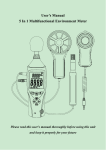
User Manual 5-In-1 Multi-Function Environment Meter Please read this user manual thoroughly before using this unit and keep it for your future reference. Contents 1. Safety .................................................................. 3 2. Introduction .......................................................... 4 3. Specifications ...................................................... 5 4. Meter Description ................................................ 7 5. LCD Display Description ..................................... 9 6. Operating Instructions ....................................... 10 7. Operating Procedures ....................................... 11 8. Calibration ......................................................... 11 9. Notes ................................................................. 14 10. Accessories ..................................................... 14 1. Safety Read the following safety information carefully before attempting to operate or service the meter. Use the meter only as specified in this manual; otherwise, the warranty may be invalidated. Environment conditions: Altitude less than 2000 meters RH≤90%(Non-Condensation) Operating Temperature: -30℃ ~ 60℃ Maintenance Repairs or servicing should only be performed by ATP Instrumentation Ltd. Wipe the unit with a dry soft cloth. Do not use abrasives or solvents on this instrument. Safety Symbol Complies with EMC 2. Introduction The 5-In-1 Multi-Function Environment Meter is designed to combine the functions of a Sound Level Meter, Light Meter, Anemometer, Humidity Meter and Temperature Meter into one unit. It is ideal for various practical applications in professional and home use, such as monitoring and collecting data of outdoor environments (temperature, humidity, sunlight, wind speed etc.), or testing noise and light levels for health and safety adherence in factories, schools, offices, airports etc. 3. Specifications Sound Applied standard IEC61672-1 CLASS2 Accuracy ±2.0dB Display 4 digit 55mm LCD screen Resolution 0.1dB Frequency response 31.5Hz to 8,000Hz Measurement range Auto:35dB to 130dB Frequency weighting dBA Microphone 1/2 inch Electric condenser microphone Light Measuring range 0 Lux to 200,000 Lux, 0 Fc to 20,000 Fc Spectral response CIE photopic ( CIE human eye response curve) Spectral accuracy CIE Vλ function f1’≦6% Cosine response f2’≦2% Accuracy ±4% rdg, ±0.5%f.s. (<10,000Lux) ±5% rdg, ±10 digits (>10,000Lux) Photo detector One silicon photo diode with filter Air velocity range 0.5m/s to 30.0m/s Air velocity accuracy ±3%, ±0.3d Airflow Measurement units m/s, km/h, ft/min, knots, MPH, Temperature Measurement range -40° to 70℃(-40° to 158℉) Accuracy ±2.0℃, ±3.6℉ Measurement units ℃/℉ Resolution 0.1 Humidity Measurement range 10 to 95%RH Accuracy ±5%RH Resolution 0.1 Data update 1 time per second Maximum value MAX Minimum value MIN Data Hold HOLD Auto power off Automatic power off after approx. 15 minutes of inactivity Power supply 1x 9V battery with type of 006P, NEDA1604 or IEC6F22 Battery life Roughly 30 hours Operating conditions -20℃~60℃, 10%RH~90%RH Storage conditions -40℃~60℃, 10%RH~75%RH Dimensions (L x W x H) 252 x 66 x 33mm Weight 568g 4. Meter Description 1) Wind muffler microphone cover 2) Microphone 3) LCD display 4) Temp./Humidity selection key 5) Backlight ON/OFF key 6) HOLD key 7) Units selection key 8) Power ON/OFF key 9) Function selection key 10) MAX/MIN 11) °C/°F Selection Key 12) Potentiometer calibration for sound level 13) Anemometer vane and Lux probe input 14) Temperature and Humidity sensor input 15) External DC 9V power supply terminal (positive inside and negative outside; Pore size:OD 3.5mm, ID 1.35mm) 16) Tripod bush 17) Battery Compartment 18) Battery Compartment screw 5. LCD Display Description 1) Temperature/Humidity reading display 2) Battery indication 3) Temperature unit icon 4) Humidity unit icon 5) Air velocity unit icon 6) Sound level, Air velocity or Light reading display 7) Sound level unit icon 8) Light unit icon 9) MAX/MIN 10) Data Hold 11) Power off timer 6. Operating Instructions (1) Open battery cover and install a 9-volt battery in the battery compartment. (2) Replace the battery cover and tighten the screw. (3) Power the meter on. (4) Press "MODE" key to select the desired function. Notes: When the low battery icon " " appears, replace the meters battery. Hold the meter in hand or use the tripod to affix the meter in the desired location. The best measuring distance is 1 to 1.5m away from the sound source to the microphone. To use the AC adapter, insert the plug of the adapter (3.5φ)into the DC 9V connector on the side panel. 7. Operating Procedures 7.1 Temperature/Humidity reading selection After powering the meter on, press the " " key to select Temperature or Humidity reading. 7.2 Backlight ON/OFF; After powering the meter on, press the " " key once and the backlight will turn on. Press this key again to turn it off. The backlight will automatically turn off after approximately 30 seconds of inactivity 7.3 Data Hold Press the " " button once, "HOLD" icon will appear on the LCD which indicates the data is frozen. To exit from data hold mode, press the button again. 7.4 Units selection 7.4.1 Measuring Air Velocity (1) After entering Air Velocity mode, press the “ ” button to select the desired units. The device will cycle through m/s, km/h, ft/min, knots and MPH in turn. 7.4.2 Measuring Light (2) After entering Light mode, press the “ ” button to select Lux or Fc. 7.5 Power ON/OFF Turn the meter on by pressing the " " button for 1 second, and to turn the meter off, press and hold the " " button for at least 3 seconds 7.6 MODE button After turning the meter on, press the “ ” button to select desired the function. The device will cycle though Sound Level, Air Velocity and Light in turn. 7.7 MAX/MIN record Whilst in measuring mode, press the " " key to enter MAX/MIN measurement. ‘MAX’ will appear on the LCD and the maximum recorded value will be displayed. Press the key again; ‘MIN’ will appear on the LCD and the minimum recorded value will be displayed. Press the key again to exit MAX/MIN measurement mode. 7.8 Temperature units selection When in measuring mode, press the “ ” button to select between ℃ or ℉. 8. Calibration The recommended recalibration period is 1 year. Calibration, repairs or servicing should only be performed by ATP Instrumentation Ltd. NOTE: All products are calibrated before delivery. 9. Notes (1) Do not store or operate the meter in high temperature or humidity. (2) Remove the battery when the meter is to be stored for long periods of time to avoid battery leakage. (3) Wind blowing across the microphone will affect the noise measurement. Use the supplied wind muffler to cover the microphone during applications involving turbulent air. (4) Keep microphone dry and avoid severe vibration. 10. Accessories ① User manual ② Temperature and Humidity probe ③ Anemometer vane ④ Lux probe ⑤ Wind muffler ⑥ 9V battery ⑦ Adaptor (Optional) ⑧ Tripod (Optional) ATP Instrumentation Ltd Tournament Way Ashby-de-la-Zouch Leicestershire LE65 2UU Sales: 01530 566800. [email protected] Repair and Calibration: 01530 566804. [email protected] www.atp-instrumentation.co.uk