1
Chapter 2: Card Installation
FXS and FXS Connection
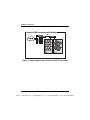
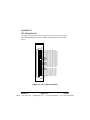
The TDM2400P card provides a 50-pin RJ-21 connector (amphenol
connector) for access to the FXS and/or FXO quad modules installed in
the six available slots. The diagram in Figure A-1 on page 49 provides the
pinout for this connector.
Caution.
Only qualified service personnel should continue with
hardware installation and configuration of the TDM2400P
card. Users should not attempt to perform these functions
themselves.
Hardware Installation
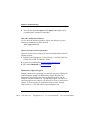
1. Now that you are acquainted with your card, power down your computer and unplug it from its power source.
2. Attach a static strap to your wrist and open the case.
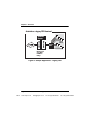
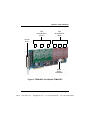
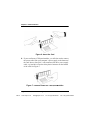
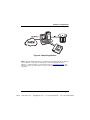
3. Remove the bracket place holder and insert the card into a 3.3 or 5
volt PCI slot (PCI 2.2 or greater). See Figure 6.
Release 1.0
VoIPon
www.voipon.co.uk
Digium, Inc.
[email protected]
Tel: +44 (0)1245 808195
Page 25
Fax: +44 (0)1245 600030