1
10
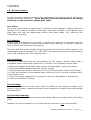
Routine Tests: -
In order to ensure that the system is fully operational, the following routine tests to the
system should be carried out. Note: Records should be maintained of all testing
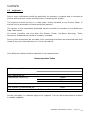
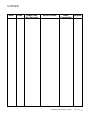
activities, on the enclosed Logbook Data Table.
10.1 Daily:
Check the control panel to ensure that it indicates normal operation. (Status should be
Normal). If any fault is indicated, check that it has been recorded in the logbook event
data table and that the appropriate actions have been taken. E.g. informing the
maintenance company.
10.2 Weekly:
Test at least one detector or call point, to confirm the operation of the panel and the
audible alarms. A different zone should be tested each week and, if possible, a different
device. Record the outcomes of the testing.
The zone and the device number should be noted into the Control Panel logbook. Any
malfunctions must be reported. The “LED TEST” key should be pressed to ensure that all
of the LED Indicators are in full working order.
10.3 Quarterly:
The person nominated with the responsibility for the system, should ensure that a
competent person checks the system every 3 months. The competent person shall: i) Check the Logbook Event Data Table entries, and the results of any action taken.
ii) Check the standby batteries and the charger voltage.
iii) Test at least one device in each zone, to verify the functionality of the Control Panel.
iv) Check the operation of the audible alarms and any link to a remote manned centre,
central station, etc.
v) Carryout a visual inspection of the system to check for alterations or obstructions.
vi) Issue a Certificate of Testing.
10.4 Annually:
The responsible person should ensure that, in addition to the quarterly checks, each
device on the system is tested and that a visual inspection is made of the cable fittings
and equipment.
10.5 Periodic Cleaning:
The Control Panel and devices should be periodically cleaned, by wiping with a soft damp
cloth.
However, the use of solvents on the Control Panel or Devices is not recommended.
TEMPOINT USER MANUAL, ISSUE 1 – 02/07/13
23