1
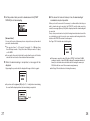
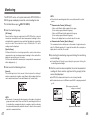
4.Set the period of data you wish to download and click [START
GATHER] to start downloading.
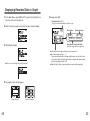
【Period of Data】
You can set the period (how many hours or days before now) from which
you wish to download data.
◆ If the amount of main unit memory is low, the downloading of
recorded data may be impossible.
When you check the amount of the memory to confirm whether the data you
wish to download can be saved in the RTR-57C, and the data cannot be
saved, the message [Memory Full] will be displayed and the downloading will
be canceled.
Carry out any new download only after having downloaded and saved the
recorded data you wish to save into your computer and having deleted the
data from the RTR-57C main unit to make space.
See Page 51-52 for details about deleting data.
● You
can select from 1 ~ 47 hours (in 1 hour units) / 2 ~ 300 days (Less
than 100 days in units of 1 day, More than 100 days in units of 5 days)/
or ALL DATA.
● If
you specify the period of data that is earlier than the period of the data
saved in the remote unit, all saved data will be downloaded.
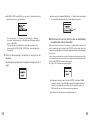
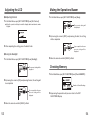
5. When
the downloading is completed, a message will be
displayed.
By pressing the operation dial, the display will change to that of a graph.
● The
memory capacity is about 16 units of RTR-51 at full data (16,000
readings) capacity or about 256,000 readings.The maximum number of
times you can download recorded data before clearing the memory is
250; this holds true even if there remains empty memory.
● See
Page 54 for details about checking the memory.
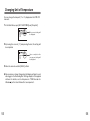
● If
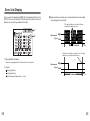
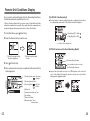
you have set the judgment [ON] in [Set ↑↓ Limits] before downloading,
the result will be displayed when the downloading is completed.
Result
27
28