1
GSK928MA CNC SYSTEM OPERATION MANUAL
<Spindle clockwise> key and the indicator: By pressing <Spindle clockwise> key and then enter
spindle speed to rotate the spindle in clockwise direction. When spindle clockwise key is pressed
or M03 is executed, the indicator is on.
<Spindle stop> key and the indicator: When <spindle stop> key is pressed, the spindle will be
stopped. When <Spindle stop> key is pressed or M05 is executed, the indicators of <Spindle
clockwise> and <Spindle counterclockwise> is not on which means the spindle is stopped.
<Spindle counterclockwise> key and the indicator: When < Spindle counterclockwise> key is
pressed or M04 is executed, this indicator is on which means the spindle is rotating
counterclockwise.
<Coolant> key and the indicator: When pressing this key or M08 (M09) is executed, the indicator is
on (off), it means coolant is switched on (off).
<Lubrication> key and the indicator: By pressing this key to turn on or turn off the lubrication. When
the lubrication is switched on or M32 (M33) is executed, the indicator is on (off).
<Tool change>: When the parameter No.98≤0.00, it means the automatic toolpost has not been
fixed on the machine, and T function can't be executed in Manual mode. When it is running to the T
word in the Auto mode, the system will pause. And manual tool change can be performed by
operator. Press <RUN> key to go on the execution of the program after the tool changing.
When the parameter No.98>0.00, it means the automatic toolpost has been fixed on the machine,
and the parameter No.98 represents the reverse rotation locking time of the toolpost. (Usually 1s).
When T function is executing, if the number for tool expressed by digits does not correspond to the
current tool, the toolpost will be rotated by system control to the required tool.
<S>key: By pressing this key followed by numerical value to execute spindle rotation function:
Pressing <S>key, “S_ “ will be displayed at the bottom of the screen, key in the value and then
press <Enter>, the new S function will be executed.
There are two types of output interface to control spindle rotation: 4-bit code output and 0-10V
analog voltage output.
When the 4-bit code is output, parameter No.54 must be set for 0, while the value of S ranging
from 0 to 15. When using analog spindle, set parameter No.54 for 0 and Manual mode (spindle
clockwise and inputting 128 for S corresponding to 5V analog output). The last line of the screen
displays the corresponding spindle speed per minute, input the value to the parameter No.54. If the
S function (Manual and Auto) is executed later, speed per minute can be used for S. (e.g. S800
represents the spindle speed is 800 r/m). When two gear analog spindle is used, parameter No.59
can be set like No.54.
Inputting of 2 by user can be used to switch two gear analog spindle speeds.
<M>key: By Pressing M key followed by the following Value, and then press <Enter> key, the
corresponding M function will be executed:
3, 4, 5, 8, 9, 20, 21, 22, 23, 24, 25, 27, 28, 32, 33.
Before pressing < Enter> key, press < Esc >key will cancel the inputting.
<Par> Key: By pressing this key to view or set system parameter.
<Disp> key: By pressing this key to display the system status.
<Zero> key: By pressing this key to select Zero return menu screen (Reference point return or
machine zero return).
<Comm>key: By pressing this key to select command menu screen.
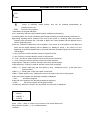
<Esc>: when < Esc> key is pressed “ESC Y_ " will be displayed at the right top of the screen,
50