1
MAINBOARD BIOS SETUP
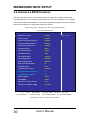
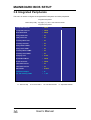
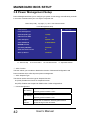
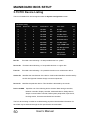
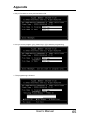
☆ Init Display First
Select “AGP” or “PCI Slot” for system to detect first when boor-up.
☆ AC97 Audio
Allows the motherboard’s BIOS to detect whether you are using any audio device. If a
Audio device is detected, the onboard audio CODEC will be enabled; If no audio is
Detected, the onboard audio CODEC will be disabled. If you want to use different audio
Controller cards, set these fields to Disabled.
☆ AC97 Modem
This item allows you to decide to enable/disable the Onboard AC 97’ CODEC chipset to
support AC 97’ Modem. The settings are: Auto, Disabled.
☆ IDE HDD Block Mode
This feature enhances disk performance by allowing multi-sector data transfers and
Eliminates the interrupt handling time for each sector.’
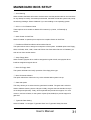
☆ Power on Function
This field allows you to use the keyboard to power-on the system. To use this function,
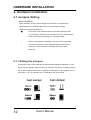
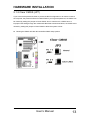
make sure JKBV jumper is set to 2-3 pin short, please refer to “Keyboard Voltage
Setting “ in Chapter 2 for more information.
Any Key: Press any key to power-on the system.
Button Only: System can be power on with Power Button.
Keyboard 98: When this option is selected, press the "wake up" key of the
Windows 98 compatible keyboard to power-on the system.
Password: When this option is selected, move the cursor to the "KB
Power On Password" field and press <Enter>. Enter your password. You
can enter up to 5 characters. Type in exactly the same password to confirm,
then press <Enter>.
38
User’s Manual