1
UE910-EU V2 AUTO Hardware User Guide
1VV0301072 Rev.1 – 2013-11-11
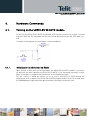
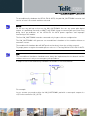
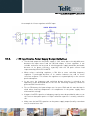
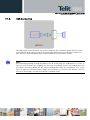
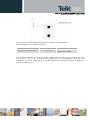
2. To drive the ON_OFF* pad directly with an ON/OFF button:
4.2.
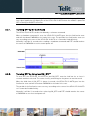
Turning off the UE910-EU V2 AUTO module
Turning off the device can be done in two ways:
•
via AT command (see UE910 V2 Software User Guide, AT#SHDN)
•
by tying low pin ON_OFF*
Either ways, the device issues a detach request to network informing that the device will not be
reachable any more.
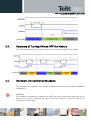
To turn OFF the UE910-EU V2 AUTO the pad ON_OFF* must be tied low for at least 2 seconds and
then released.
TIP:
To check if the device has powered off, hardware line PWRMON must be monitored.
The device is powered off when PWRMON goes low.
NOTE:
Reproduction forbidden without written authorization from Telit Communications S.p.A. - All Rights Reserved.
Page 22 of 69