1
NETSIM USER GUIDE
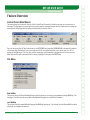
Feature Overview
Available Commands
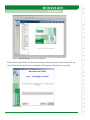
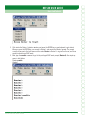
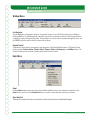
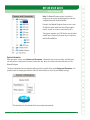
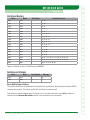
Clicking this option opens a new window that gives you the choice to display the currently available commands for the routers and switches. You can choose to view commands according to the mode in which they are
AVAILABLEINCLUDINGTHEUSER%8%#PRIVILEGED%8%#CONlGURATIONANDINTERFACEMODES!LTERNATIVELYYOUCAN
simultaneously view the commands available for all modes.
Update Command Set
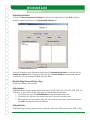
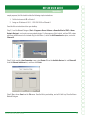
This option downloads the latest commands available in NetSim from the www.boson.com Web site. In order to
complete this process, you will need to enter your boson.com account information. If you do not remember your
account information, please visit www.boson.com/account.
0OST#ONlGSTO&ORUMS
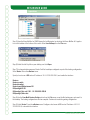
5SETHISOPTIONTOSENDA:)0lLEWITHALLOFYOURCONlGURATIONSTOTHE"OSONSUPPORTSTAFF"ESURETOINCLUDETHE
TOPNWCANDRTRlLESALONGWITHADESCRIPTIONOFTHEPROBLEMYOUAREENCOUNTERING!"OSONREPRESENTATIVE
will respond as soon as possible.
Proxy Settings
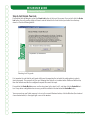
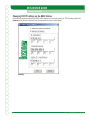
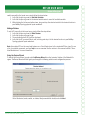
If your computer is behind a proxy server, enter your proxy settings into this form in order to access the Internet
for product registration and to download the latest product features.
Change Default Telnet
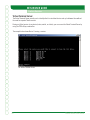
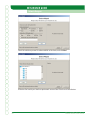
This feature allows individuals and companies to set up their Telnet application to default to their favorite Telnet
program. It even supports passing custom command-line settings to the EXE.
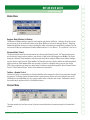
Ordering Menu
Remove Registration
You should never use this special option unless instructed to do so by Boson technical support. This option permanently removes your Unique Serial Number (license key) from your computer and generates a unique removal
code. You should keep a copy of the removal code and your correspondence with Boson’s technical support for
your own records.
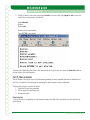
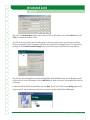
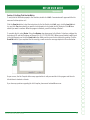
CAUTION: This function is used to remove the license from your computer. Selecting this option will open a new
window to remove the registered version of the Boson NetSim from your computer. To complete the process of
removing the Boson NetSim license key from your computer, type 99 in the text box, and click OK. If you do not
want to complete this operation, click Cancel.
Boson NetSim User Guide
21