1
R
Chapter 3: EDK Tutorial and Demonstration
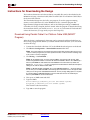
Download Using the System ACE Interface
The System ACE configuration management system allows the user to store hardware and
software information on a CompactFlash device and use it to program one or more devices
via JTAG. The ML40x platform uses the System ACE chip in conjunction with standard
CompactFlash cards to enable hardware and software programming of the FPGA. More
information about the System ACE interface is available from
http://www.xilinx.com/systemace. EDK supports the generation of System ACE files to
download bitstreams and software applications onto Virtex-4 FPGAs. This is accomplished
by concatenating (1) the JTAG commands to download the bitstream with (2) the JTAG
commands to download the software program. This combined set of JTAG commands is
encoded into an ACE file that can be read from a CompactFlash card by the System ACE
chip.
This download method creates an ACE file that contains the bitstream and software that
can be saved to the CompactFlash device and inserted into the ML40x board.
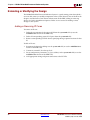
1.
Within XPS, select Device Configuration→Generate System ACE File.
Note: This command uses the local script file <EDK Project Directory>/genace.tcl (overriding the EDK
default script) to generate the ACE file <EDK Project Directory>/implementation/system.ace.
2.
Copy this file to your CompactFlash device.
-
If using a newly formatted Microdrive or CompactFlash device, copy it to the
root directory.
-
If using the CompactFlash device that shipped with ML40x, copy the ACE file
into the ML40x\myace directory of the CompactFlash device.
-
Rename the existing ACE file to system_my_ace.bak so there is only one
ACE file in the directory.
Note: On the ML402 board, it might be necessary to back up the old ACE file off the
CompactFlash device due to the limited disk space.
3.
Insert the CompactFlash device into the ML40x.
-
If the ACE file is in the root directory, it downloads immediately.
-
If the ACE file is in the ML40x\myace directory of the CompactFlash device,
select My OWN Ace File on the bootloader menu.
Refer to the System ACE and EDK documentation for further details.
38
www.xilinx.com
ML40x EDK Processor Reference Design
UG082 (v5.0) June 30, 2006