1
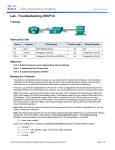
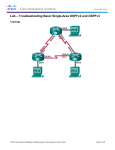
Lab - Troubleshooting DHCPv4 2 Switches (Cisco 2960 with Cisco IOS Release 15.0(2) lanbasek9 image or comparable) 2 PCs (Windows 7, Vista, or XP with terminal emulation program, such as Tera Term) Console cables to configure the Cisco IOS devices via the console ports Ethernet and serial cables as shown in the topology Part 2: Build the Network and Configure Basic Device Settings In Part 1, you will set up the network topology and configure the routers and switches with basic settings, such as passwords and IP addresses. You will also configure the IP settings for the PCs in the topology. Step 1: Cable the network as shown in the topology. Step 2: Initialize and reload the routers and switches. Step 3: Configure basic settings for each router. a. Disable DNS lookup. b. Configure device name as shown in the topology. c. Assign class as the privileged EXEC password. d. Assign cisco as the console and vty passwords. e. Configure logging synchronous to prevent console messages from interrupting command entry. f. Configure the IP addresses for all the router interfaces. g. Set clock rate to 128000 for all DCE router interfaces. h. Configure EIGRP for R1. R1(config)# router R1(config-router)# R1(config-router)# R1(config-router)# R1(config-router)# i. eigrp 1 network 192.168.0.0 0.0.0.127 network 192.168.0.252 0.0.0.3 network 192.168.1.0 no auto-summary Configure EIGRP and a static default route on R2. R2(config)# router eigrp 1 R2(config-router)# network 192.168.0.252 0.0.0.3 R2(config-router)# redistribute static R2(config-router)# exit R2(config)# ip route 0.0.0.0 0.0.0.0 209.165.200.225 j. Configure a summary static route on ISP to the networks on R1 and R2 routers. ISP(config)# ip route 192.168.0.0 255.255.254.0 209.165.200.226 Step 4: Verify network connectivity between the routers. If any pings between the routers fail, correct the errors before proceeding to the next step. Use show ip route and show ip interface brief to locate possible issues. Step 5: Configure basic settings for each switch. a. Disable DNS lookup. © 2013 Cisco and/or its affiliates. All rights reserved. This document is Cisco Public. Page 3 of 8